Advertising Analytics

Amazon Advertising Analytics for Sellers

One dashboard for your PPC: profit per campaign, keyword, placement, and hour, with promotions and fees counted in.

We’re part of:

Amazon - Markerplace developer council Amazon - Seller central partner network

Trusted by

1000+

industry leaders

Best Seller in Deodorants
Salt & Stone

100%

NTB accuracy

Faster Insights

Best Seller in Sea Vegetables
True Sea Moss

Subscriber Growth

40%

NTB increase

Top agency
Trivium

100%

Auto Reporting

50hrs+

Saved

Best Seller in Home & Kitchen
CGK Linens

-18%

Wasted ad spend

10x

Decision Speed

Best Seller in Headbands
Kitsch

5hrs+

Saved Daily

100%

Profit Clarity

Best Seller in Flushable Wipes
Good Wipes

Optimization

100%

Branded view

Top agency
TripleLine

100%

Centralized Data

Reporting Speed

Best Seller in Cutting Boards
Royal Craft Wood

+13%

Gross margin

−22%

Refund reduction

Best Seller in Stick Umbrellas
UEP

Efficiency Gain

100%

Cost Control

What is Amazon advertising analytics?

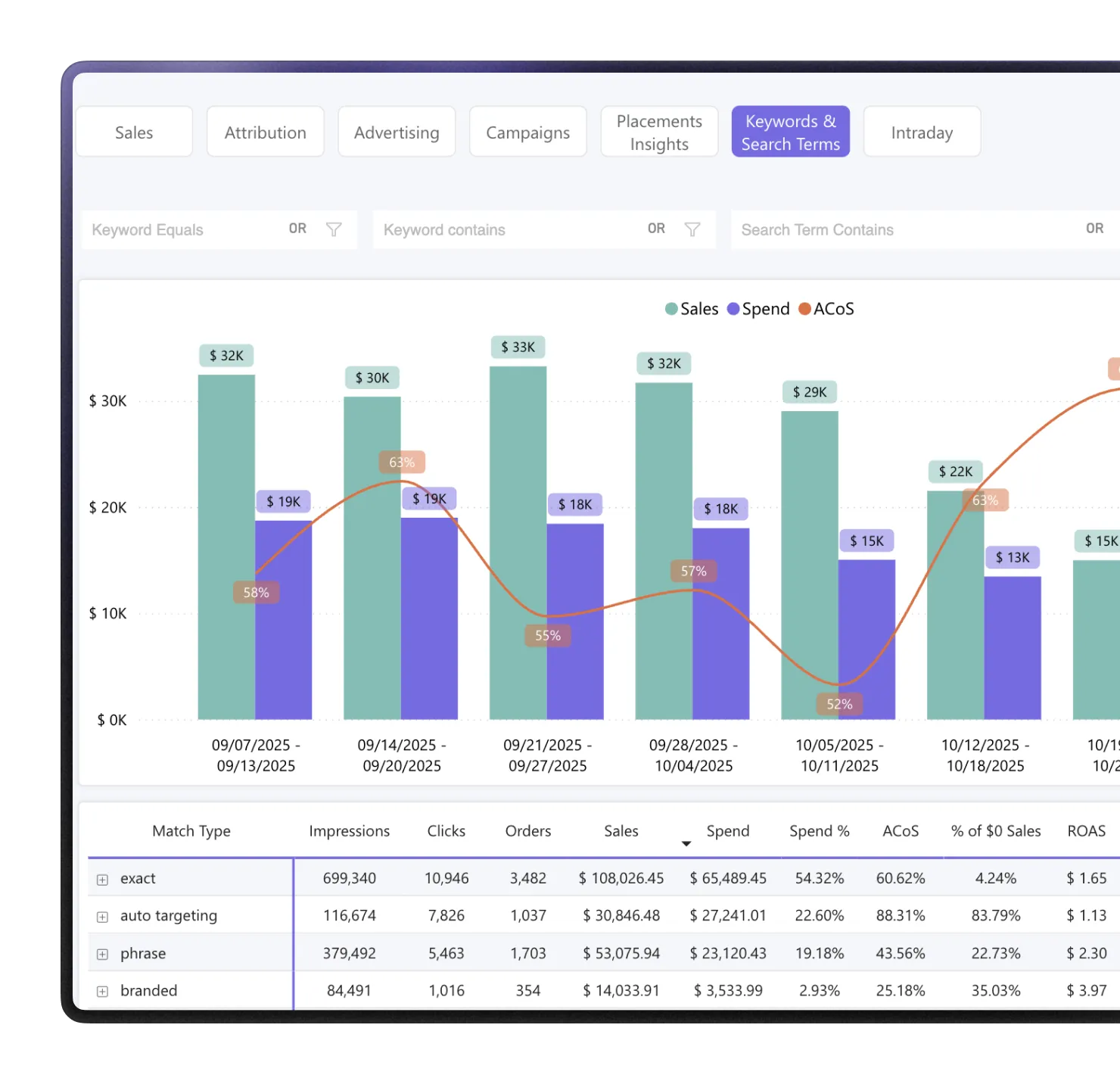
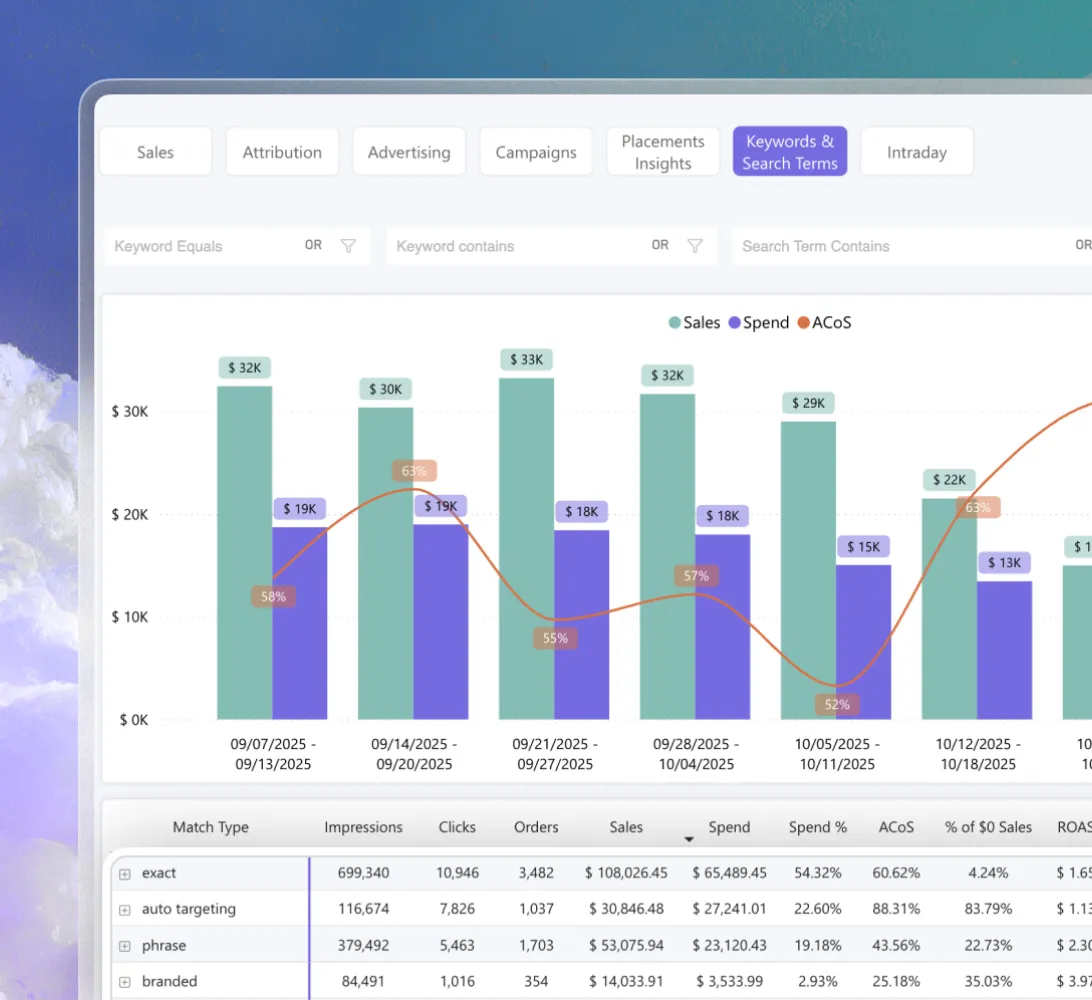
Amazon advertising analytics inside MyRealProfit is a set of seven reports for your PPC: Sales, Attribution, Advertising, Campaigns, Placement Insights, Keywords and Search Terms, and Intraday. The top navigation keeps your date range and filters, so you can move between them without setting the filters again.

Campaign Manager shows ad sales. It does not count promotions, FBA fees, cost of goods, or refunds. So your ACoS can look fine while the campaign loses money.

This dashboard counts all of it. It also adds two metrics Campaign Manager does not have: Net ACoS, which includes promotions, and Advertising Profit, which takes out FBA fees, COGS, and your refund rate. You see what each ad earned, not just what it sold.

Features

How the Amazon PPC dashboard
helps you

Analyze profit per campaign,
not just ACoS

The Advertising page is your account health view. Advertising Sales, Advertising Spend, Advertising Profit, Net ACoS, CPC, CTR, Conversion Rate, and CPA sit next to the previous period.

Click an ad type or a product to filter the whole page (hold Cmd or Ctrl for two filters).

Spot search terms that
spend and never sell

Open the Search Term Analyzer and filter by Units Sold = 0. You get the terms that took your budget and brought no orders.

Export the list via More Options and upload it to Seller Central.

See keyword coverage
and n-gram patterns

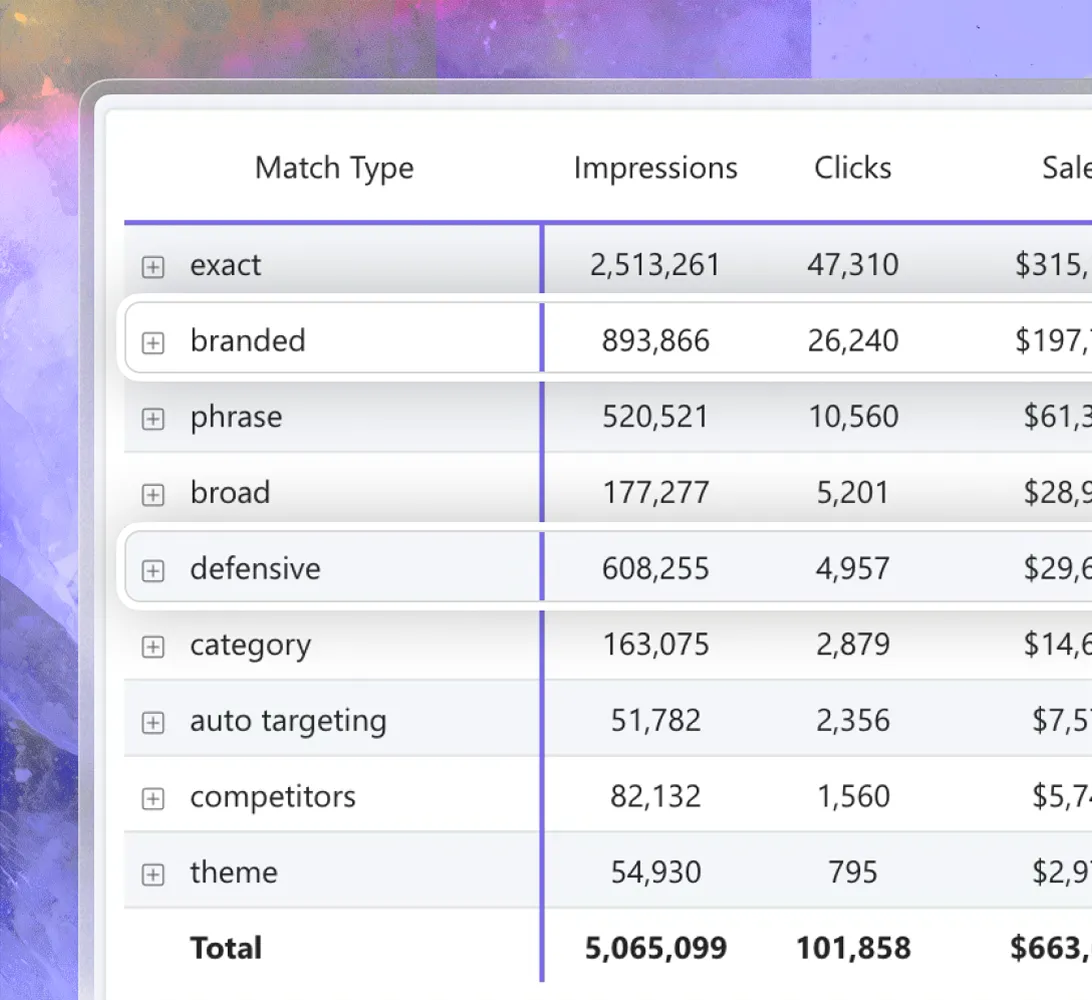
See which match types each keyword runs in, and which one is missing, for Sponsored Products and Sponsored Brands.

N-Gram analysis groups performance by single word, so you find negative keyword patterns you cannot see term by term.

Compare branded and
non-branded spend

Compare branded terms with non-branded ones. Cheap branded clicks pull your account ACoS down.

They also hide how much a new customer really costs you.

Break down placement
and hour of day

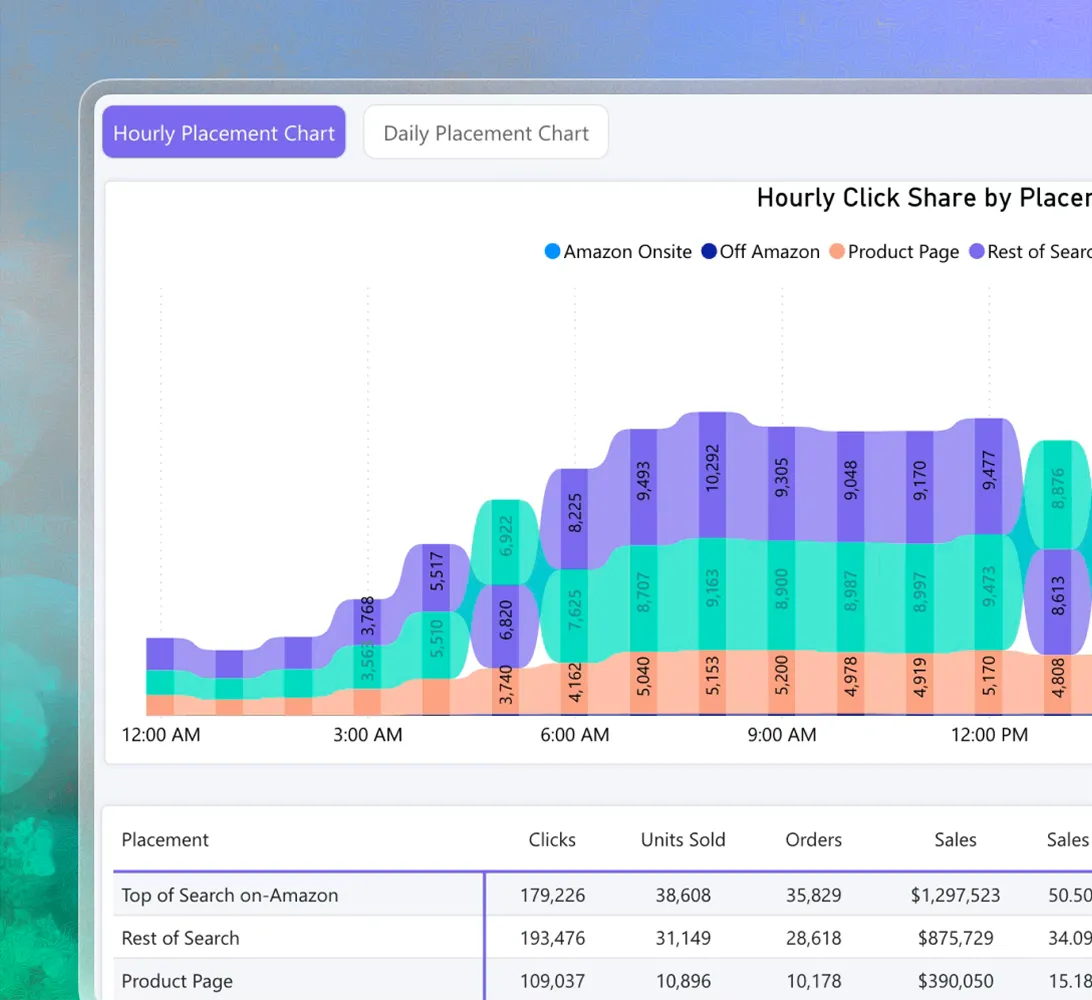
Placement Insights runs on Amazon Marketing Stream, so you get hourly data that Amazon reports do not show. See top of search, rest of search, product pages, and off Amazon by hour, in PST.

For one keyword you also get spend, CPC, CPA, and conversion rate per placement. Intraday adds day of week, which is what you need for dayparting.

Track organic sales
and halo sales

The Sales page splits total sales into PPC and organic, by account, parent ASIN, or child ASIN. So you see if ads add sales or just move organic sales to paid.

Attribution shows which ASIN you advertised and which one the customer bought. It also shows how long after the click people buy: same day, 1 to 7 days, 7 to 14 days, or 14 days and more. Use at least 30 days of data for that chart.

Key features of the tool

Amazon advertising analytics is one report area inside MyRealProfit. When ads move a number, the platform has a report that explains the rest:

  1. 1 Profit Dashboard

    Live sales and profit for your whole account, so you know today's numbers before the day ends.

  2. 2 Day-to-Day KPI dashboard

    All your core Amazon KPIs in one color-coded table, to see what changed on any day or week.

  3. 3 Profit & Loss

    A full Amazon profit and loss statement that removes fees, refunds, VAT, and COGS, so the profit line behind Advertising Profit is the real one.

  4. 4 LTV & Subscriptions

    Measure Amazon customer lifetime value over a year, not just the first order, plus Subscribe & Save retention.

  5. 5 SQP Market Share & Funnel

    See if a keyword lost sales because demand dropped or because a competitor took your share.

  6. 6 Traffic Analytics

    Track sessions and unit session percentage by ASIN, so you can tell if a low ad conversion rate comes from the ad or from the listing.

MyRealProfit reads your data through the official SP-API and Advertising API, updates automatically, and only reads data, so it never changes your listings or prices.

How to use Amazon advertising analytics

Here is the full flow, from sign-up to your first PPC report.

Step 1. Create your account

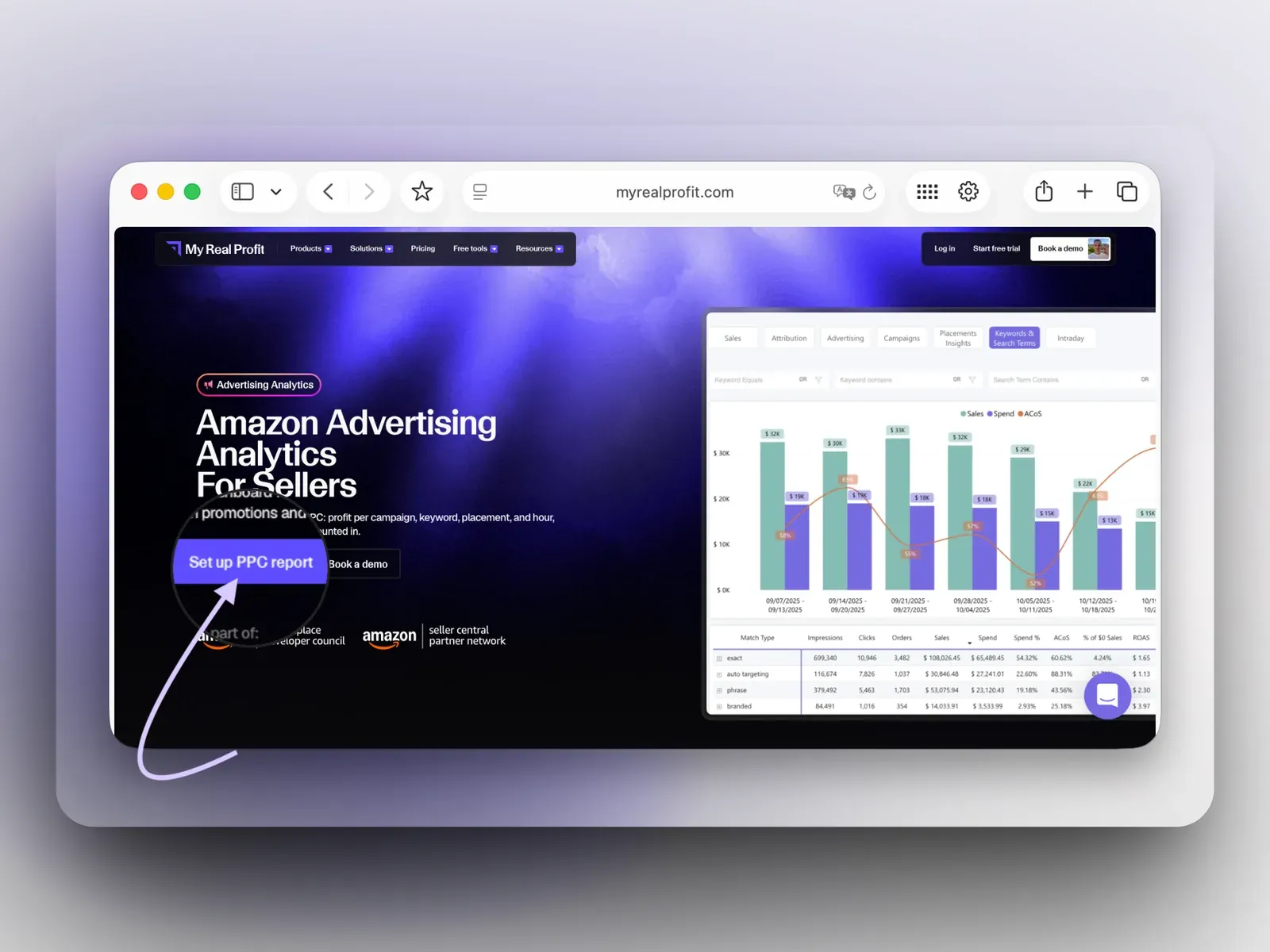
Click the 'Set up PPC report' button at the top of the page. Fill in the form and choose your business type. No credit card is required.

MyRealProfit with the Set up PPC report button

Step 2. Connect your Amazon account

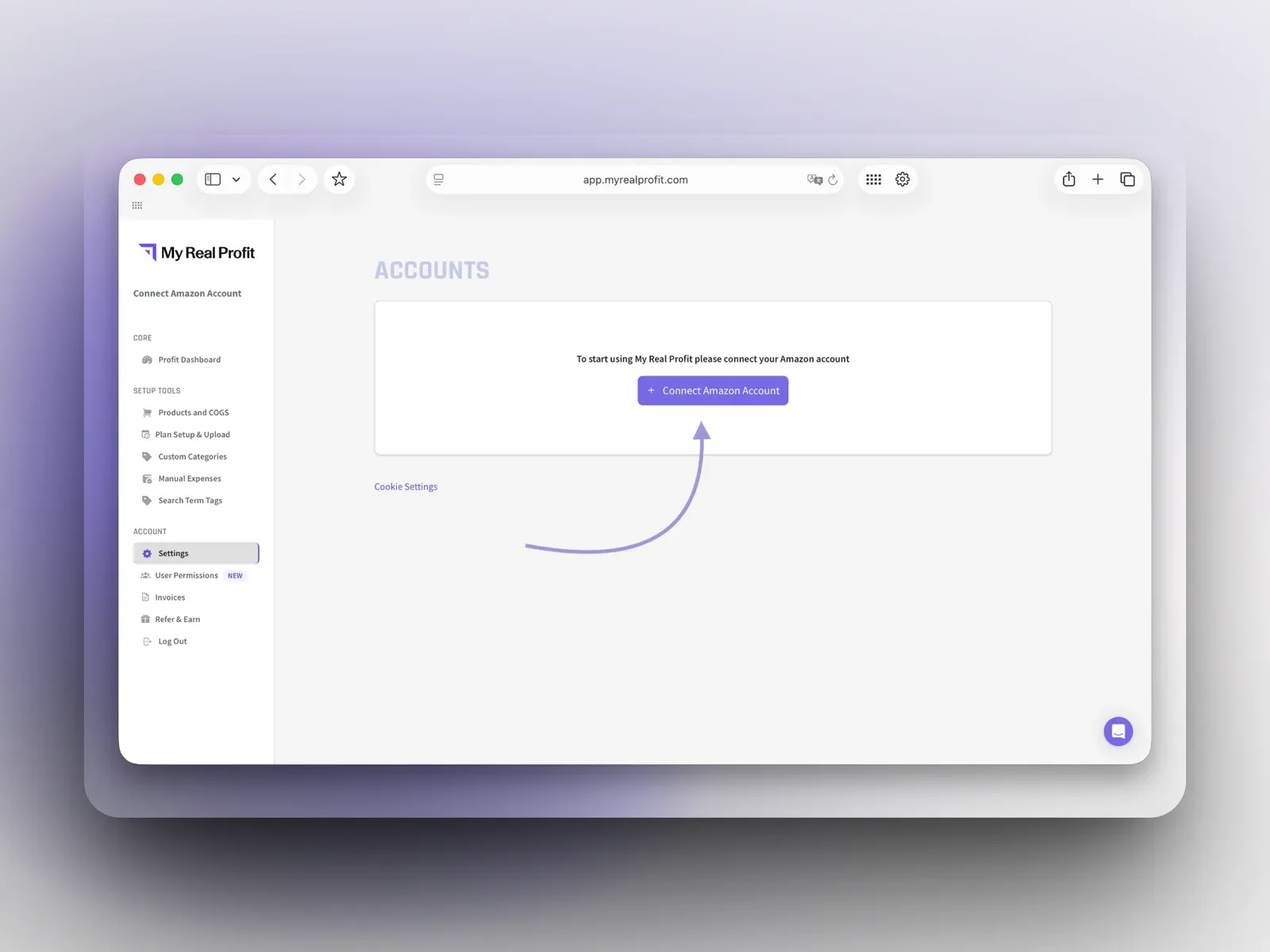
On the Accounts page, click 'Connect Amazon Account' and connect by region (North America, Europe, or Far East). This takes under five minutes.

Connect Amazon Account page in MyRealProfit

Step 3. Open Advertising Analytics

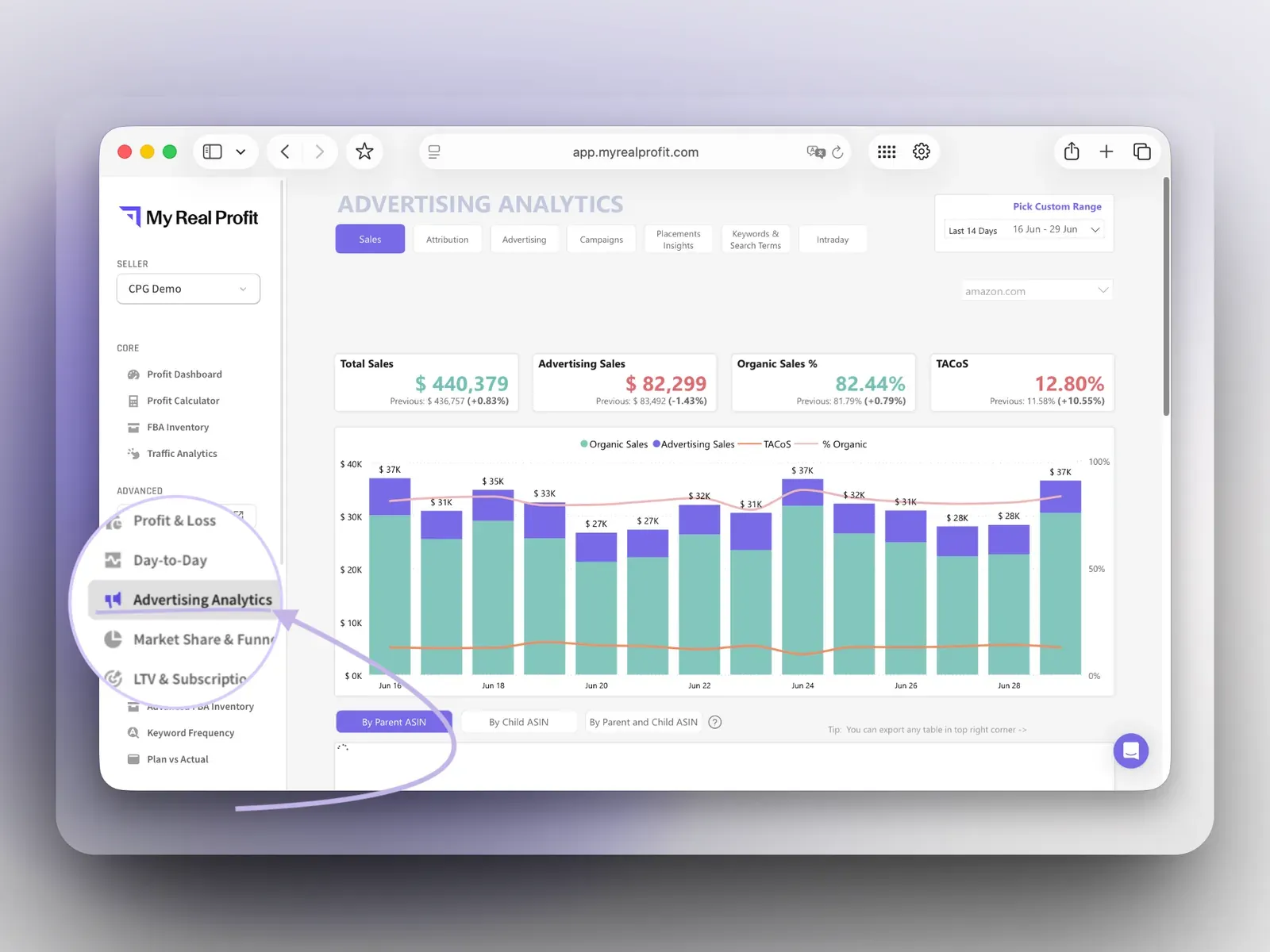
Your data imports automatically and you land on the Profit Dashboard (full reports are ready in 2 to 3 days). In the left menu, under Advanced, click Advertising Analytics. The seven report pages sit in the top navigation.

MyRealProfit Advertising Analytics report

See it in the video below. In the walkthrough, you can:

  • Filter the Advertising page by ad type or product, and combine two filters with Cmd or Ctrl.
  • Open Keywords and Search Terms, expand a keyword from match type down to search term, and run the Units Sold = 0 filter.
  • Switch to Placement Insights and Intraday to check placement and hour patterns before you change bids.

Who is the dashboard for?

In-house PPC managers

Cut zero-sale search terms, check placements before bid changes, and turn n-gram patterns into negatives or new campaigns.

CPG and repeat-purchase brands

Judge ad spend on Advertising Profit and on new customers, not on last week's ACoS.

Agencies

Run the same reports across client accounts, with no limit on connected accounts, and export for Seller Central bulk operations.

Founders and brand managers

See in one screen whether ads grow profit, without opening Campaign Manager.

Your Amazon PPC performance in one dashboard

Every ad dollar either grows profit or burns it, and ACoS alone cannot tell you which. Amazon advertising analytics inside MyRealProfit counts promotions, FBA fees, COGS, and refunds, then breaks the answer down by campaign, keyword, placement, and hour of the day. Connect your account, wait for the data to load, and start with the Units Sold = 0 filter on your own search terms. MyRealProfit has a 21-day free trial, and no credit card is required.

FAQ

Every question, answered

ACoS only shows ad spend as a percent of ad sales. Advertising Profit nets out COGS, FBA fees, promotions, and refunds, so you see the dollar profit each campaign actually leaves behind, not just its spend ratio.
Yes. The dashboard only reads your existing sales and advertising data through Amazon's official API; it cannot place orders, change listings, or touch your bids, budgets, or campaigns.
They are worth it when they bring customers at a profit. An ad can look efficient on ACoS while promotions and fees eat the margin, so judge it on Advertising Profit instead.
The account pulls 60 days of PPC data, and up to 24 months of sales and fees. During the free trial you get two months of history. Your full history loads after you move to a paid plan.
Yes. You can connect and manage several Amazon accounts in one workspace, with no limit on the number. Each region (North America, Europe, or Far East) connects once and pulls all its marketplaces.
No. It only reads your data. It does not touch your campaigns, bids, budgets, listings, or prices.
  • Our insights
  • +
  • Your data
  • =
  • More Profit
Only 2 clicks stand between you
and data you've never seen before

Book a free demo call or start your free trial today and see
exactly how it works for your business.
  • No long-term contracts
  • No setup fees
  • No credit card required