Profit Dashboard

Amazon Profit Dashboard for Sellers

All fees, real-time data, and product-level profit in one place. Know your true profit by account and ASIN with our Amazon profit tracker before the day ends.

We’re part of:

Amazon - Markerplace developer council Amazon - Seller central partner network

Trusted by

1000+

industry leaders

Best Seller in Deodorants
Salt & Stone

100%

NTB accuracy

Faster Insights

Best Seller in Sea Vegetables
True Sea Moss

Subscriber Growth

40%

NTB increase

Top agency
Trivium

100%

Auto Reporting

50hrs+

Saved

Best Seller in Home & Kitchen
CGK Linens

-18%

Wasted ad spend

10x

Decision Speed

Best Seller in Headbands
Kitsch

5hrs+

Saved Daily

100%

Profit Clarity

Best Seller in Flushable Wipes
Good Wipes

Optimization

100%

Branded view

Top agency
TripleLine

100%

Centralized Data

Reporting Speed

Best Seller in Cutting Boards
Royal Craft Wood

+13%

Gross margin

−22%

Refund reduction

Best Seller in Stick Umbrellas
UEP

Efficiency Gain

100%

Cost Control

What is the Amazon profit dashboard?

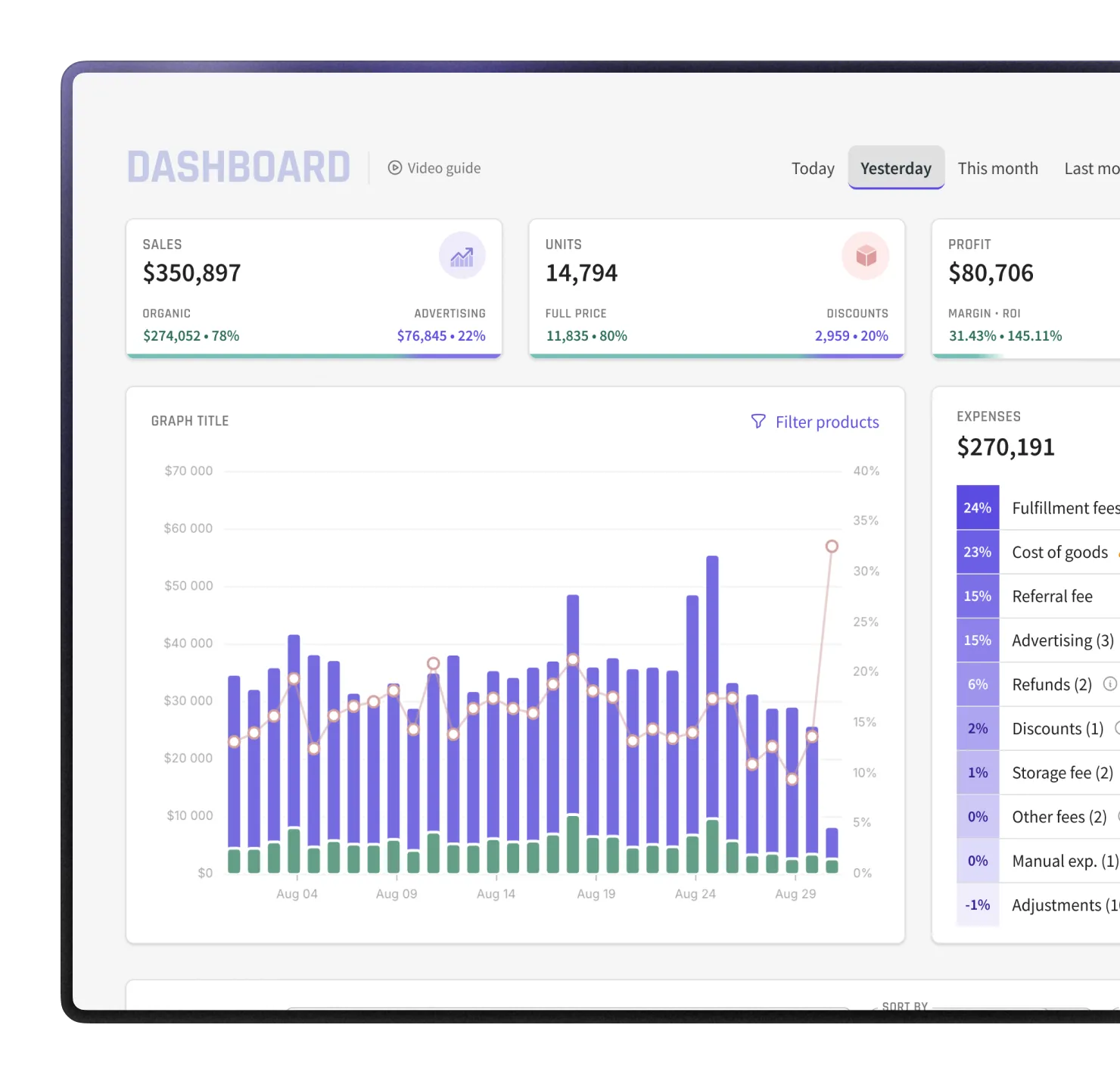
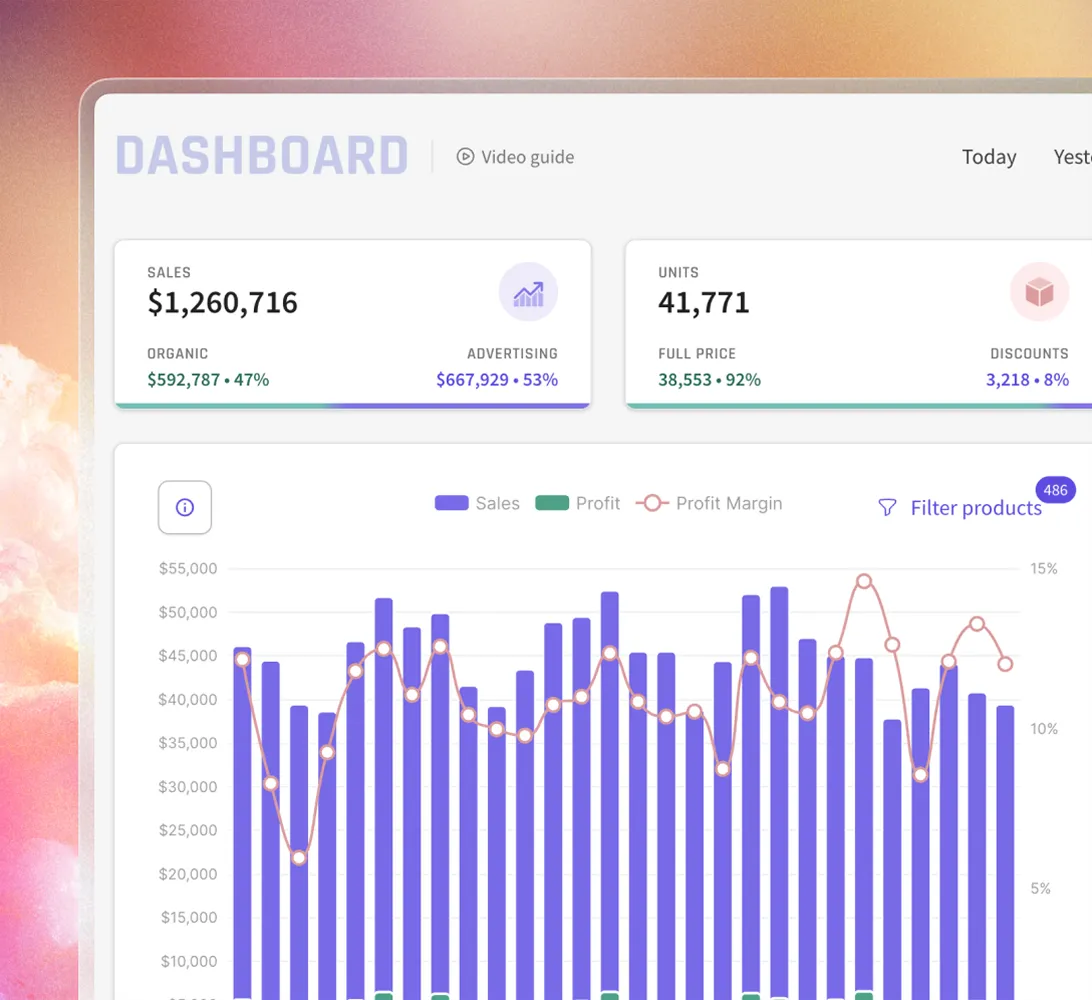
The Amazon profit dashboard inside MyRealProfit is a real-time Amazon profit tracker that shows daily sales and net profit for the full account, by parent ASIN, by child ASIN, or by custom category. Every number is calculated from ordered sales, not Amazon payouts, so the figures match when the orders happened.

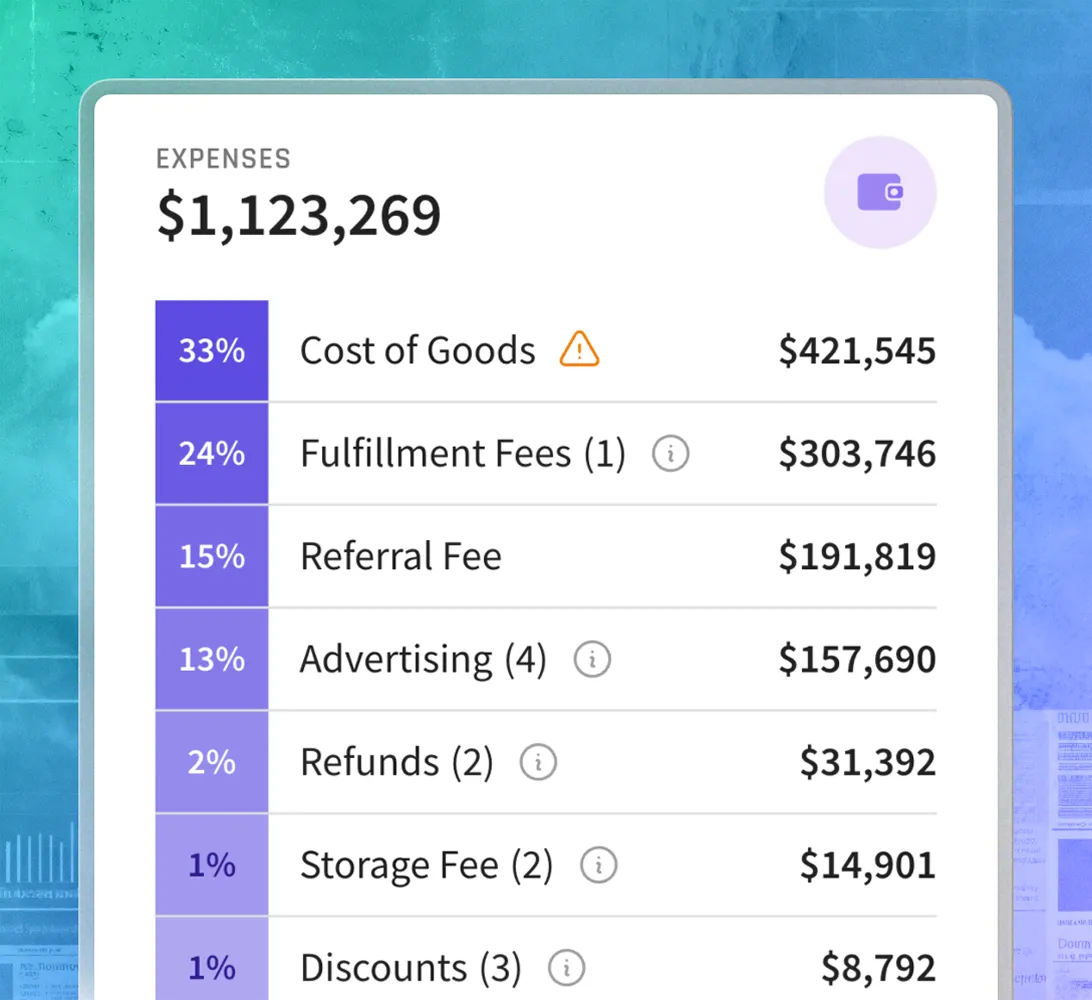
The dashboard has three views: Real-time updates (account-level totals), Expenses view (70+ Amazon fees grouped by category), and Product level view (per-ASIN profit breakdown). All three update every 30 minutes.

Features

How the Amazon profit dashboard
helps you

See today’s account profit
before you act

Sales, advertising spend, and the top fee categories are on the same screen.

If profit drops, you can see whether it came from lower sales, higher ad spend, or a cost spike before changing anything.

Find the cost
that grew

The Expenses view groups 70+ Amazon fees by category.

Each one shows the dollar amount and the percentage of sales it represents, so a spike in any line stands out immediately.

Name the product
behind the change

The Product level view shows profit, average price, TACoS, refund rates, and organic vs PPC sales per ASIN, so you can name the specific product that moved the numbers.

Key features of the tool

The Amazon profit dashboard is one report inside MyRealProfit. When a number needs deeper analysis, the platform gives you:

  1. 1 Amazon Profit and Loss Statement

    A full Amazon profit and loss statement that subtracts fees, refunds, VAT, and COGS, so your profit line is the real one.

  2. 2 Amazon KPI Dashboard

    See all core Amazon KPIs in one heat-map table, so you can read trends and spot the reason behind a change.

  3. 3 Advertising Analytics

    Go deep on advertising analytics, down to hourly performance, when TACoS or ACoS moves.

  4. 4 Amazon Customer Lifetime Value

    Measure customer lifetime value over a year, not just the first order, plus Subscribe & Save retention.

  5. 5 Amazon Search Query Performance

    Your search query market share by impressions, clicks, ATCs, and purchases, when a keyword loses share.

  6. 6 Refunds Analytics

    See why customers return and what your refund rate costs your margin.

MyRealProfit reads your data through the official SP-API and Advertising API, updates automatically, and only reads data, so it never changes your listings or prices.

How to use the Amazon profit dashboard

Here is the full flow, from sign-up to your first profit view.

Step 1. Create your account

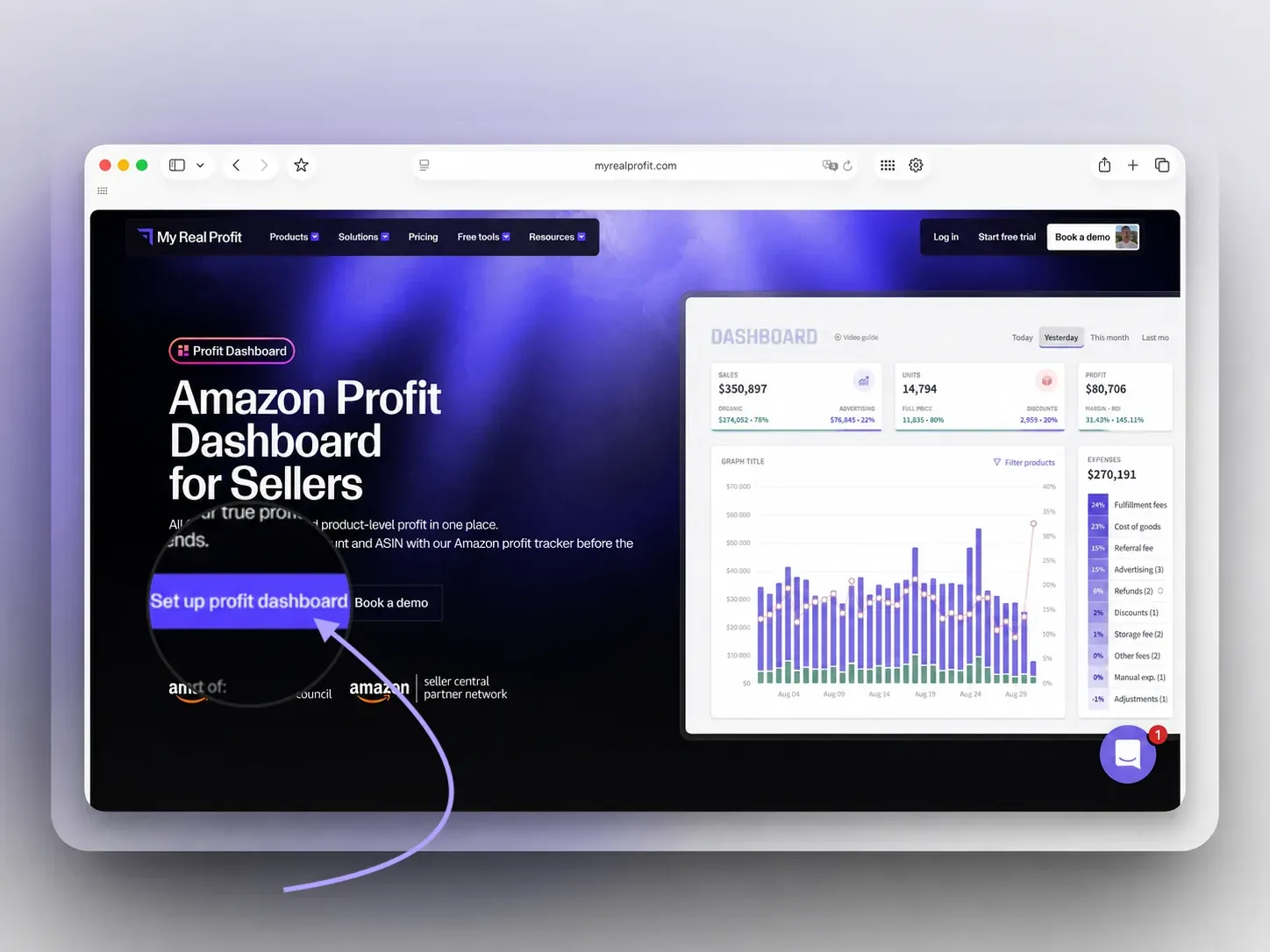
Click the 'Set up profit dashboard' button at the top of the page, fill in the form, and choose your business type. No credit card is required.

MyRealProfit with the Set up profit dashboard button

Step 2. Connect your Amazon account

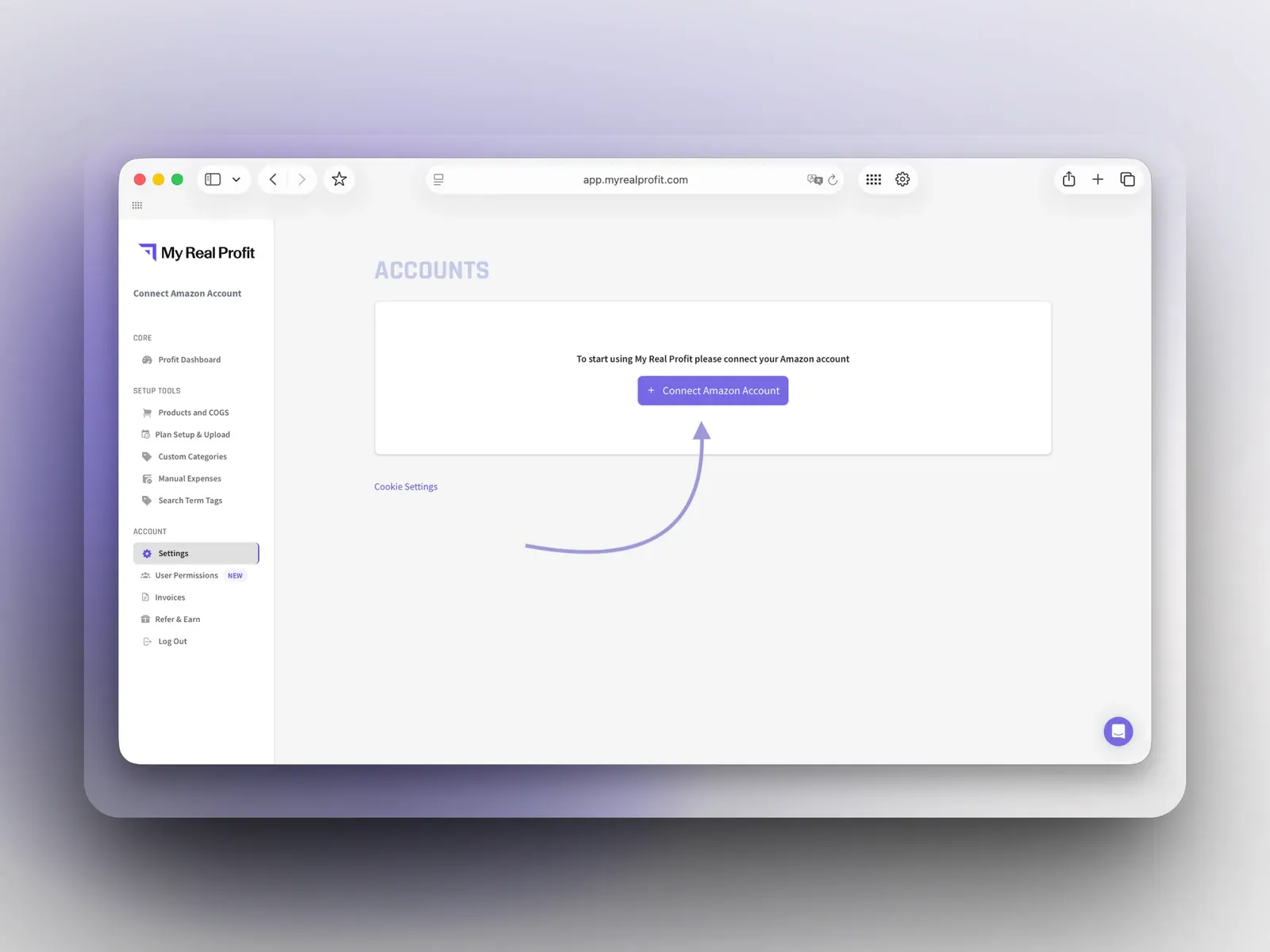
On the Accounts page, click 'Connect Amazon Account' and connect by region (North America, Europe, or Far East). This takes under five minutes.

Connect Amazon Account page in MyRealProfit

Step 3. Open the Profit Dashboard

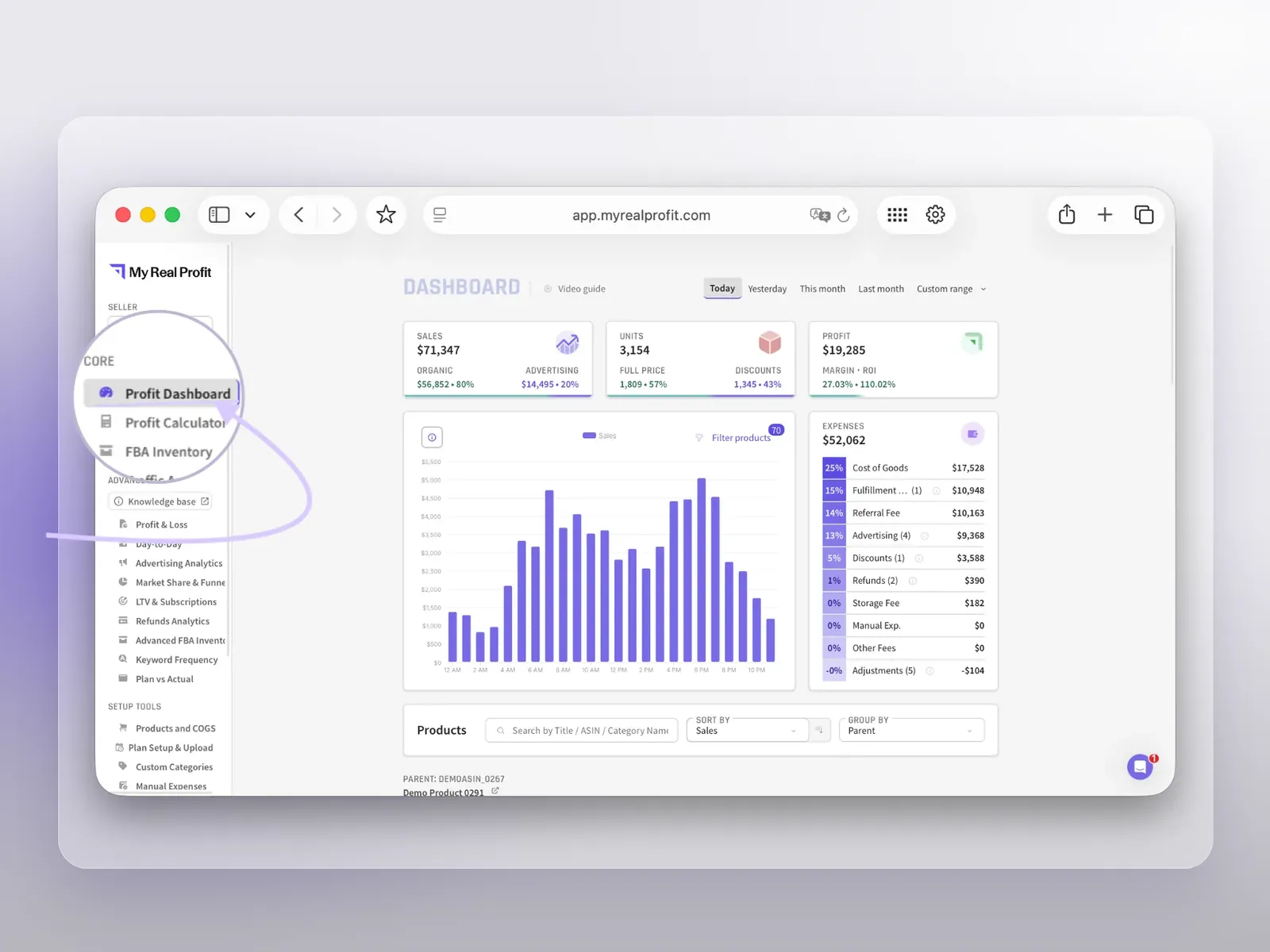
Your data imports automatically and you land on the Profit Dashboard (full reports are ready in 2 to 3 days). It sits at the top of the left menu, under Core, so you can come back to it from any report. This is your Amazon profit dashboard.

Amazon profit dashboard inside MyRealProfit

Who is the Amazon FBA profit tracker for?

Amazon FBA sellers

Check each day if sales, ad spend, and margin are on track before changing anything.

CPG and repeat-purchase brands

See organic vs PPC sales and New-to-Brand data next to daily profit, so you know if subscriber growth is coming at a cost.

Agencies

Track real-time profit across all client accounts in one workspace, without building a new report for each client.

Founders and brand managers

Get a clear view of account health before opening multiple Seller Central reports.

Your Amazon profit in one real-time view

Amazon splits your data across several reports: sales in one, fees in another, and ads in a third. The Amazon profit dashboard inside MyRealProfit puts all of it in one view, refreshed every 30 minutes from your real Amazon data. Connect your account, wait for the data to load, and start each day knowing exactly where your profit stands and why it moved. MyRealProfit has a 21-day free trial, and no credit card is required.

FAQ

Every question, answered

Amazon Seller Central shows sales, fees, and ads in separate reports, not as a single profit number. An Amazon profit tracker like MyRealProfit pulls all of that together automatically, so you can see net profit for any day, week, or ASIN.
Subtract Amazon fees, ad spend, refunds, and cost of goods from your total sales. The Amazon profit dashboard inside MyRealProfit does that automatically from your account data, using ordered sales.
Reports refresh every 30 minutes, with fees, VAT, refunds, and COGS reconciled, so the profit is always net.
Up to 24 months of sales and fees, and 60 days of PPC data. During the free trial you get two months of history.
Yes. Connect several accounts in one workspace, with no limit. Each region (North America, Europe, or Far East) connects once and pulls all its marketplaces.
No. It only reads your data through the SP-API and Advertising API. It does not touch your listings, prices, or settings.
  • Our insights
  • +
  • Your data
  • =
  • More Profit
Only 2 clicks stand between you
and data you've never seen before

Book a free demo call or start your free trial today and see
exactly how it works for your business.

  • No long-term contracts
  • No setup fees
  • No credit card required