

March 10, 2023 ● 11 min read
Profit and Loss Statement for Amazon Sellers







Amazon badges aren’t just design elements — they’re signals. Signals to shoppers. Signals to the algorithm. And most importantly, signals to sellers about what’s working and what needs attention.
Whether you’re an established brand managing hundreds of SKUs or scaling up your first hero product, knowing what these badges actually mean — and how they impact visibility and conversion — should be part of your operational strategy.
To make this more actionable, we’ve broken down Amazon badges into three main groups based on where they appear:
Top-left corner of the product image (e.g., Best Seller, Amazon’s Choice)
Under the product title on the product page and search results (e.g., Climate Pledge Friendly, Small Business, Top Rated)
Under the product title on the product page only (e.g., #1 New Release, #2 Most Gifted)
This matters because placement determines visibility. Some badges show up in search results and influence click-through rate (CTR), while others are only seen after the shopper lands on your listing — affecting conversion instead.
This post breaks down each Amazon badge based on three elements:
What it actually means (based on what Amazon says and what we’ve seen),
Where it appears on the product detail page and search results,
What sellers can realistically do with that information.
Let’s get into it.
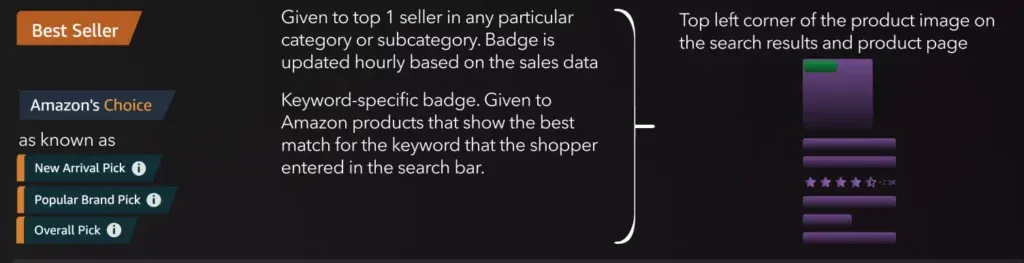
What it means → Given to the top-selling product in a category or subcategory. It’s updated hourly based on sales volume.
Placement → Top left corner of the product image in both search results and the product detail page.
What to know:
It’s not about reviews. It’s not about A+ content. It’s about pure sales velocity in that category. But keep in mind: category selection matters — some sellers shift subcategories strategically to win this badge.
What it means → Keyword-based badge. Amazon’s algorithm assigns this to products it sees as the best match for a specific search term.
Placement → Also appears on the top left corner of the product image in search results and product pages.
What to know:
This badge is more nuanced than Best Seller. It considers factors like return rate, availability, shipping speed, and customer experience. You won’t see this badge if your listing is frequently out of stock or has suppressed Buy Box performance.
Also worth noting — this badge has different “versions” depending on the context, including:
New Arrival Pick
Popular Brand Pick
Overall Pick
Each of these is keyword and performance dependent. Placement strategy and ad optimization should consider this badge’s role in increasing click-through rate (CTR).
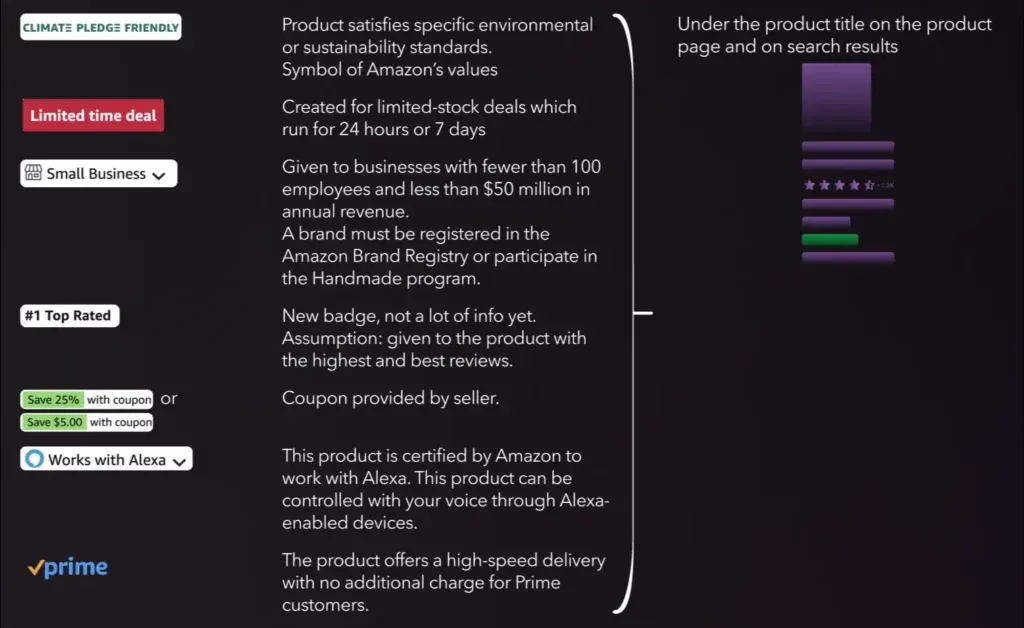
What it means → Awarded to products that meet certain environmental standards. Meant to signal sustainability.
Placement → Under the product title on search results and product pages.
What to know:
This is an opt-in process. Products must be certified by pre-approved sustainability programs. While it’s not a conversion driver for all categories, CPG, household goods, and eco-conscious brands can see measurable lift.
What it means → Tied to short-term deals running for either 24 hours or 7 days.
Placement → Below product title.
What to know:
This badge is directly tied to participation in Amazon’s Deals program. You’ll need to schedule these ahead of time, often weeks in advance. It can be useful for velocity pushes ahead of major events (e.g., Prime Day), but be careful with margin erosion.
What it means → Given to brands with fewer than 100 employees and under $50 million in revenue. You must be in Brand Registry or the Handmade program.
Placement → Below product title.
What to know:
More relevant in Q4, especially with Amazon’s emphasis on supporting small businesses during the holiday season. It may be subtle, but the badge can help differentiate from mass-market listings — particularly in competitive niches.
What it means → Newer badge — assumed to be assigned to products with the highest review ratings.
Placement → Below product title.
What to know:
Still under the radar. Not all categories show this badge yet. But it’s safe to say: a high average rating + strong review count + low return rate likely contributes to earning it.
What it means → Coupon applied by seller (either percent or dollar-based).
Placement → Right next to the price in the search results and on the product page.
What to know:
This is one of the only badges you control directly. Use it to boost CTR without changing the list price. Just note: Amazon deducts the coupon cost from your disbursement + charges a redemption fee.
What it means → Product has been certified by Amazon as compatible with Alexa-enabled devices.
Placement → Below title.
What to know:
Only relevant for electronics or smart home products. Not impactful in most categories.
What it means → Fast shipping with no additional cost for Prime customers.
Placement → Below title and in the buy box.
What to know:
While it’s technically not a “badge” in the same sense, the Prime checkmark drastically increases conversion — especially for mobile shoppers. Make sure all your key SKUs have Prime eligibility. For FBM sellers, that means enrolling in SFP (Seller Fulfilled Prime) or using FBA.
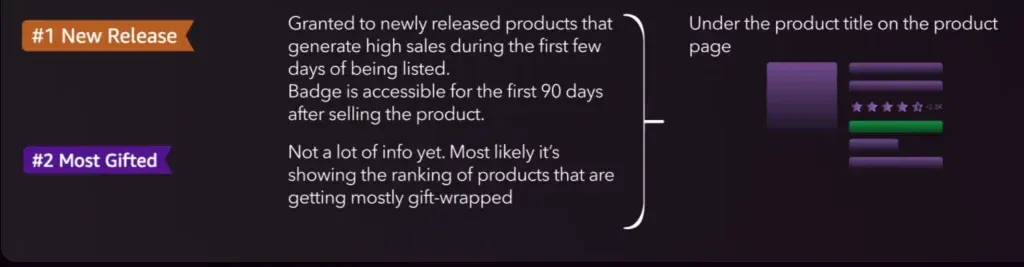
What it means → Granted to products with strong early sales velocity. Available for the first 90 days after listing.
Placement → Under the product title.
What to know:
One of the only badges where you have a clear window of opportunity. It’s essentially a “launch velocity” reward. Influenced by units sold, sessions, and sometimes even preorders (if enabled). Expect volatility — you can lose it quickly if momentum drops.
What it means → Appears to track products most commonly selected as gifts.
Placement → Under the product title.
What to know:
Still being tested. Amazon hasn’t officially defined the logic behind this badge, but it likely tracks gift-wrap orders or gift receipt requests. Watch for this around key gift-giving holidays like Valentine’s, Mother’s Day, and Q4.
Badges are important, but let’s be clear: they’re not a strategy in themselves.
They’re signals — both to the shopper and to Amazon’s algorithm. They communicate trust, performance, and relevance at a glance. But not all badges work the same way, and treating them as rewards rather than tools can lead to missed opportunities.
Some badges, like Best Seller and Amazon’s Choice, are outputs. You don’t directly control them — they reflect your organic performance, driven by factors like conversion rate, inventory health, shipping speed, and return rate. In these cases, the badge shows up after you’ve done the work.
Others, like Coupons, Limited-Time Deals, and even the Small Business badge, are more like switches you can flip. You decide when to activate them and how they show up. These inputs are part of your tactical execution — and often, they come with a cost (e.g., margin trade-off or minimum inventory requirements).
Understanding which badges you earn versus which you activate is the starting point for any meaningful optimization.
Don’t assume badges are static. They change based on sales trends, customer behavior, and backend algorithm shifts. Use a reporting tool (or even simple screenshots) to log which of your ASINs carry which badges at any given time.
Then correlate those appearances with changes in CTR, conversion, and rank. You’ll start to see patterns — and you’ll know what’s driving them.
A badge doesn’t just appear — it’s also seen. When a shopper scrolls through dozens of listings, a badge can create a visual anchor. That’s why you should split test thumbnail styles, A+ modules, and even video placements with and without badges.
For instance, if a SKU gets the “Amazon’s Choice” badge, test whether moving that phrase into the main image or title (in a compliant way) drives higher CTR. Our data shows that just the presence of that badge can boost CTR by 10–20%.
Plan launches and pricing strategies around badge logic.
Badges like “#1 New Release” or “Limited Time Deal” can be leveraged to engineer early traction. A strong Day 1 to Day 7 campaign — with coordinated pricing, coupons, and ads — can win you a temporary badge that then compounds visibility.
For example, hitting the sales threshold for New Release gets you more clicks, which increases sales velocity, which then helps move you into Best Seller territory. This kind of stacking effect is only possible if you’ve designed for it from the start.
Not every SKU needs every badge. But your top-tier products should aim for Amazon’s Choice or Best Seller. Mid-tier can benefit from Coupons or “Top Rated.”
Niche or seasonal products might perform better with “Small Business” or “Limited Time Deal.” Build badge goals based on SKU performance tiers and category dynamics.
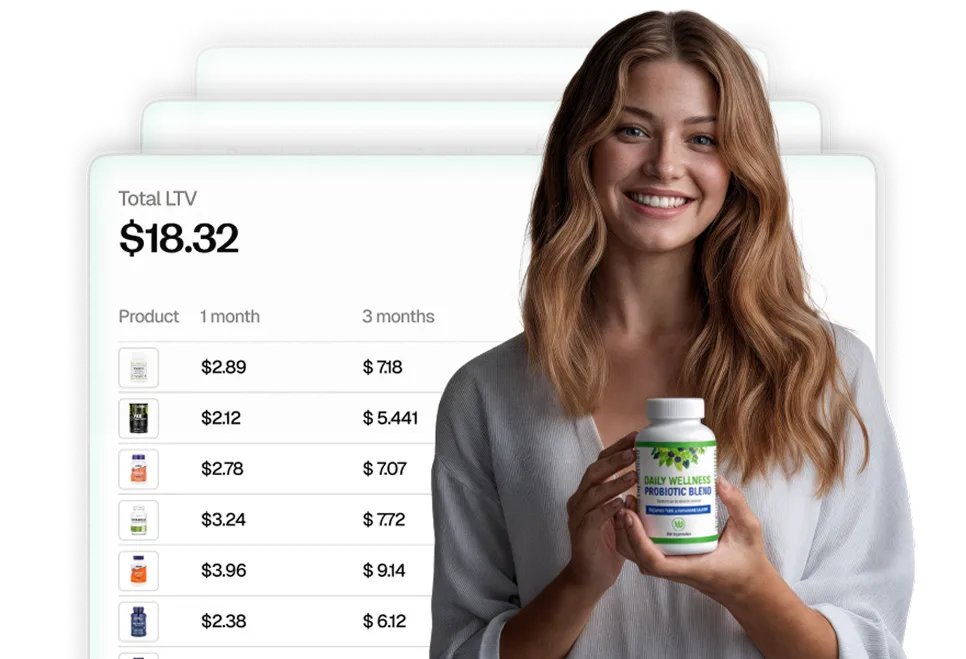
If you would like to get an automated analytics tool, you can try My Real Profit. We give Amazon brands clear insights into their P&L, repeat purchases, and SKU-level profitability
Try My Real Profit for free and start making the most out of your Amazon data today!