LTV & Subscriptions

Amazon Customer Lifetime Value Analytics for Sellers

See how much a customer is really worth over time: New-to-Brand vs Repeat, Subscribe & Save, lifetime profit, and break-even ACoS.

We’re part of:

Amazon - Markerplace developer council Amazon - Seller central partner network

Trusted by

1000+

industry leaders

Best Seller in Deodorants
Salt & Stone

100%

NTB accuracy

Faster Insights

Best Seller in Sea Vegetables
True Sea Moss

Subscriber Growth

40%

NTB increase

Top agency
Trivium

100%

Auto Reporting

50hrs+

Saved

Best Seller in Home & Kitchen
CGK Linens

-18%

Wasted ad spend

10x

Decision Speed

Best Seller in Headbands
Kitsch

5hrs+

Saved Daily

100%

Profit Clarity

Best Seller in Flushable Wipes
Good Wipes

Optimization

100%

Branded view

Top agency
TripleLine

100%

Centralized Data

Reporting Speed

Best Seller in Cutting Boards
Royal Craft Wood

+13%

Gross margin

−22%

Refund reduction

Best Seller in Stick Umbrellas
UEP

Efficiency Gain

100%

Cost Control

What is the Amazon Customer Lifetime Value report?

The Amazon customer lifetime value report inside MyRealProfit is the LTV & Subscriptions report: it shows how much a customer is really worth to you over time. It splits your sales into New-to-Brand, Repeat, and Subscribe & Save, so you see who comes back, how often, and how much you can spend to acquire them.

Most sellers only look at the first sale. A customer who buys once is worth far less than one who reorders for a year, and this report shows that full picture across four pages: Overview, Cohort Analysis, Repeat Purchases, and Break-Even ACoS.

Features

How Amazon LTV
analytics helps you

True profit per
customer over time

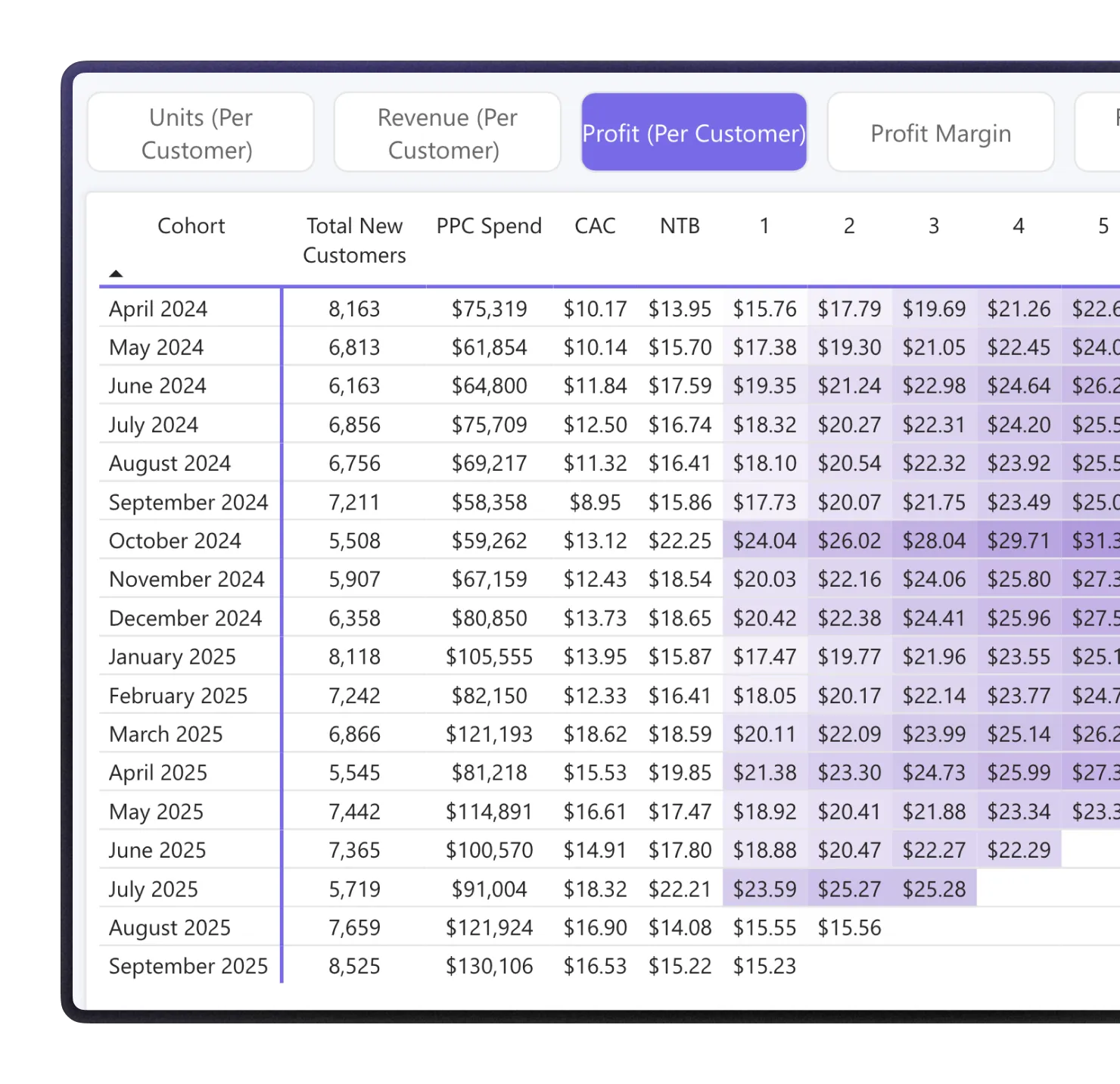
In Cohort Analysis, the Profit per customer view includes advertising spend in the acquisition cost.

You see whether a cohort started negative and the exact month it turned positive.

Break-even ACoS
and payback period

The Break-Even ACoS page shows the ACoS you can run at 1, 3, 6, and 12 months of LTV, plus the Payback Period.

So you can bid above first-order margin and still recover the cost.

Real reorder
windows

Repeat Purchases shows what share of second orders fall in each window (0 to 7 days, 8 to 15, 16 to 30, 30 to 60, and beyond).

So a win-back push lands when customers are ready, not too early or too late.

New-to-Brand, Repeat, and
Subscribe & Save split

The Overview page tracks New-to-Brand sales as the leading signal of brand health, and breaks sales into four buckets: NTB Subscribe & Save, regular NTB, repeat Subscribe & Save, and regular repeat.

New-to-Brand covers FBA orders (by email, after an order ships), so give the last two weeks time to settle.

Real vs fake
Subscribe & Save

A subscription is marked fake when no second purchase is recorded. This view shows what share of new S&S sign-ups are genuine subscribers versus one-time buyers who took the coupon and cancelled.

Read older weeks, as the metric needs two to three months to settle.

Cohort views
and export

Switch cohort views (LTV in units, Revenue per customer, Profit per customer, Profit margin, Retention), filter by Parent ASIN or Child ASIN and order type (S&S vs non-S&S).

Export the Overview table to Excel for pivot tables.

Key features of the tool

The Amazon LTV report is one of the reports in MyRealProfit. When a number moves and you want to dig in, the platform has a report for it:

  1. 1 Profit Dashboard

    Live sales and profit for your whole account, so you know today's numbers before the day ends.

  2. 2 Amazon KPI Dashboard (Day-to-Day)

    All your core Amazon KPIs in one daily, color-coded table, so you spot what changed across the account.

  3. 3 Profit & Loss

    A full Amazon profit and loss statement that removes fees, refunds, VAT, and COGS, so your profit line is the real one.

  4. 4 Advertising Analytics

    Go deep on Amazon advertising analytics, down to hourly performance, when ACoS on a keyword moves.

  5. 5 SQP Market Share & Funnel

    Find out if a keyword lost sales because demand dropped or because a competitor took your share.

  6. 6 FBA Inventory

    Amazon inventory management that forecasts stock, so a keyword that wins more sales never ends in a surprise stockout.

How to use the LTV analytics tool for Amazon

Here is the full flow, from sign-up to your first LTV view.

Step 1. Create your account

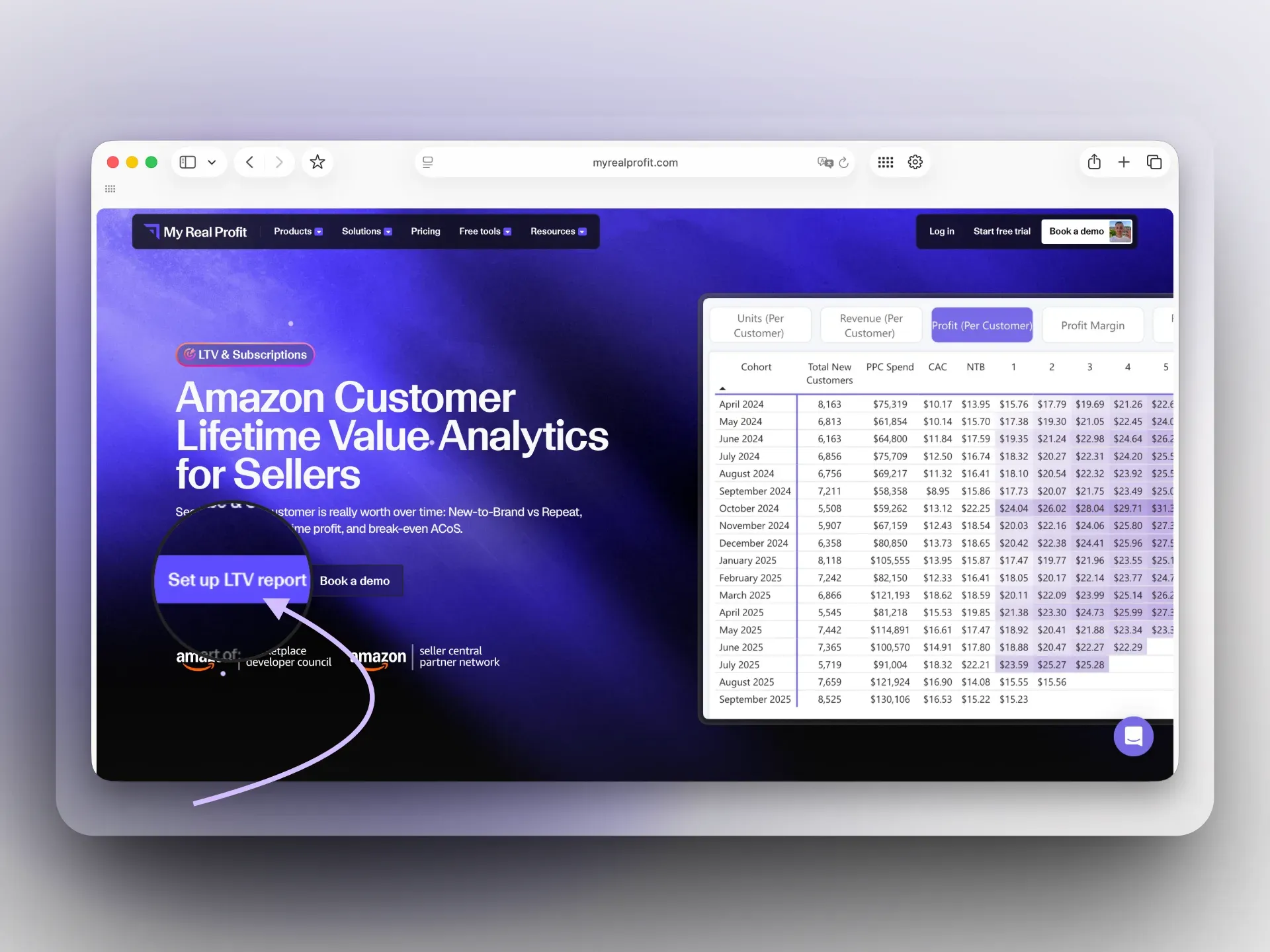
Click the 'Set up LTV report' button at the top of the page. Fill in the form, choose your business type and a plan, then start the 21-day free trial. No credit card is required.

MyRealProfit with the Set up button

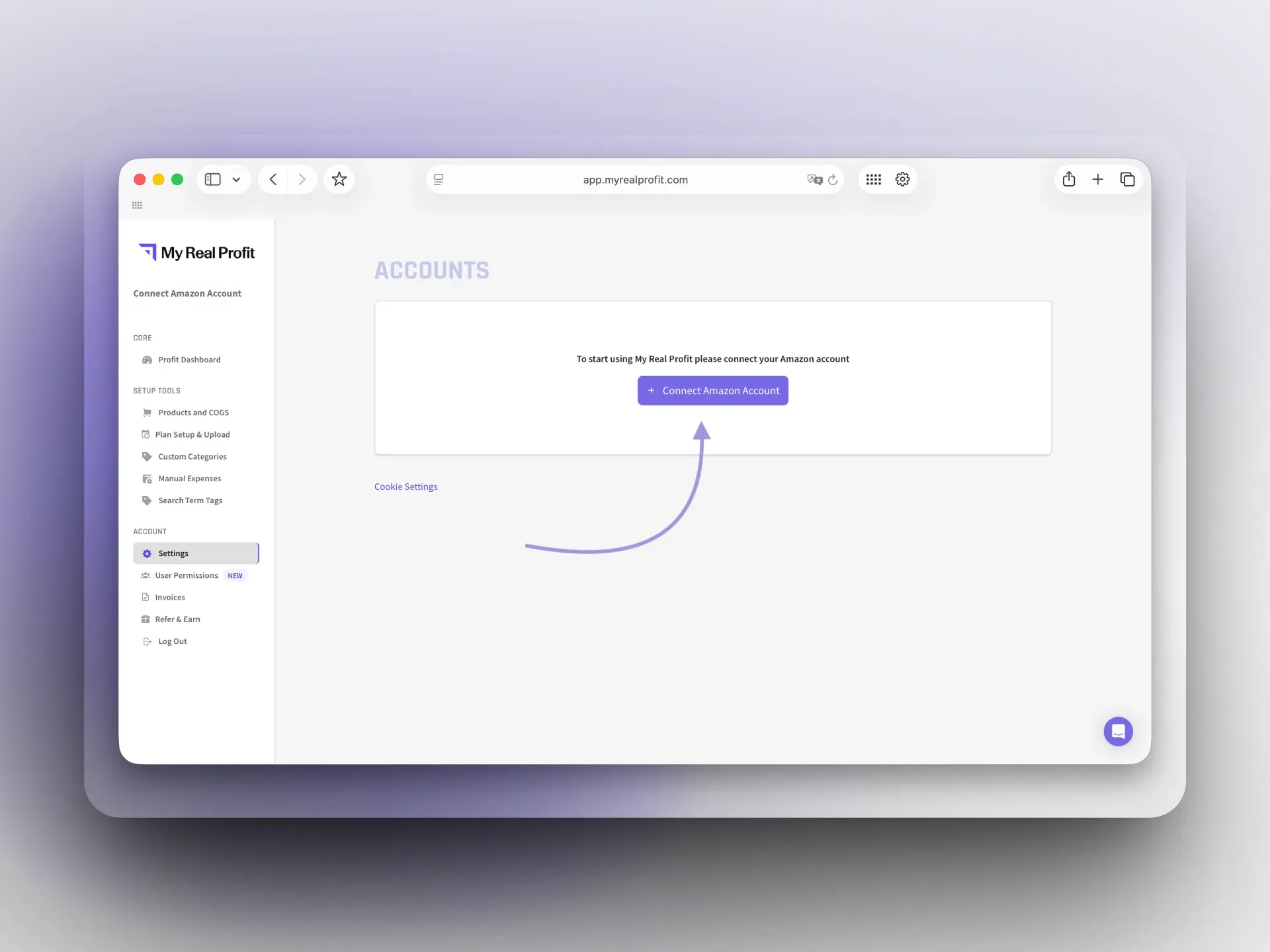
Step 2. Connect your Amazon account

On the Accounts page, click 'Connect Amazon Account' and connect by region (North America, Europe, or Far East). This takes under five minutes.

Connect Amazon Account page in MyRealProfit

Step 3. Get the LTV & Subscriptions report

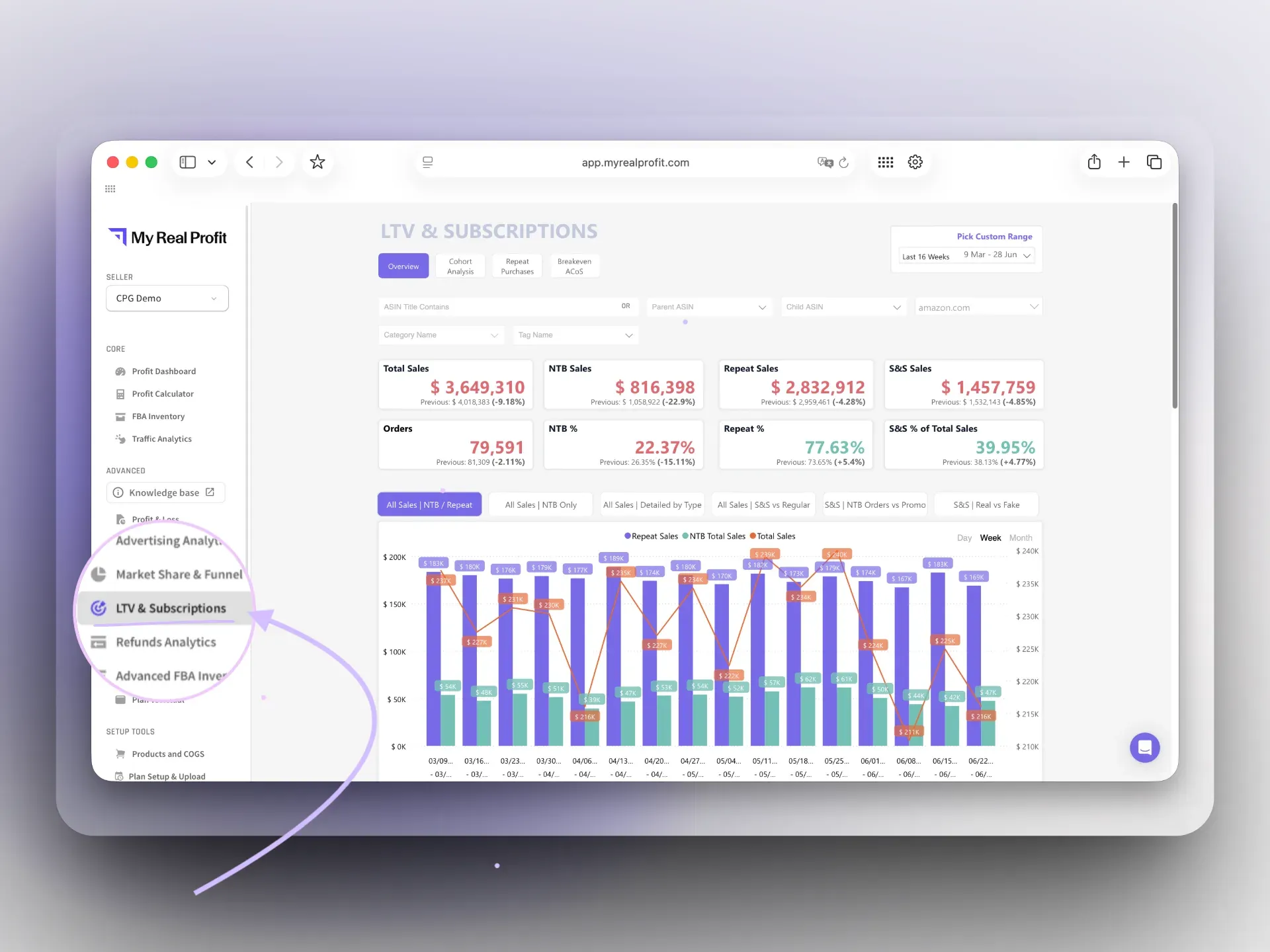
Your data imports automatically (full reports are ready in 2 to 3 days). In the left menu, under Advanced, click LTV & Subscriptions. This is your Amazon customer lifetime value report.

LTV & Subscriptions Overview page

See it in the video below. In the walkthrough, you can:

  • Switch between the four pages: Overview, Cohort Analysis, Repeat Purchases, and Break-Even ACoS.

  • Filter and export: filter by Parent ASIN or Child ASIN and by order type (S&S vs non-S&S), or click a parent to filter all charts, and export Summarized Data to Excel.
  • Read the ACoS ceiling: pick a cohort view (Profit per customer, Retention) and read break-even ACoS at 1, 3, 6, and 12 months. Exclude your brand name so branded terms do not inflate the numbers.

Who is the Amazon Customer Lifetime Value report for?

CPG and repeat-purchase brands

See true lifetime profit and retention per cohort, not just first-order revenue.

Amazon sellers and brand owners

Watch New-to-Brand sales as an early signal of brand health.

PPC managers

Set bids against a real break-even ACoS ceiling and payback period.

Agencies

Judge acquisition quality and retention across many ASINs and clients.

Your customers' real value in one report

Total sales can look steady while your brand quietly weakens, because repeat and subscription orders mask a drop in new customers. The Amazon Customer Lifetime Value report separates the two and turns the split into decisions. Connect your account, wait for the data to load, and start pricing your ads on a customer's real value over time, not the first sale. The 21-day free trial needs no credit card.

FAQ

Every question, answered

My Real Profit requires connections to the SP-API and Advertising API. You need "Edit" permissions for the Selling Partner App Store and Campaign Manager access to integrate My Real Profit successfully.
You'll have full feature access. The only limitation is a 2-month historical data window. LTV Analytics still loads up to 18 months of data. After switching to a paid plan, the platform will automatically upload your full historical data.
My Real Profit refreshes most reports every 30 minutes. Financial reports reconcile Amazon fees, VAT, refunds, and COGS, so you always see real profit, not just payouts.
Yes. You can connect and manage multiple Amazon accounts within one My Real Profit workspace. There's no limit on the number of connected accounts.
At the moment, My Real Profit supports Amazon Seller Central only.
My Real Profit is an official Amazon Developer. All data is stored securely on Amazon Web Services (AWS) using enterprise-grade encryption and privacy protocols.
  • Our insights
  • +
  • Your data
  • =
  • More Profit
Only 2 clicks stand between you
and data you've never seen before

Book a free demo call or start your free trial today and see
exactly how it works for your business.
  • No long-term contracts
  • No setup fees
  • No credit card required