Free · No login · Runs in your browser

Free Amazon PPC audit: stop paying for clicks you already win

Upload your Amazon SQP report and instantly find the keywords where you can cut ad budget and keep the sales. Pure profit, hiding in plain sight.

1 Drop in your SQP report

2 Get your ranked hit-list

Every keyword checked for ad cannibalization, biggest budget leaks first — in about 3 seconds.

🔒 Analyzed in your browser. Your file never leaves your device. No login.

No report yet? See the 2-minute guide ↓

Trusted by

1000+

industry leaders

Best Seller in Deodorants
Salt & Stone

100%

NTB accuracy

Faster Insights

Best Seller in Sea Vegetables
True Sea Moss

Subscriber Growth

40%

NTB increase

Top agency
Trivium

100%

Auto Reporting

50hrs+

Saved

Best Seller in Home & Kitchen
CGK Linens

-18%

Wasted ad spend

10x

Decision Speed

Best Seller in Headbands
Kitsch

5hrs+

Saved Daily

100%

Profit Clarity

Best Seller in Flushable Wipes
Good Wipes

Optimization

100%

Branded view

Top agency
TripleLine

100%

Centralized Data

Reporting Speed

Best Seller in Cutting Boards
Royal Craft Wood

+13%

Gross margin

−22%

Refund reduction

Best Seller in Stick Umbrellas
UEP

Efficiency Gain

100%

Cost Control

How it works

Three steps, nothing leaves your browser

1

Upload your SQP report

Export it from Amazon Brand Analytics (Brand View, any time range).

2

We scan it in your browser

Every keyword checked for ad cannibalization. Nothing is uploaded.

3

See your audit

Get the keywords to cut for free. Unlock the full list by email.

What you'll get

What your free Amazon PPC audit shows

Upload your report and your free audit exposes exactly where Amazon is double-charging you:

  • The exact keywords where your ads cannibalize your own organic sales
  • How much of your top-keyword spend you can cut, starting today
  • A ranked hit-list: your biggest budget leaks first
  • Analyzed in your browser, so your file never leaves your device
Audit my wasted spend →
23%
of your top keywords are burning ad budget. Cut the spend, keep the sales.
Keyword Impr. Clicks Cannib.
collagen powder6.1%17.4%2.9×
magnesium glycinate5.2%19.8%3.8×
organic protein powder4.9%18.1%3.7×
vitamin d3 5000 iu3.4%12.2%3.6×
ashwagandha gummies2.8%9.1%3.3×

+ 11 more keywords in your full audit

Trusted by Amazon's best brands

“The holy grail of analytics for CPG brands”
True Sea Moss Ivan Tsvilik · CEO at True Sea Moss
CGK Linens
−18%
wasted ad spend
10×
faster decisions
Royal Craft Wood
+13%
gross margin
−22%
fewer refunds
Salt & Stone
100%
NTB accuracy
faster insights
True Sea Moss
subscriber growth
40%
NTB increase
Trivium
50h+
saved monthly
100%
auto reporting
Kitsch
5h+
saved daily
100%
profit clarity
Straight from the stage

The framework we teach on stage, now a free tool

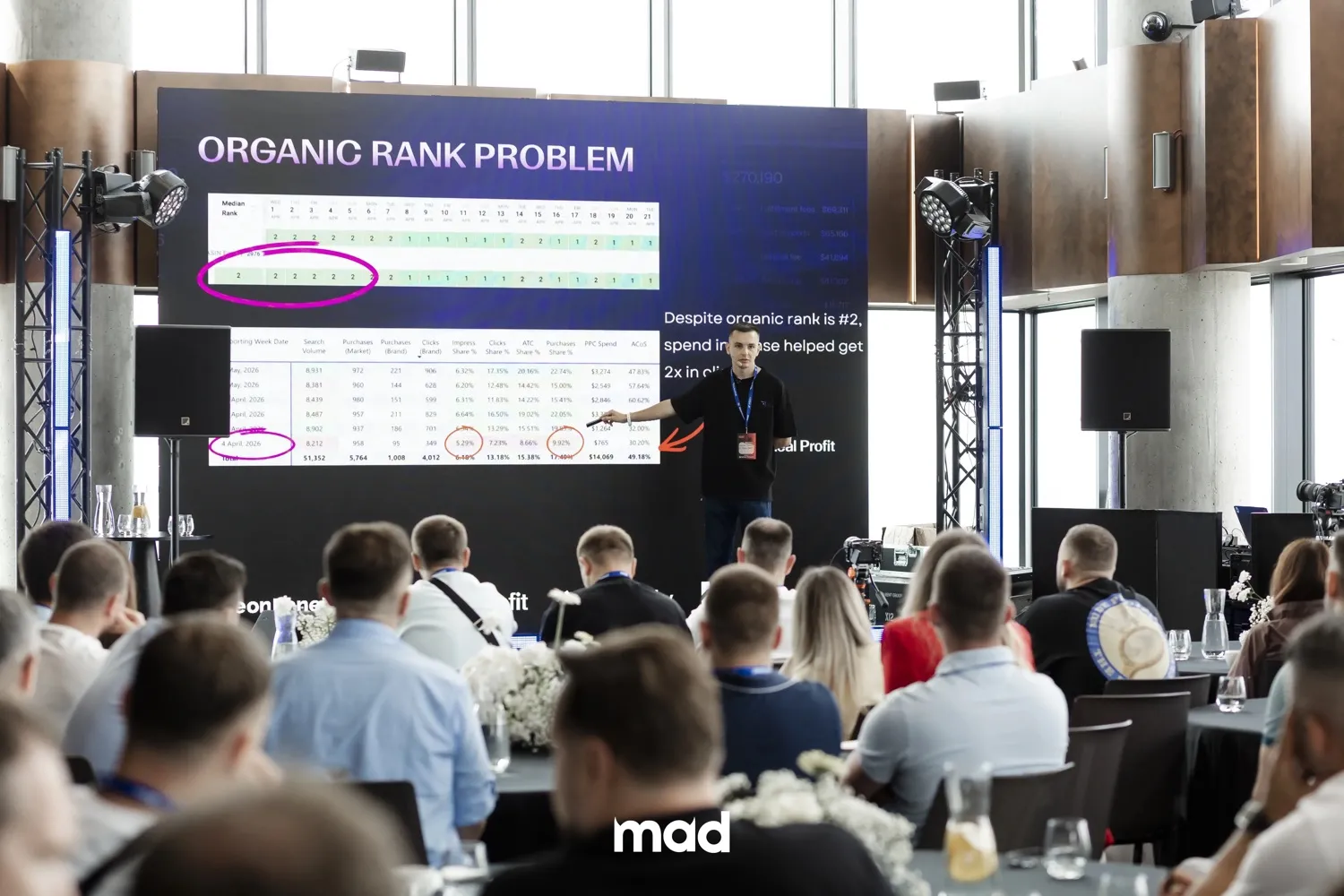
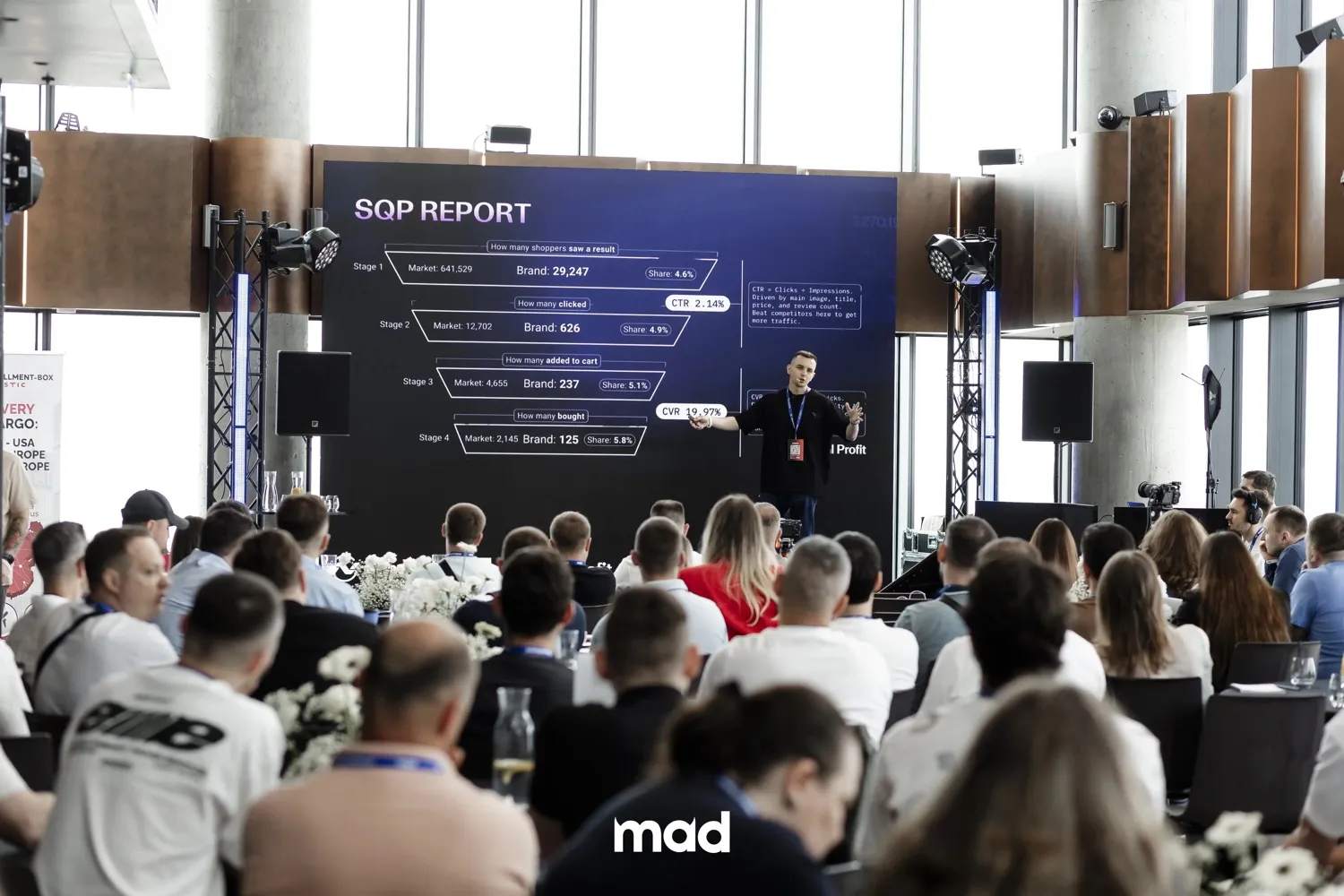
We share this exact SQP cannibalization breakdown at Amazon seller conferences: the “Organic Rank Problem” quietly draining ad budgets. This tool runs the same analysis on your own data in seconds.

My Real Profit founder presenting the ad-cannibalization framework on stage at an Amazon seller conference Breaking down the Amazon SQP report funnel (CTR, CVR and brand vs market share) for a room of Amazon sellers
2-minute setup

How to get your SQP report

It's a free Amazon Brand Analytics report, about 2 minutes of clicks. You'll need Brand Registry access. For the full ongoing breakdown, see our Amazon Search Query Performance report.

  1. 1

    Open the SQP report in Amazon Brand Analytics

    Go to Brand Analytics → SQP.

    Open in Seller Central ↗
  2. 2

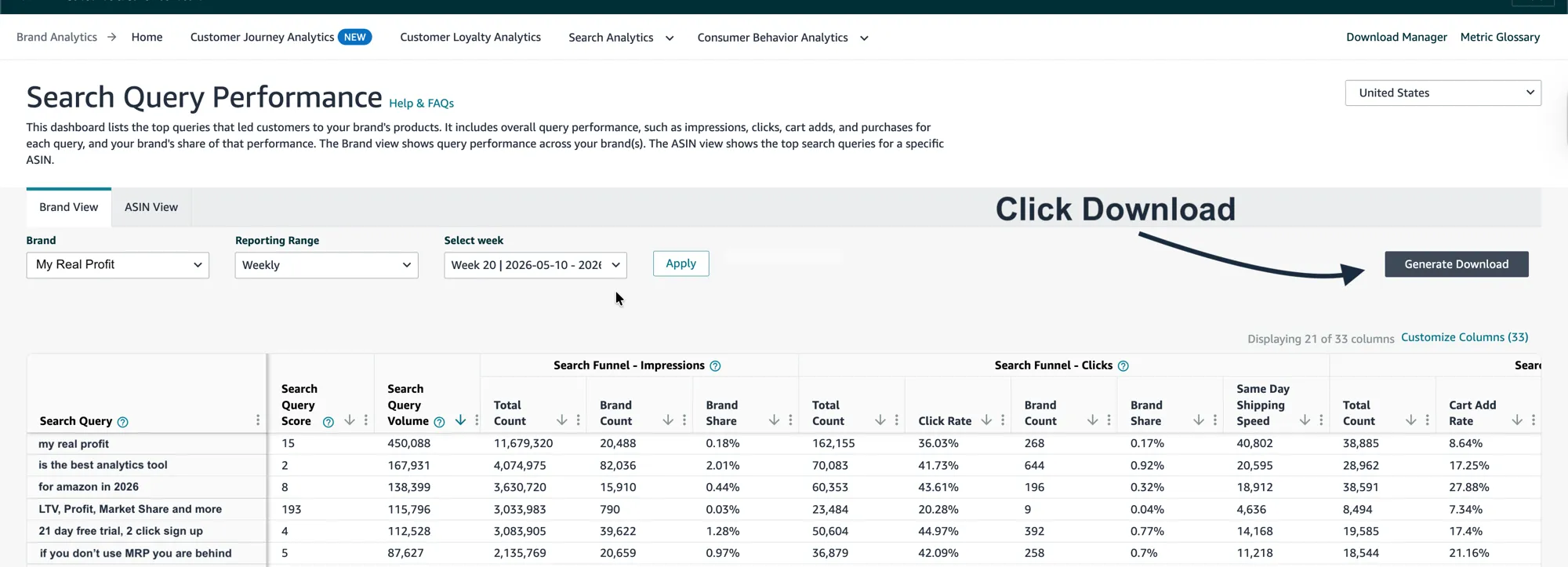
    Set Brand View → any time range, then Generate Download

    On the Brand View tab, choose your Brand, set Reporting Range to whatever suits you (Weekly, Monthly, or Quarterly), pick a period, click Apply, then click Generate Download (top right).

    Amazon Brand Analytics SQP dashboard with the Generate Download button
  3. 3

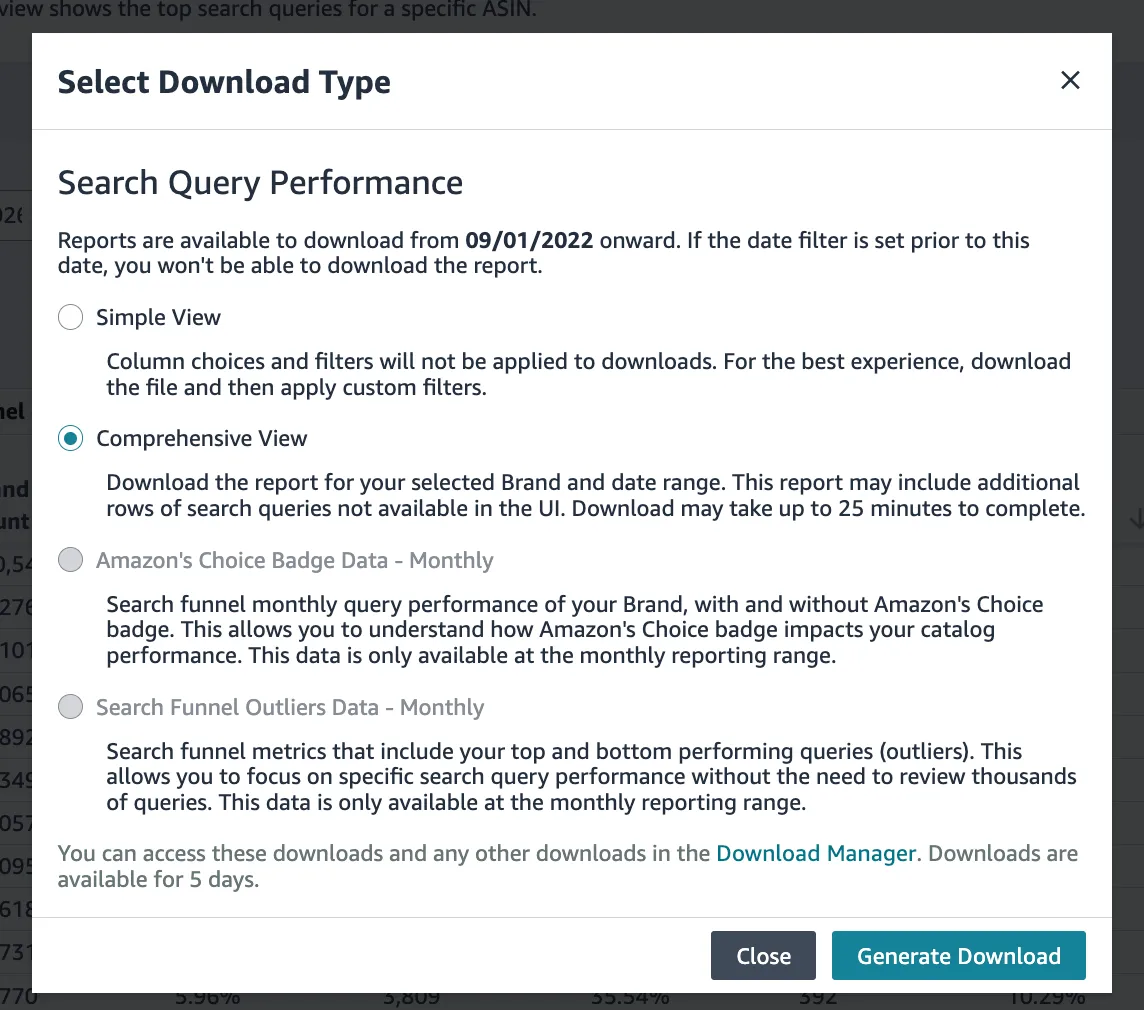
    Choose Comprehensive View

    In the popup, select Comprehensive View, then click Generate Download. (This includes all the columns the audit needs.)

    Select Download Type with Comprehensive View selected
  4. 4

    Download the CSV, then upload it here

    Amazon takes up to ~25 minutes to build the file. Grab it from the Download Manager (top-right of the page; links stay live for 5 days), then drop the CSV into the audit at the top.

FAQ

Questions, answered

Yes. Upload your report, get your audit, no credit card and no login required.
Completely. Your file is analyzed entirely inside your browser and is never uploaded to a server. Nothing leaves your device.
No. You upload your own SQP export, and we never connect to your Amazon account.
Keywords where your click share is far higher than your impression share. That is a classic sign your ads are paying for clicks your organic listing would likely win anyway.
It's a free Amazon Brand Analytics report. Follow the step-by-step guide above (about 2 minutes of clicks; you'll need Brand Registry access).
It shows how shoppers search, click and buy for every keyword your brand appears on. This tool reads a single export to find wasted ad spend; for the full ongoing breakdown, see the product page linked in the guide above.
One report is one snapshot
This audit is a snapshot.
Now watch it every week.

Connect your account and My Real Profit tracks cannibalized keywords,
true ad profitability and wasted spend continuously — on your own data, by product.

Track my wasted spend
  • Wasted spend tracked every week
  • Connects in 2 clicks, read-only
  • A call with our Amazon experts

21 days free · No credit card · Cancel anytime

Official Amazon app developer. We are part of:

Amazon Marketplace Developer Council Amazon Seller Central Partner Network