Keyword Frequency Trends

Amazon Keyword Analytics: see what's winning right now

Track more than 1 million Amazon keywords, see which ASINs dominate them, and catch rising and falling search trends early.

We’re part of:

Amazon - Markerplace developer council Amazon - Seller central partner network

Trusted by

1000+

industry leaders

Best Seller in Deodorants
Salt & Stone

100%

NTB accuracy

3×

Faster Insights

Best Seller in Sea Vegetables
True Sea Moss

2×

Subscriber Growth

40%

NTB increase

Top agency
Trivium

100%

Auto Reporting

50hrs+

Saved

Best Seller in Home & Kitchen
CGK Linens

-18%

Wasted ad spend

10x

Decision Speed

Best Seller in Headbands
Kitsch

5hrs+

Saved Daily

100%

Profit Clarity

Best Seller in Flushable Wipes
Good Wipes

3×

Optimization

100%

Branded view

Top agency
TripleLine

100%

Centralized Data

5×

Reporting Speed

Best Seller in Cutting Boards
Royal Craft Wood

+13%

Gross margin

−22%

Refund reduction

Best Seller in Stick Umbrellas
UEP

4×

Efficiency Gain

100%

Cost Control

What is Amazon keyword analytics?

Amazon keyword analytics inside MyRealProfit is called Keyword Frequency Trends, so the search term and the in-app name point to the same tool.

Most sellers only look at the keywords tied to their own PPC campaigns or SQP data. This report goes further: it covers more than 1 million Amazon search terms in a single view, so you can see demand and competition across the whole market, not just the keywords you already target.

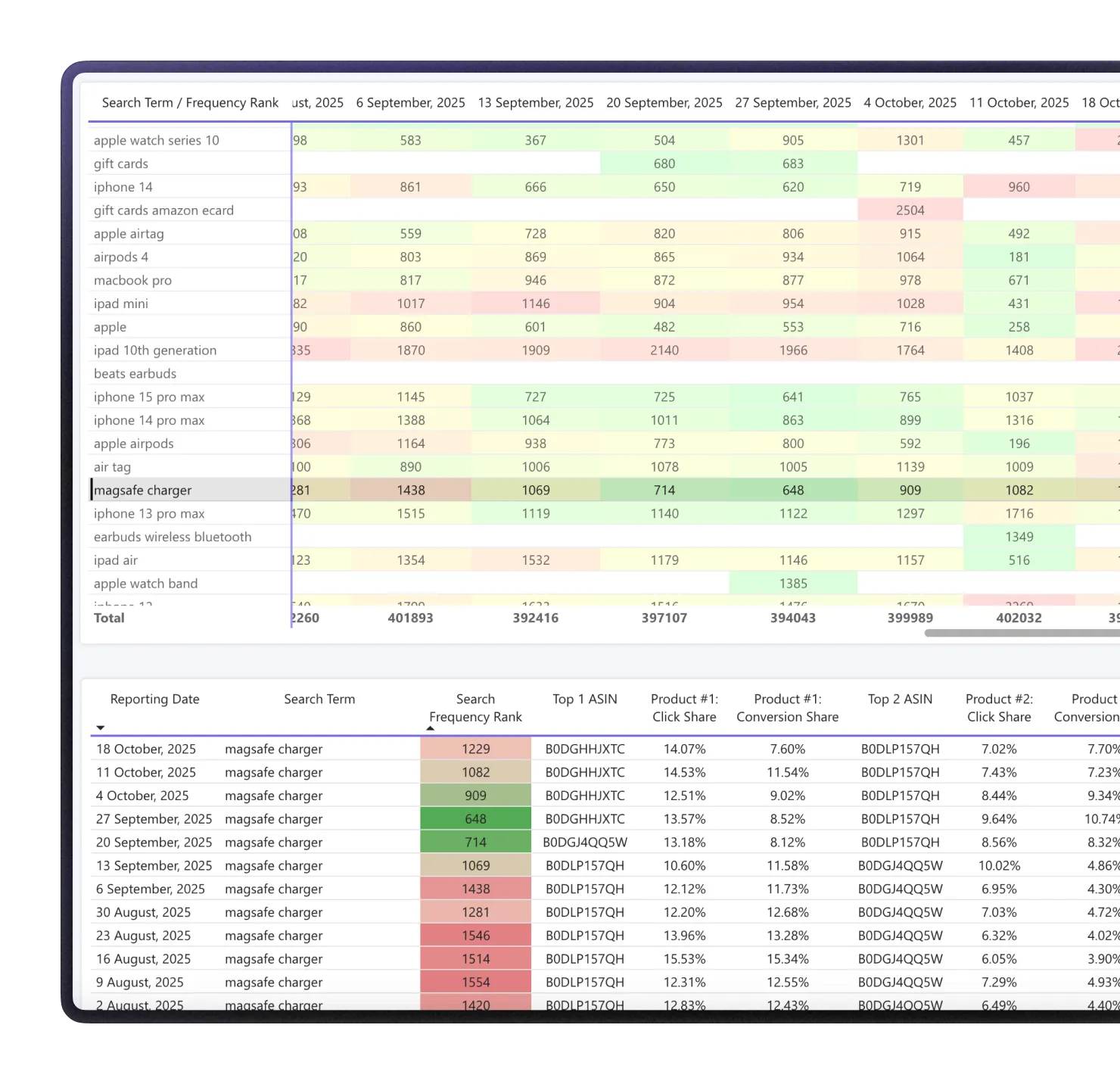
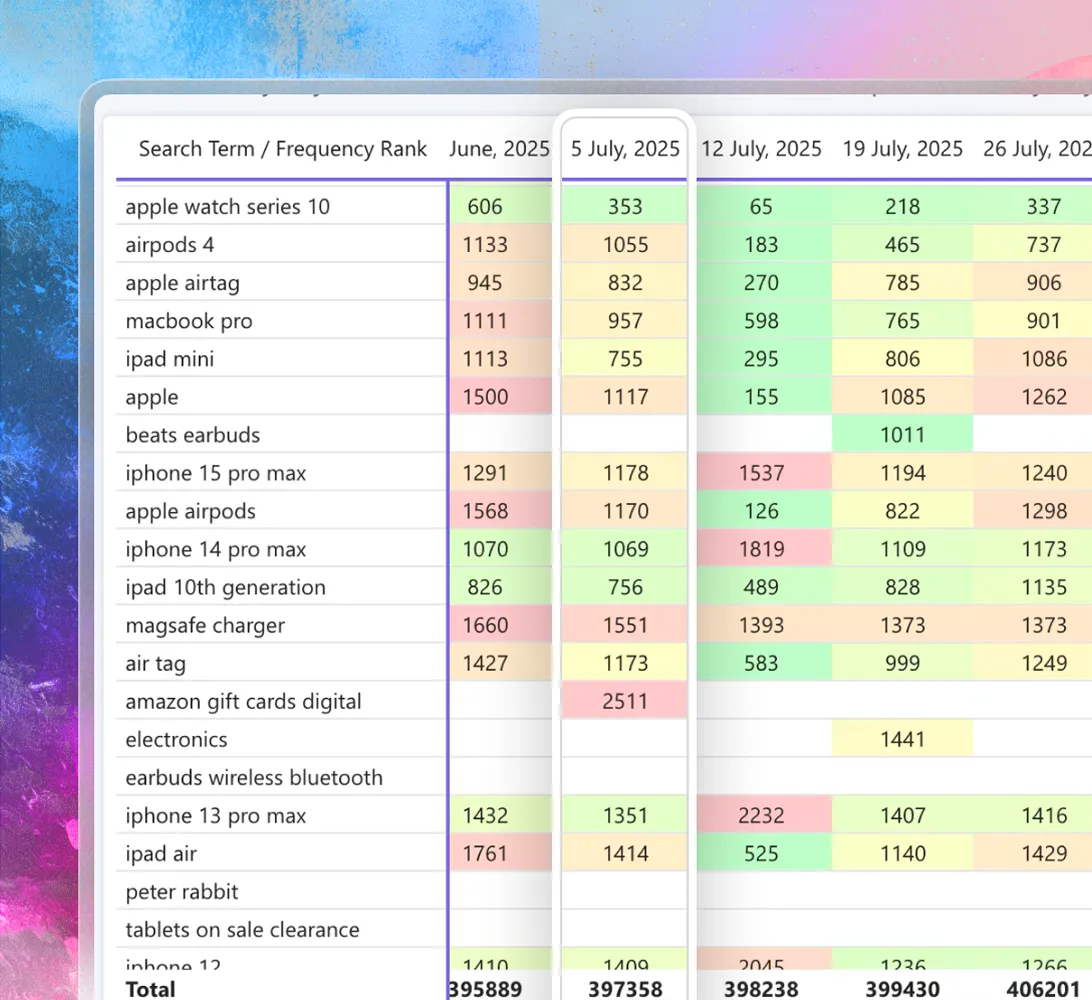
For every keyword, you get the top 3 ASINs ranking for it, plus a color coded signal that shows if search demand is trending up, holding stable, or trending down.

Features

How it helps your
Amazon keyword research

Use it to find keyword opportunities and competitor moves before they show up in your own sales or PPC data.

See who owns
a keyword

Each keyword shows its top 3 ranking ASINs, so you know exactly which products are capturing the visibility.

Catch demand
shifts early

Trending up, stable, and trending down signals flag changing search behavior without you reviewing thousands of keywords by hand.

Track a
competitor brand

Type a competitor's brand name in the brand filter to see the search terms where that brand ranks and how their demand moves week by week.

Find gaps competitors already exploit

Spot long tail and niche keywords where competing ASINs consistently rank in the top 3 and yours does not, then use that as a starting point for listing, PPC, or content changes.

Plan for seasonal peaks

The weekly table shows how each keyword ranks over the months, so you can see when it peaks and prepare stock, ads, and promotions before the next peak.

Check a product idea before launch

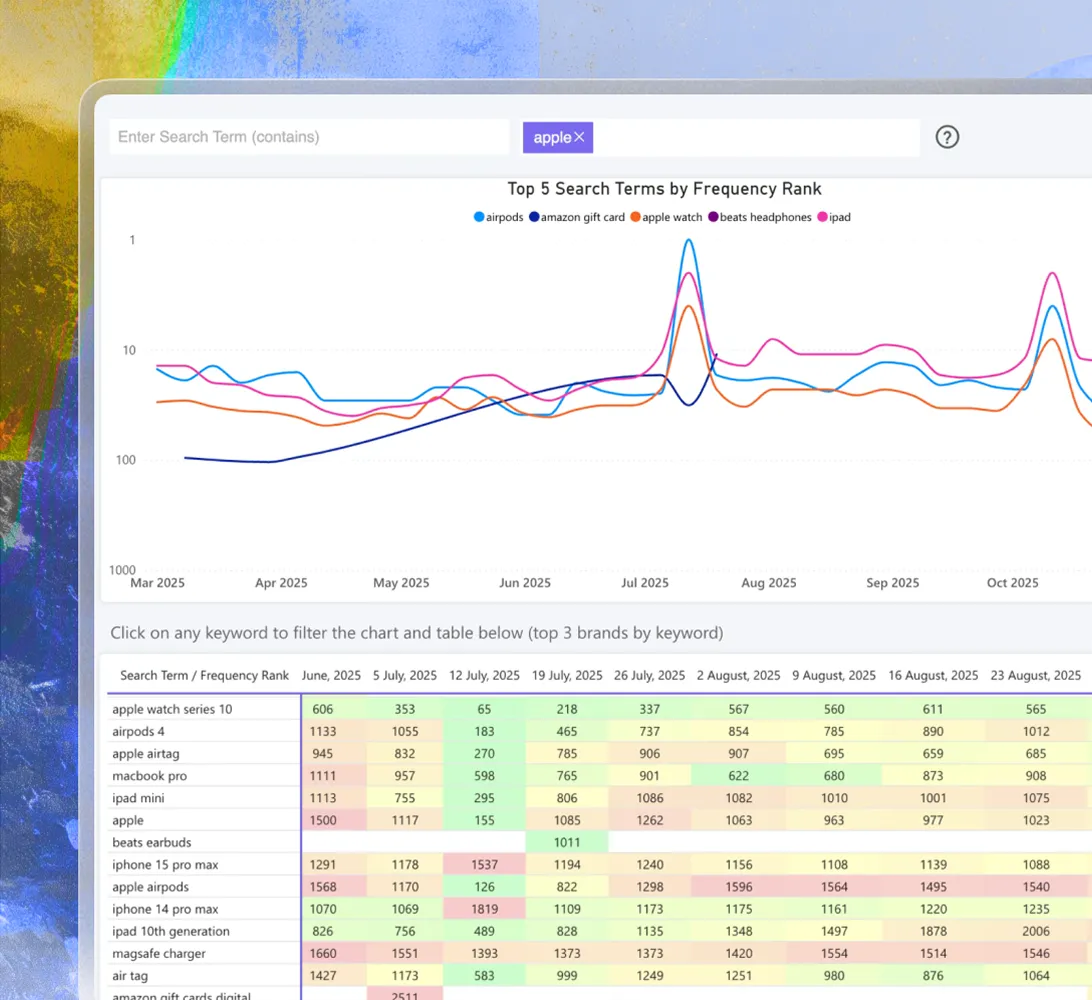
Type a root word, like 'pills', to see the most searched related terms and if demand for them is growing or falling.

Key features of MyRealProfit

Amazon keyword analytics is one report inside a full analytics platform. When you find a keyword worth targeting and want the full picture, MyRealProfit has a report for each next step:

  1. 1 Profit Dashboard

    Live sales and profit for your whole account, refreshed every 30 minutes, so you see today's results before the day ends.

  2. 2 Amazon KPI Dashboard

    All your core Amazon KPIs in one color-coded table, to see what changed on any day or week.

  3. 3 Amazon Profit and Loss Statement

    A full Amazon profit and loss statement that removes fees, refunds, VAT, and COGS, so you know what each sale really earns.

  4. 4 Advertising Analytics

    Go deep on Amazon advertising analytics, down to hourly performance, once you start bidding on a keyword you found here.

  5. 5 Amazon Search Query Performance

    See if a keyword lost sales because demand dropped or because a competitor took your share.

  6. 6 FBA Inventory

    Amazon inventory management that forecasts stock, so a keyword that brings more sales never ends in a surprise stockout.

MyRealProfit reads your data through the official SP-API and Advertising API, updates automatically, and only reads data, so it never changes your listings or prices.

How to do keyword research for Amazon products

Here is the full flow, from sign-up to your first keyword report.

Step 1. Create your account

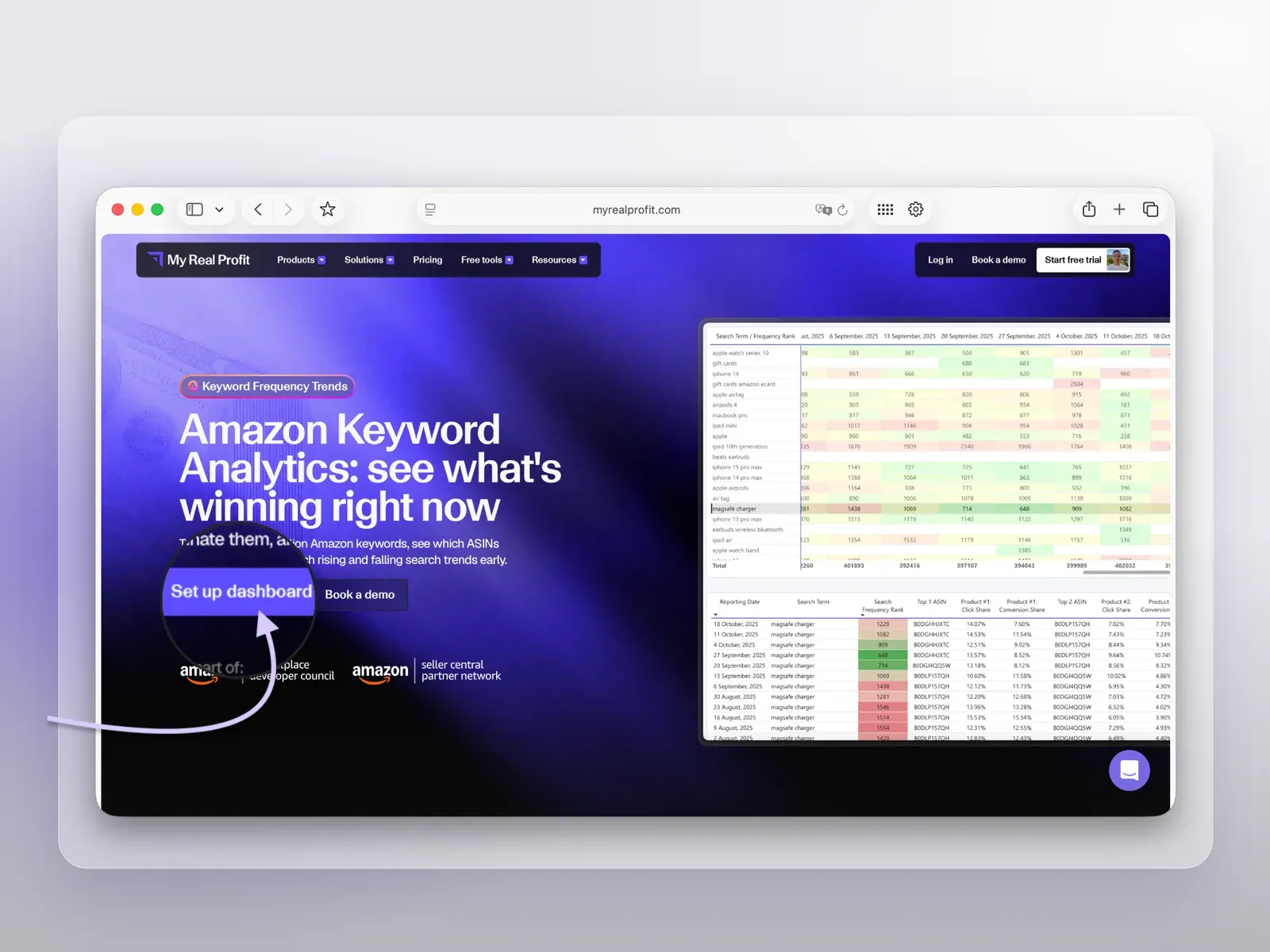
Click the 'Set up dashboard' button at the top of the page, fill in the form, and click 'Start 21-day free trial'. No credit card is required.

MyRealProfit Amazon Keyword Analytics page

Step 2. Connect your Amazon account

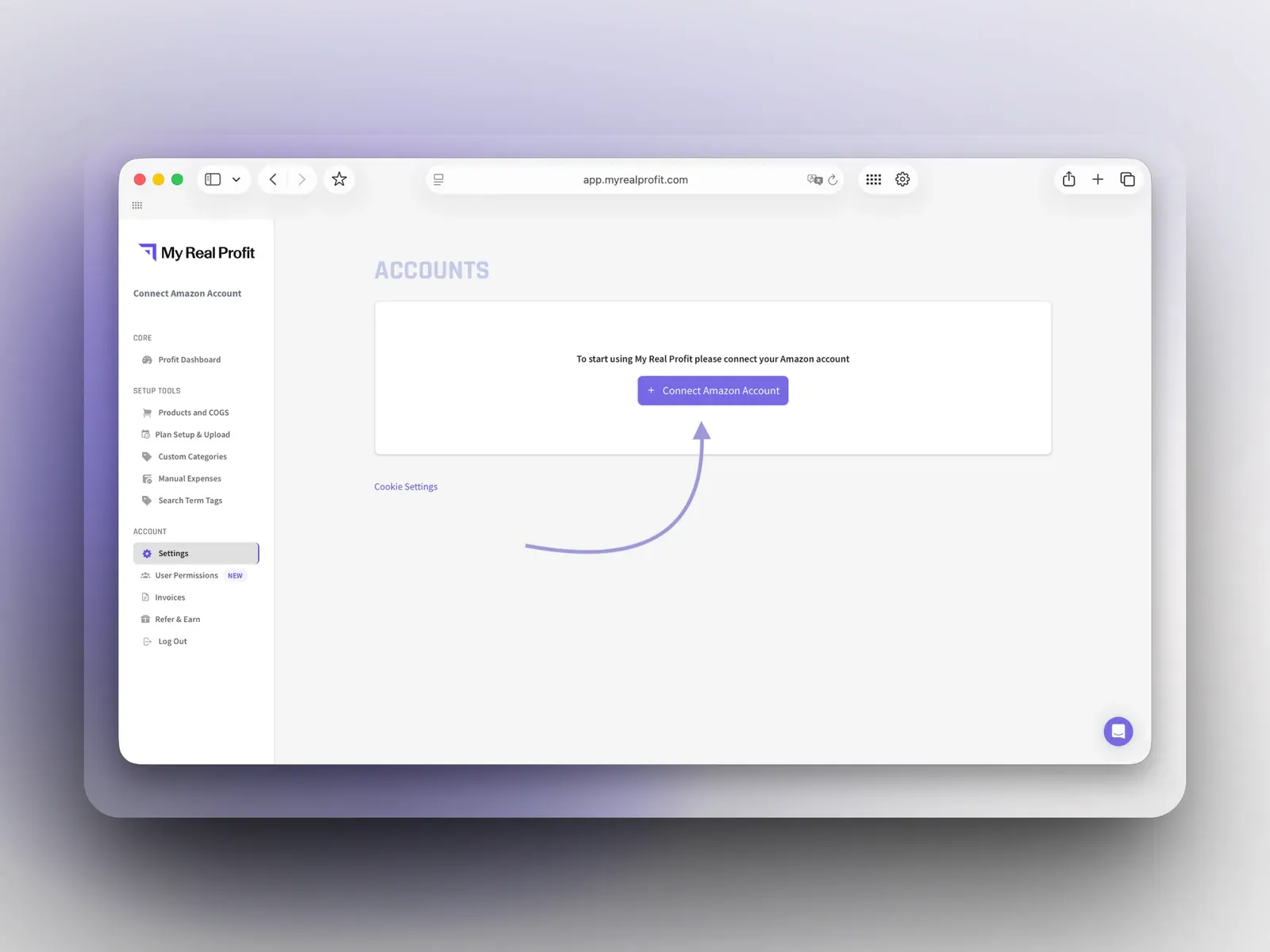
Click 'Connect Amazon Account' and connect by region (North America, Europe, or Far East). This takes under five minutes.

Connect Amazon Account page in MyRealProfit

Step 3. Open Keyword Frequency Trends

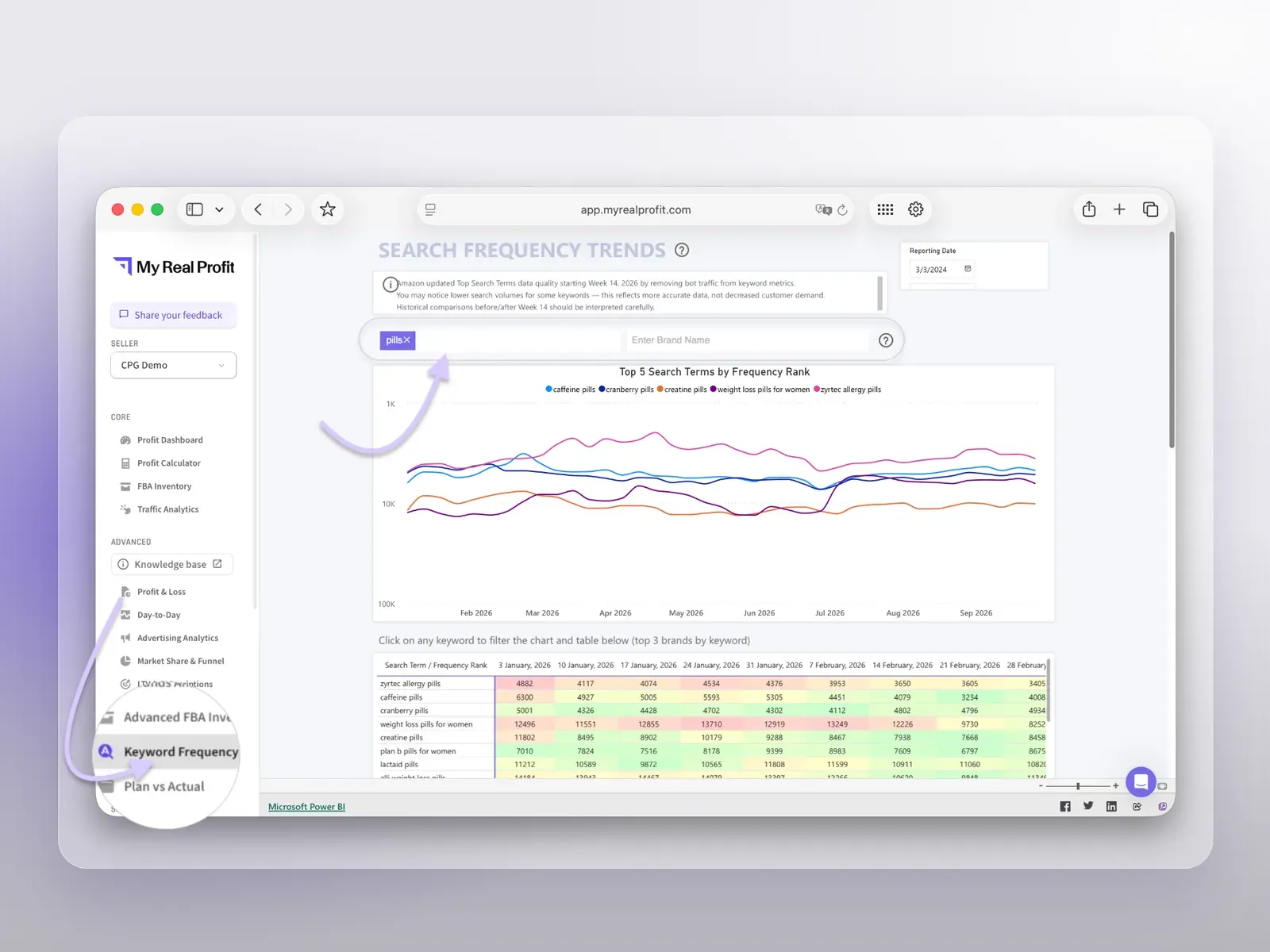
Your data imports automatically (full reports are ready in 2 to 3 days). Under Advanced, click Keyword Frequency Trends, then type a keyword (for example, 'pills') to see related search terms, their weekly trend, and the top 3 brands.

My Real Profit Keyword Frequency Trends report

Who needs Amazon keyword research tools?

Amazon sellers and operators

Find keyword opportunities beyond the terms already in their own PPC or SQP data.

CPG and durable goods brands

Monitor which competitor ASINs are gaining visibility across their category's search terms.

Amazon agencies

Research keyword opportunities and competitor movement across every client account from one place.

PPC and SEO or listing teams

Turn keyword and ASIN trend data into new targeting, listing, or content decisions.

See the whole keyword market, not just your campaigns

Amazon's search market moves fast, and the keywords tied to your own campaigns only show part of it. Amazon keyword analytics inside MyRealProfit covers more than 1 million search terms, shows the top ASINs behind each one, and flags rising and falling demand with color coded signals. Connect your account, wait for the data to load, and start with the keywords where competitors already rank and you do not. MyRealProfit has a 21-day free trial, and no credit card is required.

FAQ

Every question, answered

Keyword data comes from Amazon's Top Search Terms and updates weekly. Your sales, profit, and ad reports refresh every 30 minutes.
PPC and SQP data only cover keywords already tied to your campaigns or listings. Keyword Frequency Trends covers more than 1 million Amazon search terms, so you can find demand and competitor activity on keywords you are not targeting yet.
Not yet. MyRealProfit supports Amazon Seller Central for now.
Yes. You can connect and manage several Amazon accounts in one workspace, with no limit on the number. Each region (North America, Europe, or Far East) connects once and pulls all its marketplaces.
Yes. MyRealProfit is an official Amazon developer. You connect your account through Amazon's own authorization page, so you never share your Seller Central password. All data is stored on Amazon Web Services (AWS) with enterprise-grade encryption.
  • Our insights
  • +
  • Your data
  • =
  • More Profit
Only 2 clicks stand between you
and data you've never seen before

Book a free demo call or start your free trial today and see
exactly how it works for your business.

  • No long-term contracts
  • No setup fees
  • No credit card required