Organic Rank Tracker

Amazon Keyword Rank Tracker: See Where Your Products Rank

Follow your organic position on Amazon search results for every keyword you track, and see what a change did to it.

We’re part of:

Amazon - Markerplace developer council Amazon - Seller central partner network

Trusted by

1000+

industry leaders

Best Seller in Deodorants
Salt & Stone

100%

NTB accuracy

3×

Faster Insights

Best Seller in Sea Vegetables
True Sea Moss

2×

Subscriber Growth

40%

NTB increase

Top agency
Trivium

100%

Auto Reporting

50hrs+

Saved

Best Seller in Home & Kitchen
CGK Linens

-18%

Wasted ad spend

10x

Decision Speed

Best Seller in Headbands
Kitsch

5hrs+

Saved Daily

100%

Profit Clarity

Best Seller in Flushable Wipes
Good Wipes

3×

Optimization

100%

Branded view

Top agency
TripleLine

100%

Centralized Data

5×

Reporting Speed

Best Seller in Cutting Boards
Royal Craft Wood

+13%

Gross margin

−22%

Refund reduction

Best Seller in Stick Umbrellas
UEP

4×

Efficiency Gain

100%

Cost Control

What is the Amazon rank tracker inside My Real Profit?

The Amazon rank tracker inside My Real Profit shows where Amazon places your product in search results for a keyword. This is your organic position: #1, #2, #3, and so on.

It works like a rank tracker for website SEO. You pick a keyword and ask one question: what is my position? If you need a rank tracker Amazon sellers can use, this one answers that question for each product and keyword you follow.

Features

How the Amazon organic ranking tool helps you

The tool has one job: showing what moves your position on Amazon. It does that in three tasks.

See every listing with the
Amazon product rank tracker

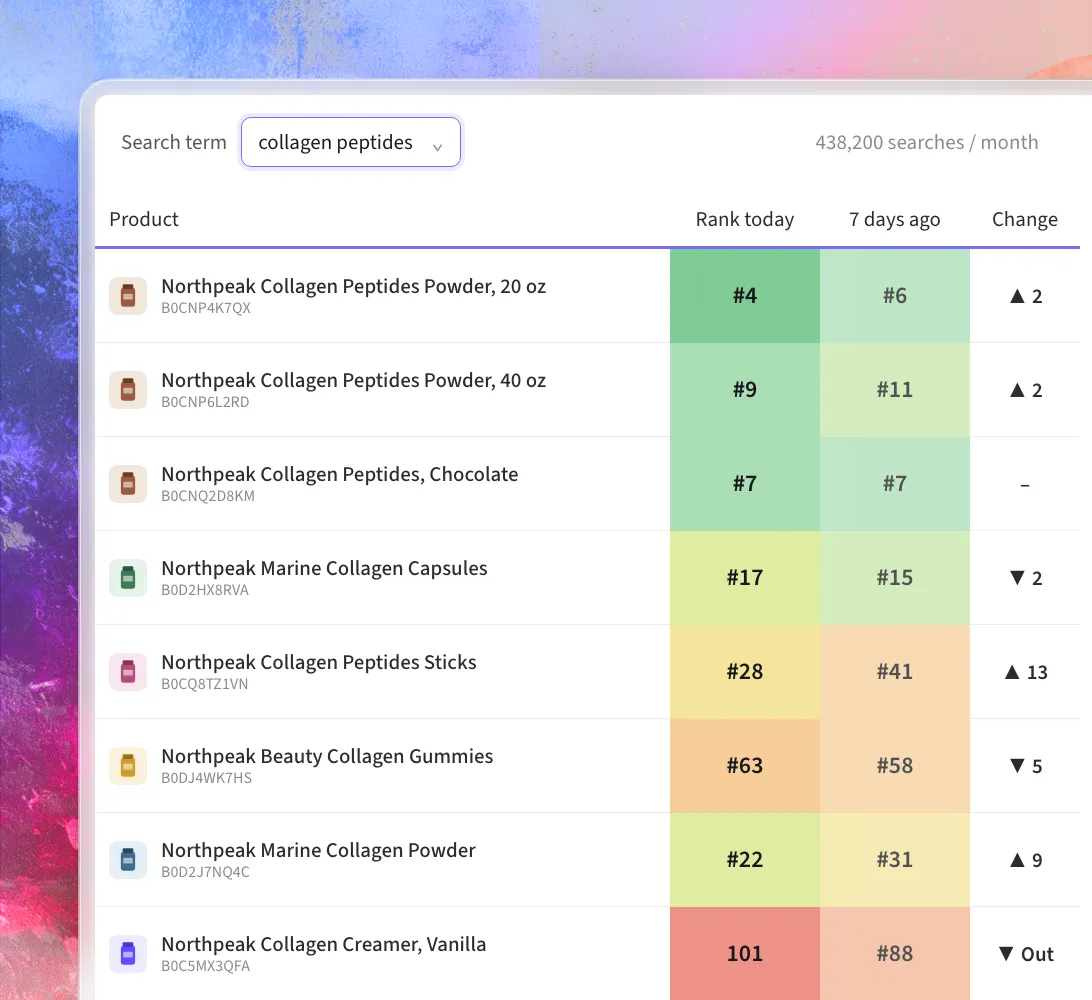
Look up a keyword and see the position of each of your products for it. A higher position means more shoppers see the product first, and #1 is the best.

You can also start from a product and see all the keywords it ranks for.

Check what a change did with an
Amazon keyword ranking tool

Rankings move when you change a listing, an ad campaign, or a price. Track the same keyword before and after the change, and you can see whether your position went up, down, or stayed where it was.

Positions are checked once a day. History starts on the day you start tracking a product, and every day is kept from then on.

Compare keywords with Amazon keyword ranking performance tracking tools

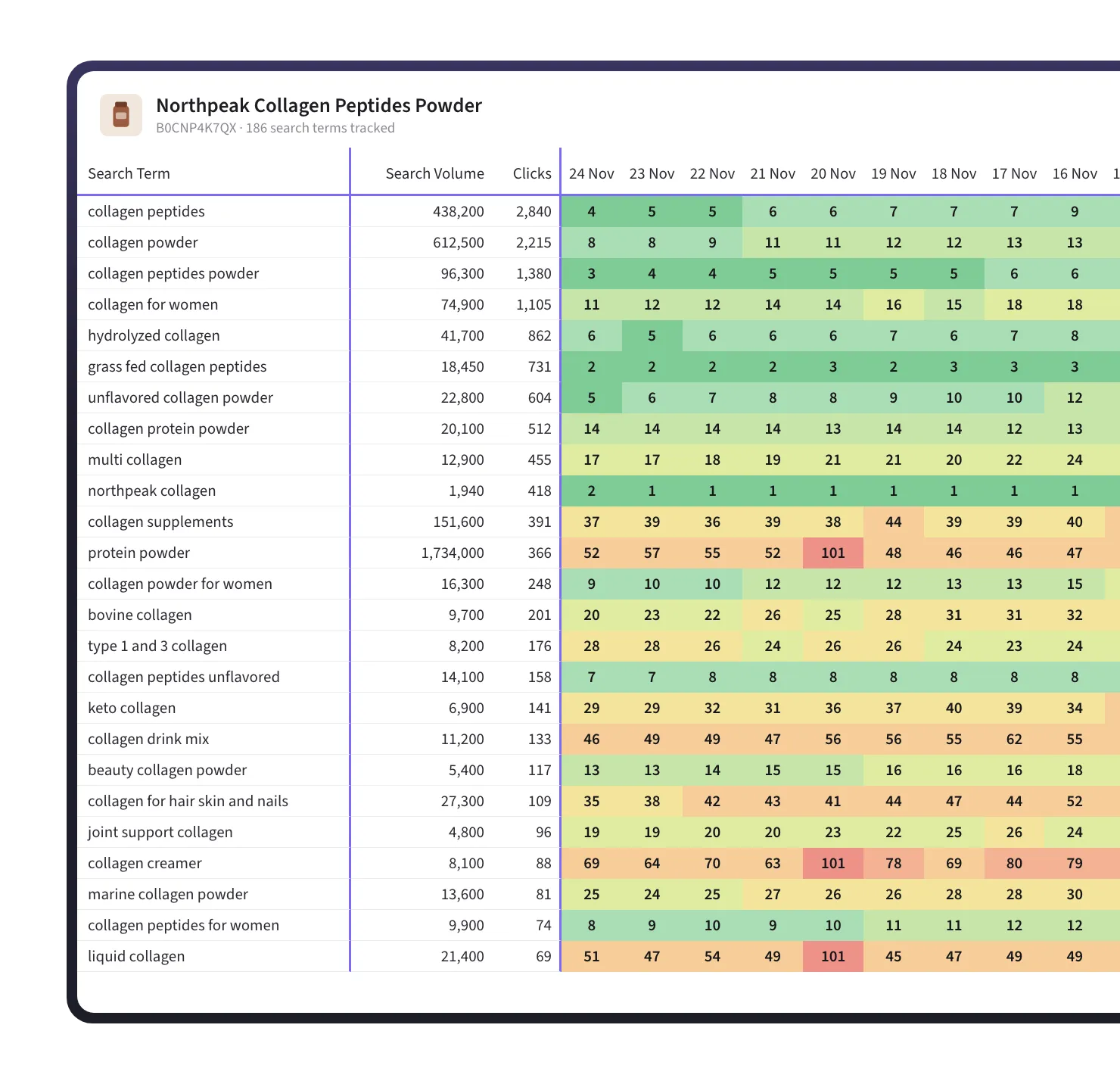
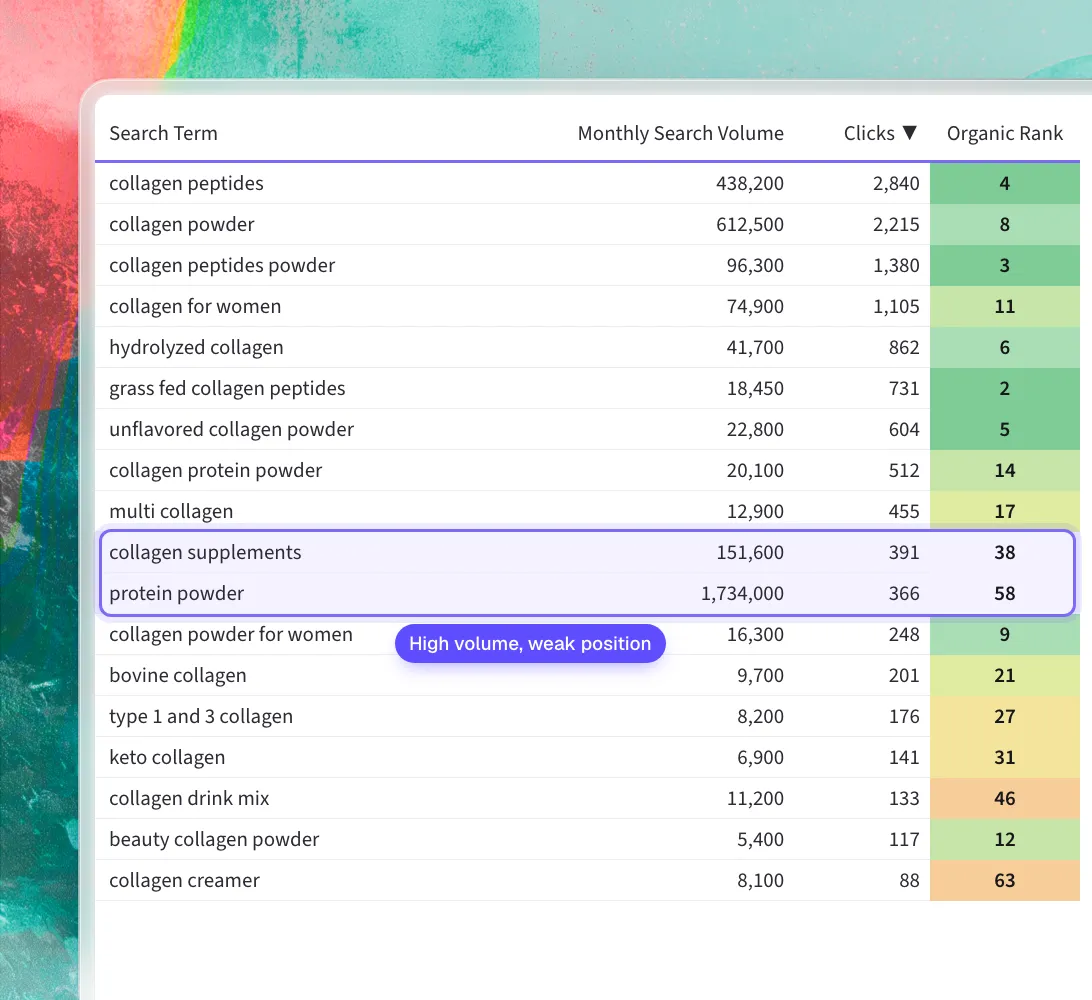
Next to each position, you see the search volume of the keyword and the clicks it brings to each product. A keyword with high volume and a weak position is where a better listing or more ad spend may pay off. A keyword with few clicks may not be worth the effort.

Key features of My Real Profit

The rank tracker is one part of a platform built for Amazon sellers, with a human data team behind it. These reports work next to it:

My Real Profit connects to your account through Amazon's SP-API and Advertising API. It only reads data, so it never changes your listings or prices.

How to use the Amazon keyword tracking software

You need four stages to see your first positions.

Step 1. Create your account

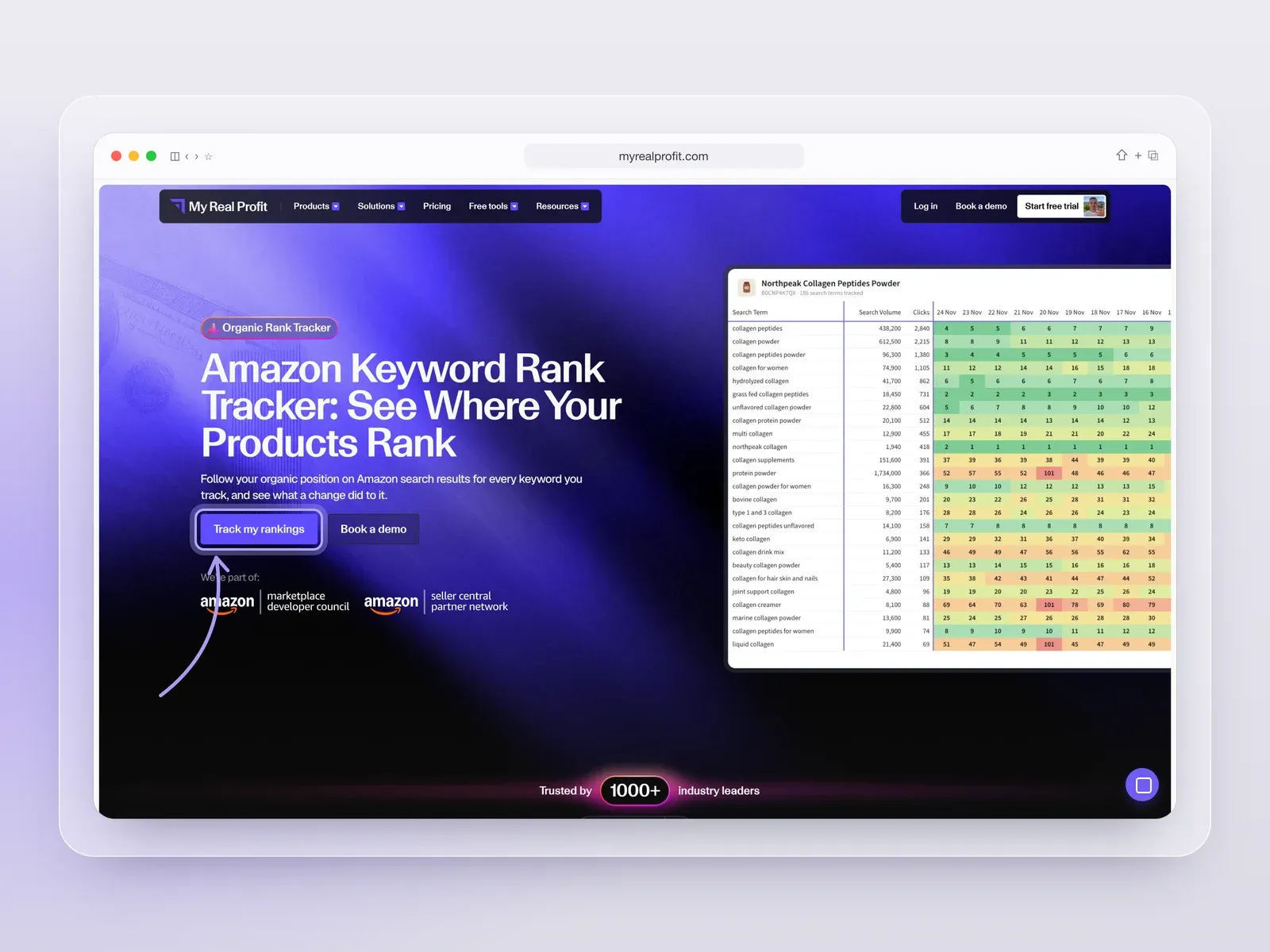
Click 'Track my rankings' at the top of this page and fill in your details. Pick the Advanced plan, since the rank tracker isn't part of Core, and finish with 'Start 21-day free trial'.

Amazon keyword rank tracker page with the Track my rankings button

You do not need a credit card to start the trial.

Step 2. Connect your Amazon account

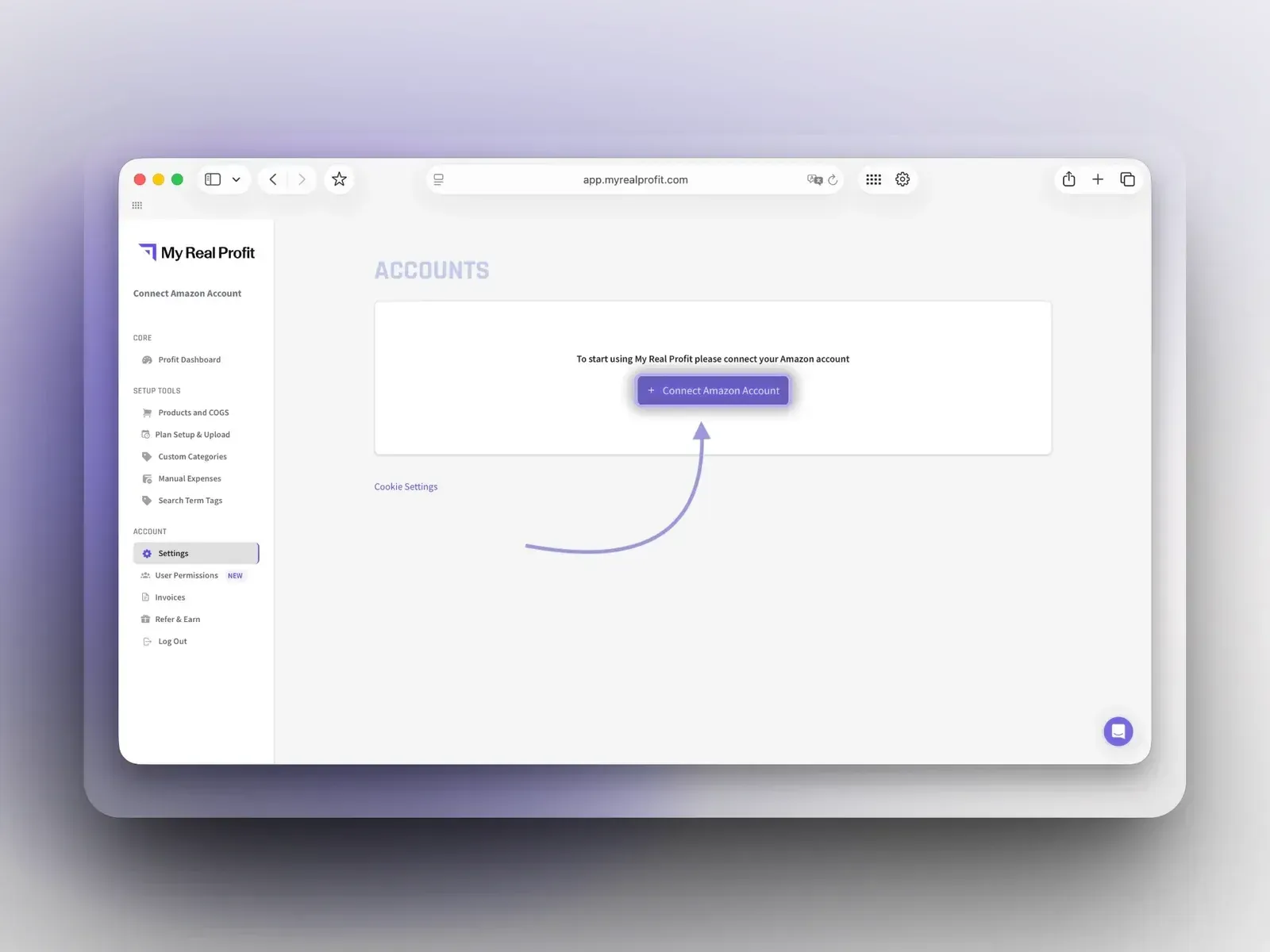
Open 'Connect Amazon Account' and choose your region. The link-up takes under five minutes.

Connect Amazon Account screen, where you choose a region for your keyword rank data

Step 3. Choose the products to track

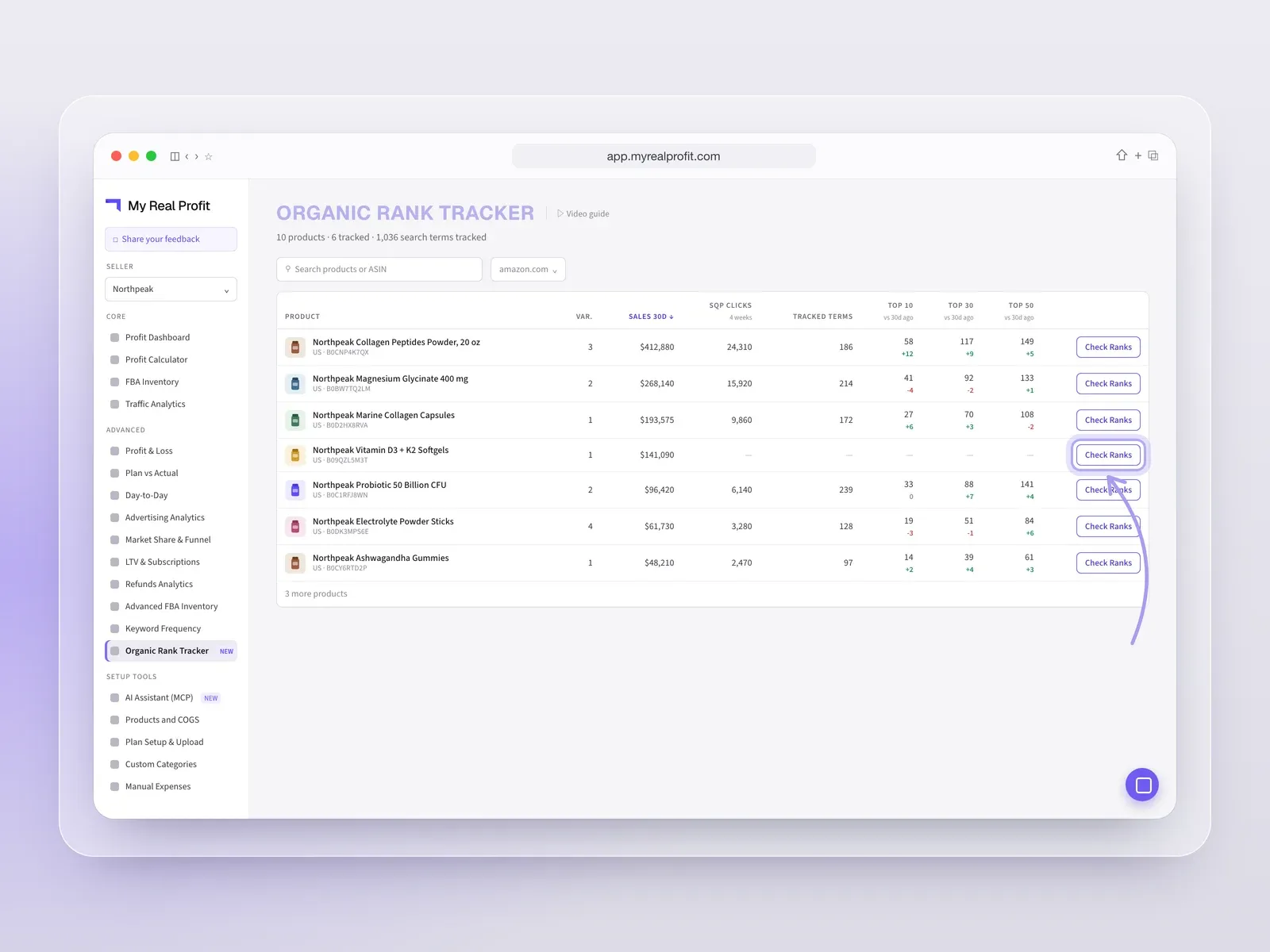
Pick a product and click 'Check Ranks'. You don't type the keywords in. My Real Profit adds every search term the product got clicks on in the last four weeks of your Search Query Performance (SQP) data, and updates the list each week as new data arrives.

Keywords and products added to the Amazon rank tracker in My Real Profit

Step 4. Open the rank tracker

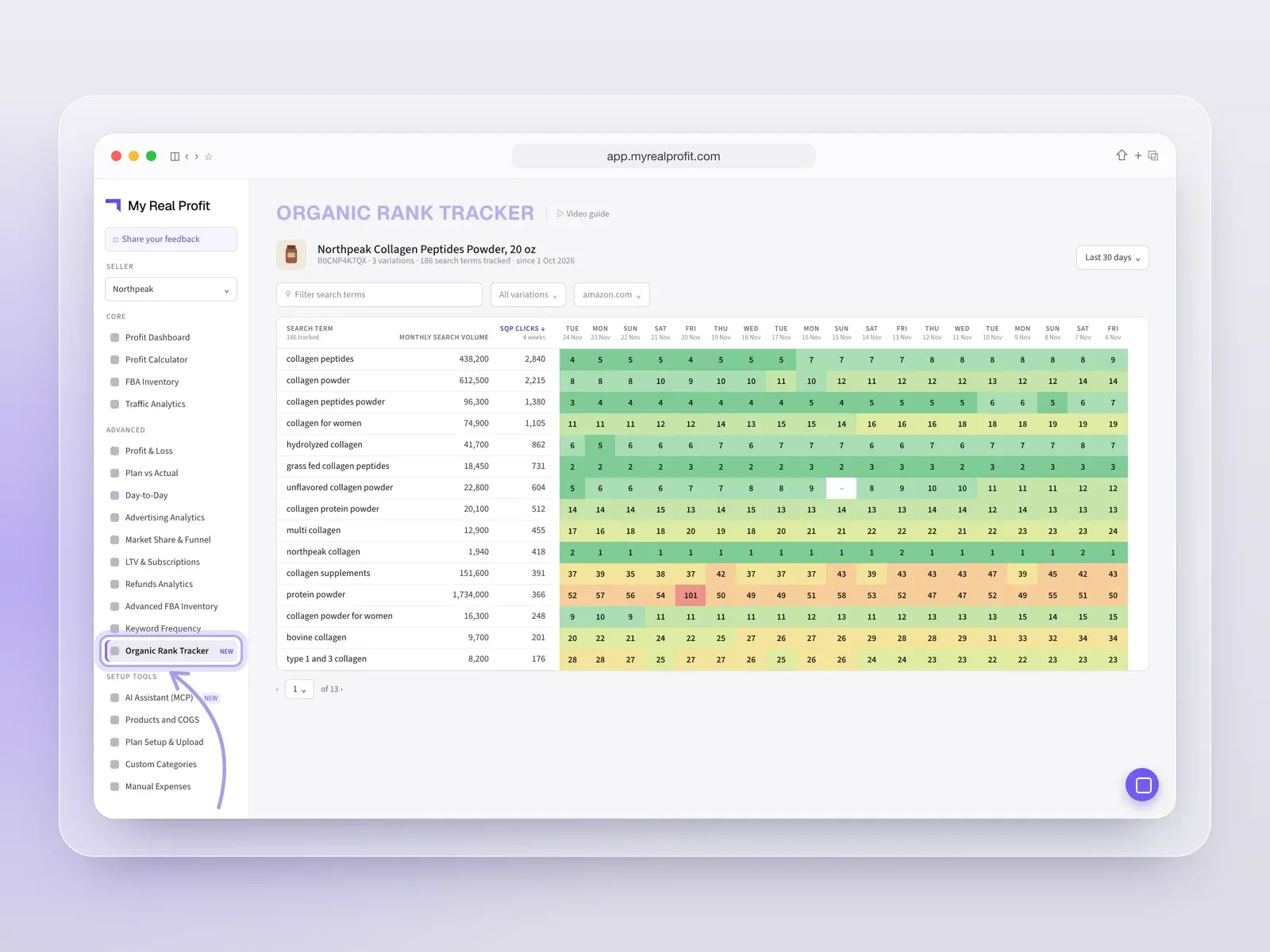
Open Organic Rank Tracker under Advanced in the left menu to see the position of each product by keyword.

Amazon rank tracker in My Real Profit showing the position of each product by keyword

Who is the Amazon keyword ranking tracker for?

CPG brand teams

Check whether each product line holds its position on the keywords that bring the most sales.

Amazon agencies

Show every client where their products rank, and what changed after the last listing or ad update.

PPC managers

Compare keyword positions before and after a bid or budget change.

Listing specialists

See whether a new title, bullet points, or images moved a product up for its main keywords.

Use Amazon keyword ranking tools to test your changes

A position on its own is a number. The same position tracked before and after a change tells you what worked. The rank tracker inside My Real Profit gives you that view for every keyword and product you follow, next to the reports you already use for ads, traffic, and profit.

Try it with your own keywords during the 21-day free trial.

FAQ

Every question, answered

Pick the keyword and look at the position Amazon gives each of your products for it. The rank tracker inside My Real Profit shows your organic position (#1, #2, #3, and so on) by keyword and by product.
Yes. Start from the product and see all the keywords it ranks for. Each keyword shows the position of that product, so you can see where it is strong and where it is not.
Edits to the listing, the ads, or the price can move your position. Track the same keyword before and after each change, and change one thing at a time, so you can tell what worked.
Three things matter for each keyword: your position, the search volume, and the clicks the keyword brings to each product. Together they show which keywords are worth more work on the listing or the ads.
  • Our insights
  • +
  • Your data
  • =
  • More Profit
Only 2 clicks stand between you
and data you've never seen before

Book a free demo call or start your free trial today and see
exactly how it works for your business.

  • No long-term contracts
  • No setup fees
  • No credit card required