

October 23, 2026 ● 10 min read
What Is an Amazon Fulfillment Center?








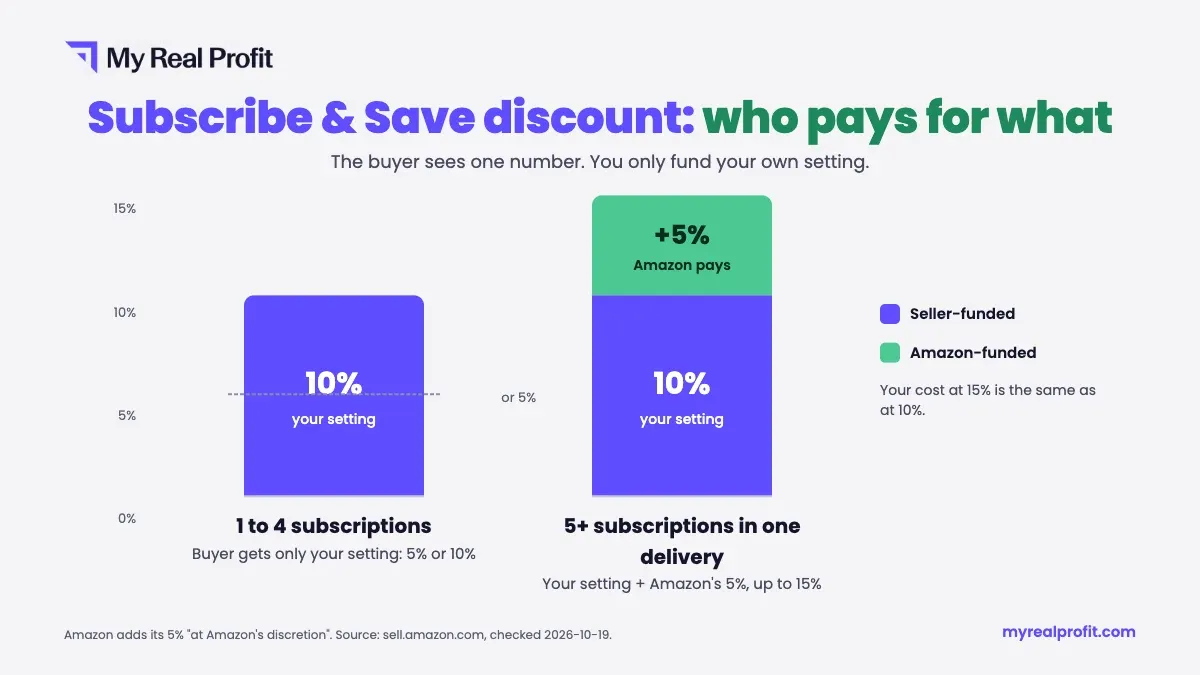
The Subscribe & Save discount percentage is how much less a subscriber pays than a one-time buyer for the same product. The discount runs from 0% to 15%. Where a product lands in that range depends on two things: the discount the seller sets and how many subscriptions arrive in one delivery.
For a seller, this number is a pricing decision. It changes your conversion rate, your payout per order, and the value of every customer who stays subscribed. Amazon says that Subscribe & Save products with a 10% to 15% discount “can drive up to a 1.8x increase in conversion”, based on its own internal data.
The table below compares the three discount levels a buyer can see: 5%, 10% and 15%. Use it to see who pays for each part of the discount before you look at the payout math in the next section. Each row follows Amazon’s own published split between seller-funded and Amazon-funded discounts. It is not an estimate or an average from other sellers.
| Tier | Who funds it | Buyer-facing discount | Typical use case |
|---|---|---|---|
| 5% | Seller | 5% | Lowest discount tier, slower replenishables, testing a new ASIN |
| 10% | Seller | 10% | Balanced option for most replenishables |
| 15% | Seller (10%) + Amazon (5% when 5+ Subscribe & Save items are in the shipment) | 15% | Categories with high repeat-purchase frequency (household, pet, health) |
You can only set 5% or 10% yourself. The 15% tier is your 10% plus Amazon’s 5%, which Amazon adds “at Amazon’s discretion” when the buyer gets five or more subscriptions in one delivery (on top of a 5% setting too). So your cost at 15% is the same as at 10%.
Check your current setting before you plan a tier. Amazon enrolls new products at 0%, with no seller discount at all, until you raise it to 5% or 10%.
Take one product and run it through every tier with the same numbers. Here is the example:
The detail most sellers get wrong: the referral fee is calculated on the price after the discount, because Amazon charges it on what the buyer actually pays. So a discount costs you a little less than it looks.
| One-time purchase | 5% | 10% | 15% (your 10% + Amazon’s 5%) | |
|---|---|---|---|---|
| Price the buyer pays | $25.00 | $23.75 | $22.50 | $21.25 |
| Price your fees are based on | $25.00 | $23.75 | $22.50 | $22.50 (your 10% price; Amazon funds its 5%) |
| Referral fee (15%) | $3.75 | $3.56 | $3.38 | $3.38 |
| FBA fee | $5.00 | $5.00 | $5.00 | $5.00 |
| Your payout | $16.25 | $15.19 | $14.13 | $14.13 |
| Profit after COGS | $10.25 | $9.19 | $8.13 | $8.13 |
At 10%, the buyer saves $2.50, while your payout drops by $2.12. The referral fee falls with the price, so it absorbs part of the discount. At 15%, your payout is the same as at 10%, because Amazon pays the extra 5%.
Now compare one order with a subscription. A one-time buyer earns you $10.25 once. A monthly subscriber earns less per order and more in total:
| Per order | 6 months | 12 months | |
|---|---|---|---|
| One-time purchase | $10.25 | $10.25 | $10.25 |
| Subscriber at 5% | $9.19 | $55.14 | $110.28 |
| Subscriber at 10% or 15% | $8.13 | $48.78 | $97.56 |
Pricing before modeling FBA fees.
The seller sets a discount, the fees take their share, and the margin per order turns out lower than planned. Run the numbers in an Amazon profit calculator first.
Not separating real and fake subscribers.
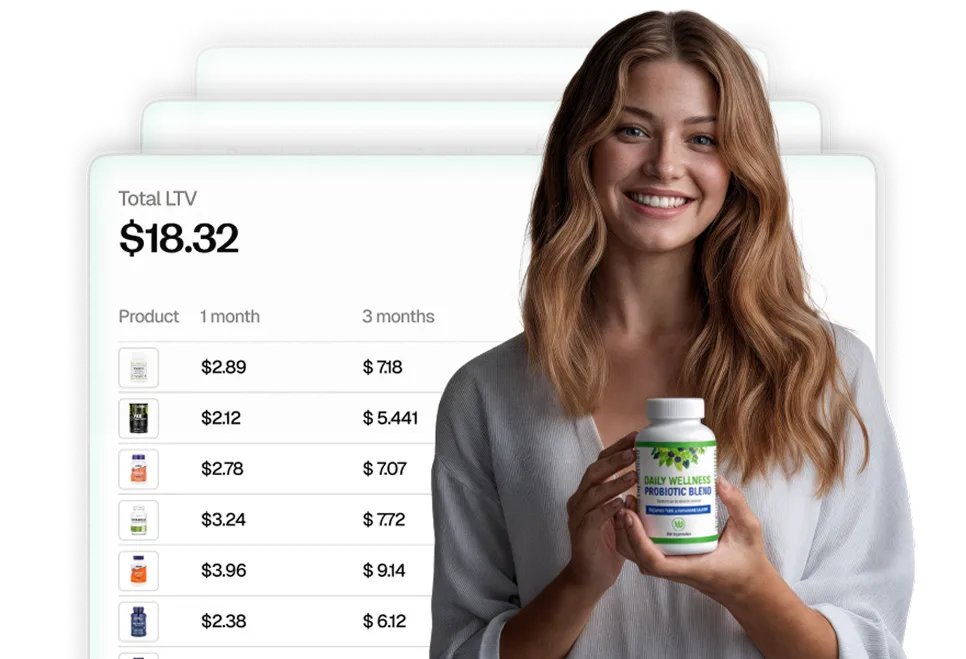
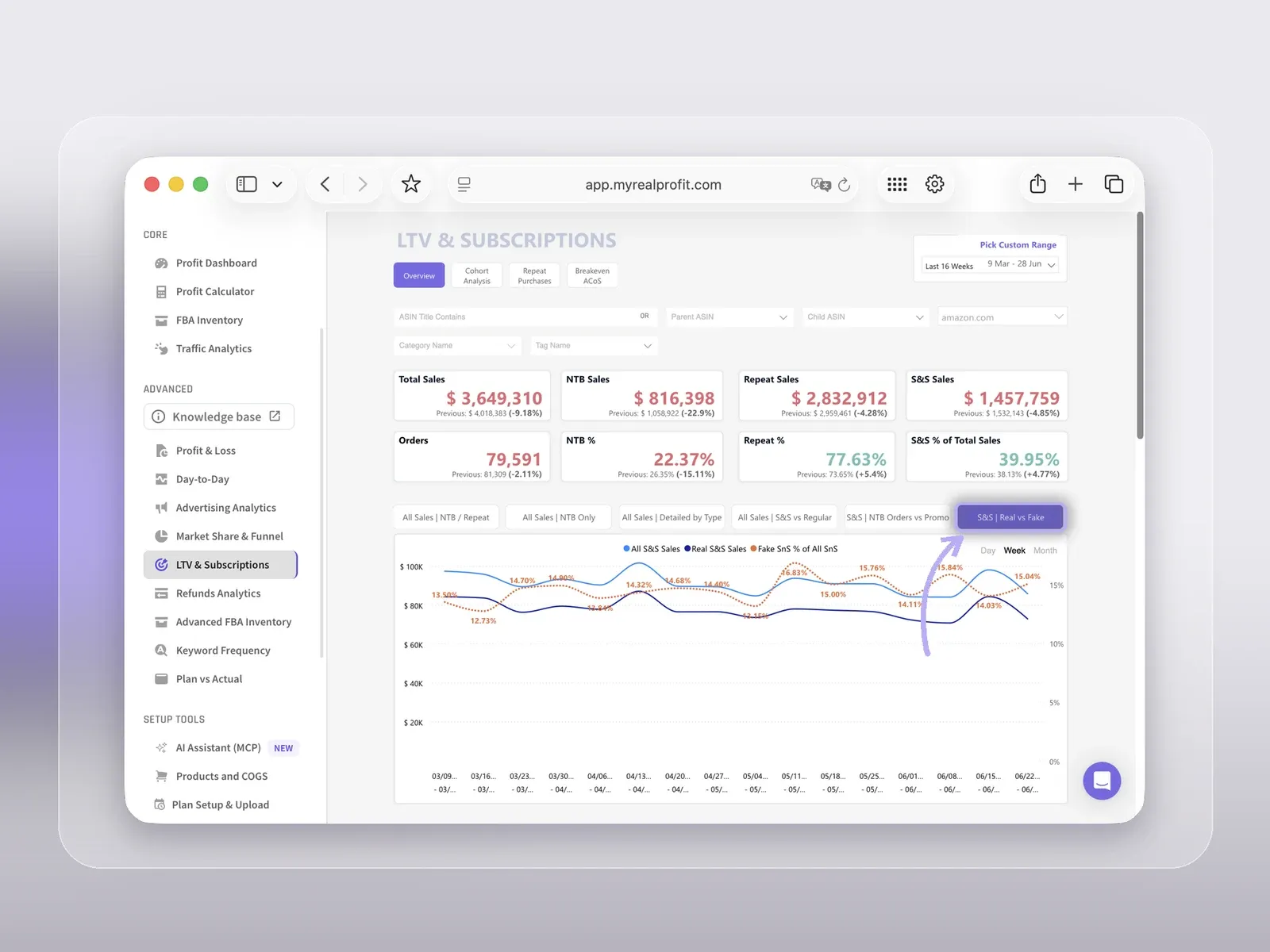
A subscriber who cancels after the first order costs you the discount and brings no repeat revenue. In My Real Profit, the LTV & Subscriptions report counts a subscription as “fake” when only one order is recorded. It shows real against fake subscribers and the fake share by product. Under 15% fake is strong. Over 40% usually means an aggressive coupon or a problem with the niche.
Ignoring cancellation timing in forecasts.
Subscriptions from the last 2 to 4 weeks have not had time to cancel yet. Read Subscribe & Save data that is 2 to 3 months old before you forecast repeat revenue or judge your customer lifetime value.
Not revisiting the tier after a fee change.
Amazon updates fees every year. In 2026, FBA fees rose by an average of $0.08 per unit from January 15. A setting that worked last year can be too deep after a fee change, so run the payout math again each time fees move.
The buyer sees one number, while your cost depends only on your own setting, as the tier table shows. The referral fee shrinks with the discounted price, so each tier costs a little less than its label. The setting pays off when subscribers stay, which is why repeat data matters more than the discount itself. For brands that sell consumables, this is the core of CPG brands analytics. For a wider view of the tools that track it, see our list of Amazon analytics tools.
You can set 0%, 5% or 10%. That is all you fund. With five or more subscriptions in one delivery, Amazon can add 5% at its own cost, so the buyer sees up to 15% while you still pay at most 10%.
It is the discount you choose (0%, 5% or 10%), plus Amazon’s 5% for buyers with five or more subscriptions in one delivery. Your setting decides your cost. Amazon’s part decides how big the discount looks to the buyer.
Usually one of two reasons. You set 5% and the customer has fewer than five subscriptions in that delivery. Or you set 0%, and the 5% they see is Amazon’s discount for five or more subscriptions. In the second case, the discount costs you nothing.
Only when you set 10% and the buyer gets five or more subscriptions in the same delivery. Amazon adds the extra 5% at its discretion. Your payout stays the same as at 10%.
Two things: the base discount you set and how many subscriptions the buyer gets in one delivery. You control the first. The buyer controls the second.
Your discount applies to every subscription of your product. When the buyer gets five or more subscriptions in one delivery, Amazon’s extra 5% applies to eligible subscriptions in that delivery, and Amazon pays for it.