

October 23, 2026 ● 10 min read
What Is an Amazon Fulfillment Center?









The best Amazon keyword research tools do three things: show search volume, track your ASIN rank over time and reveal which keywords competitors own. Only four of the 17 platforms we scored do all three; the rest cover part of the job for less. We rated each out of 100 on those three, plus research depth, refresh rate and price, so pick the one that matches your goals and budget. One catch: no tool tells you whether a keyword makes money after Amazon fees, so pair your pick with Amazon keyword analytics that connects search terms to real profit.
Here are all 17 side by side. Every price is the month-to-month rate, not the discounted annual one. The score is out of 100, built from six criteria: keyword data depth, rank tracking, reverse ASIN and competitor data, product and niche research, refresh rate and price.
| Rank | Tool | Score | Starting price | Standout strength | Best for |
|---|---|---|---|---|---|
| 1 | Data Dive | 74/100 | $39/mo | Keyword and rank depth | Listing and PPC teams |
| 2 | SellerSprite | 74/100 | $39/mo | Deep Amazon data plus AI insights | Product research before launch |
| 3 | Jungle Scout | 73/100 | $49/mo | Polished research suite | Product research with sales data |
| 4 | Helium 10 | 72/100 | $129/mo | Best-in-class research breadth | Research, listing and profit in one |
| 5 | Analyzer.Tools | 72/100 | $49/mo | Fast bulk supplier scanning | Wholesale and OA sourcing |
| 6 | DataHawk | 72/100 | Custom | Built for scale | Agencies with 10+ brands |
| 7 | SmartScout | 70/100 | $49/mo | Unique market-level data | Market discovery |
| 8 | Carbon6 | 64/100 | Custom | One vendor, many tools | Ads, analytics and recovery together |
| 9 | ZonGuru | 62/100 | $49/mo | Solid research and listing tools | Private-label listing work |
| 10 | Keepa | 61/100 | €29/mo | Unrivalled price history | Arbitrage and wholesale |
| 11 | AMZScout | 59/100 | $60/mo | Niche discovery | Validating demand |
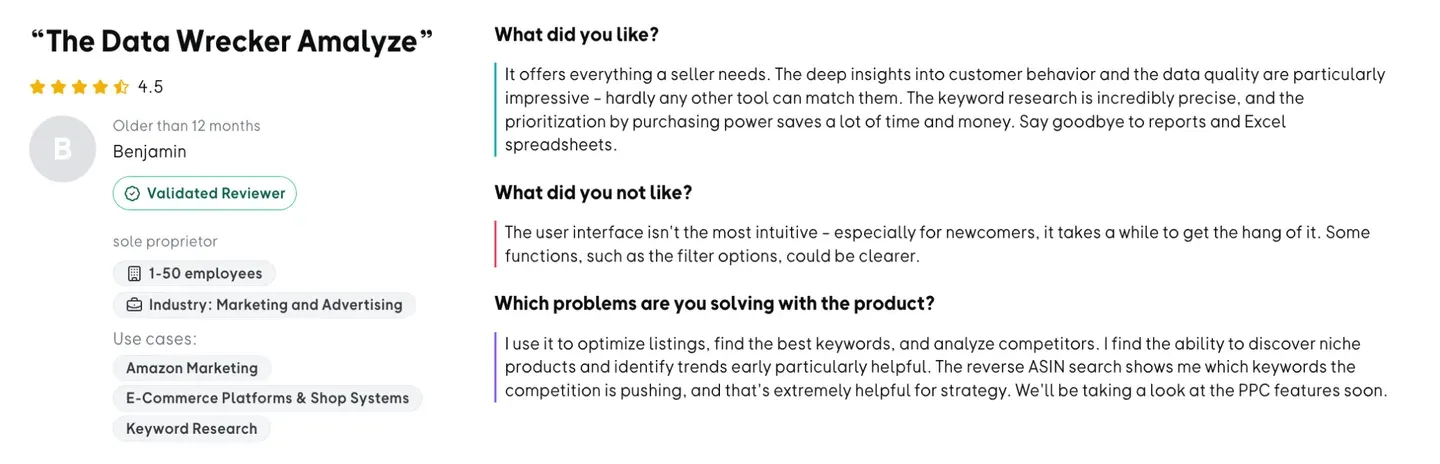
| 12 | Amalyze | 59/100 | $299/mo | Strong EU coverage | EU private labels and vendors |
| 13 | AMZ Tracker | 58/100 | $50/mo | Reliable rank tracking | Rank and review monitoring |
| 14 | MerchantWords | 57/100 | $35/mo | Big keyword dataset | Demand and trend research |
| 15 | SellerAmp (SAS) | 57/100 | $20/mo | Fast deal vetting | Arbitrage sourcing |
| 16 | VOC AI (Shulex) | 49/100 | Free tier, paid from $99/mo | Voice-of-customer insight | Review-driven product work |
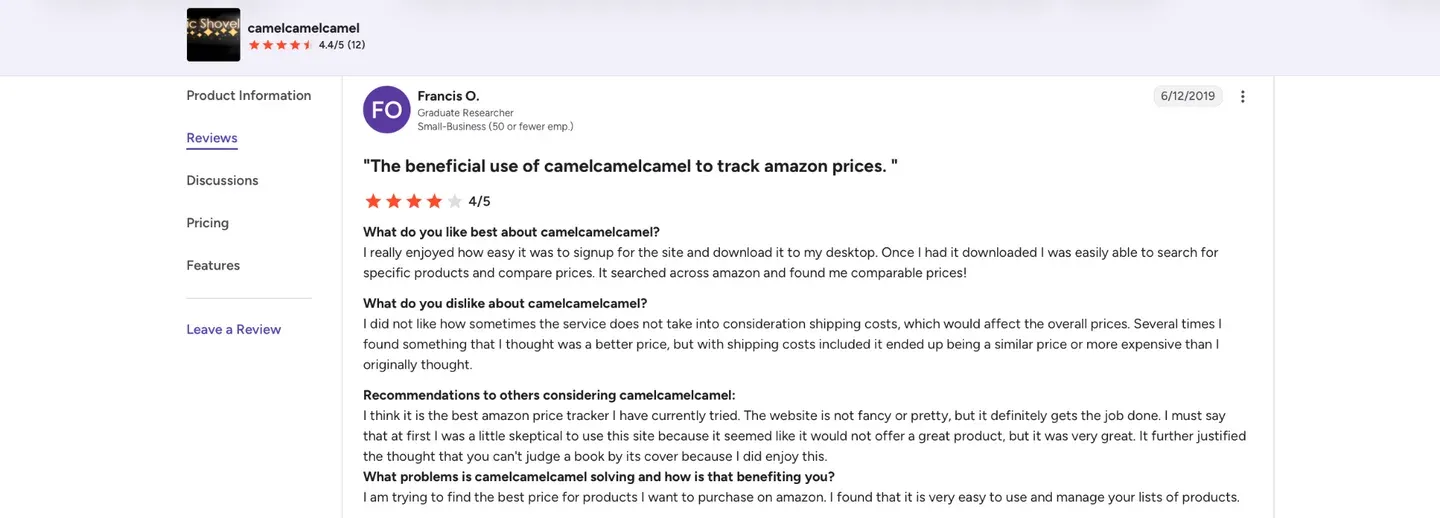
| 17 | CamelCamelCamel | 44/100 | Free | Free price history | Quick price checks |
Before comparing features, run through these five questions. They rule out most tools fast.
After that, test before you commit. If your keywords are mainly for ads rather than organic listings, compare this list against the best Amazon PPC software too.
Below is each tool in detail: what it does well, what it does not, and who should use it.
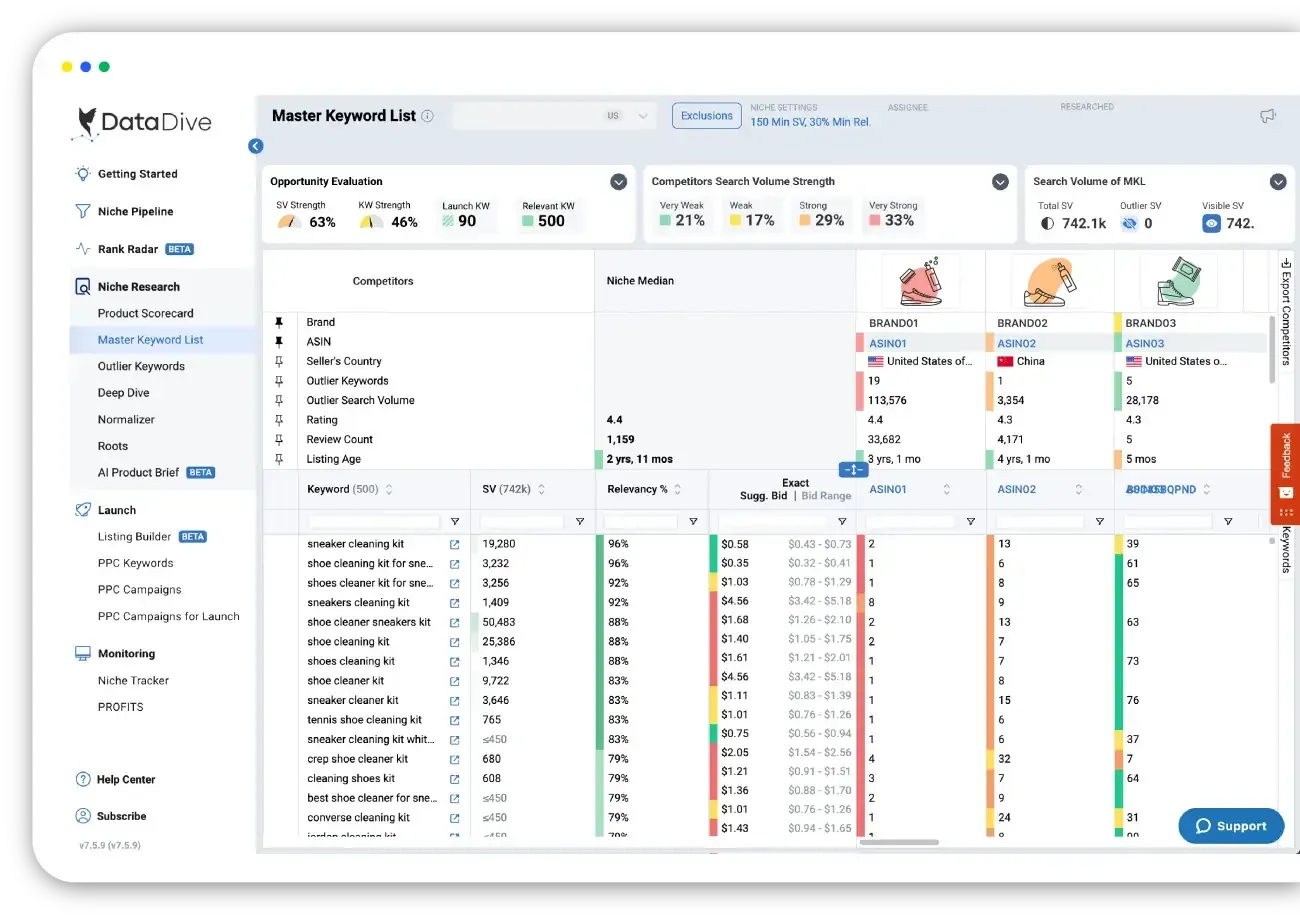
Data Dive skips the full seller suite and goes deep on keyword and rank analytics, putting PPC and organic data side by side so you can see where ads prop up a listing. You get keyword research, rank tracking, reverse ASIN, product and niche research and competitor analysis, refreshed daily.
Pros
Cons
Free plan / trial: None. The 2 months free is an annual-billing discount, not a trial. Starting price: $39/month, or $32/month billed yearly.
Choose it if: you want the deepest keyword and rank data available, and you already have profit reporting elsewhere. Skip it if: you want one tool that also handles profit or customer data.
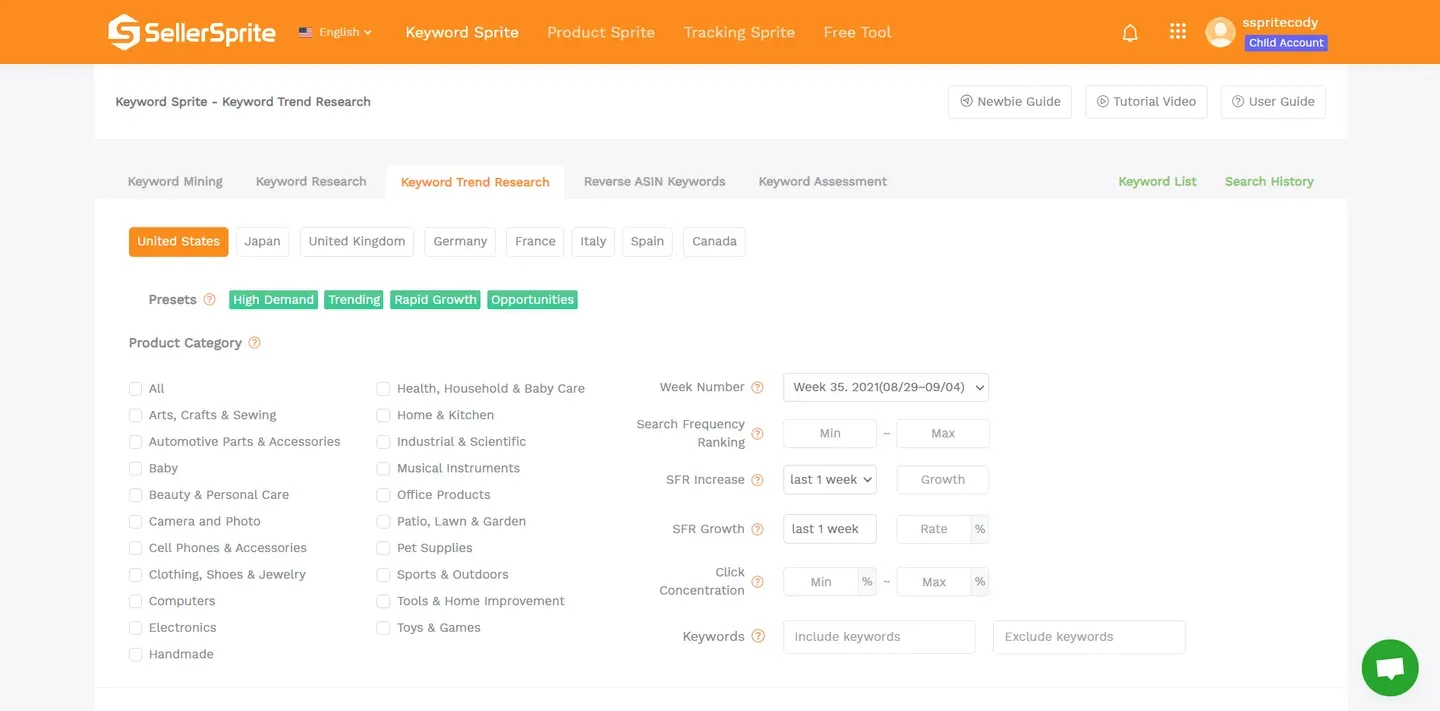
SellerSprite covers keyword mining with search volume and trend history, reverse ASIN on any competitor listing and rank tracking for your own ASINs, with AI analysis on top. A Chrome extension brings the same data onto Amazon pages, and a free tier plus a 3-day trial let you test it first.
Pros
Cons
Free plan / trial: Free tier, plus a 3-day trial, no card required. Starting price: Basic $39/month or $390/year; Standard $79/month or $790/year.
Choose it if: you want data depth before you choose, validate or optimize a product. Skip it if: you manage many client accounts and need agency tooling.
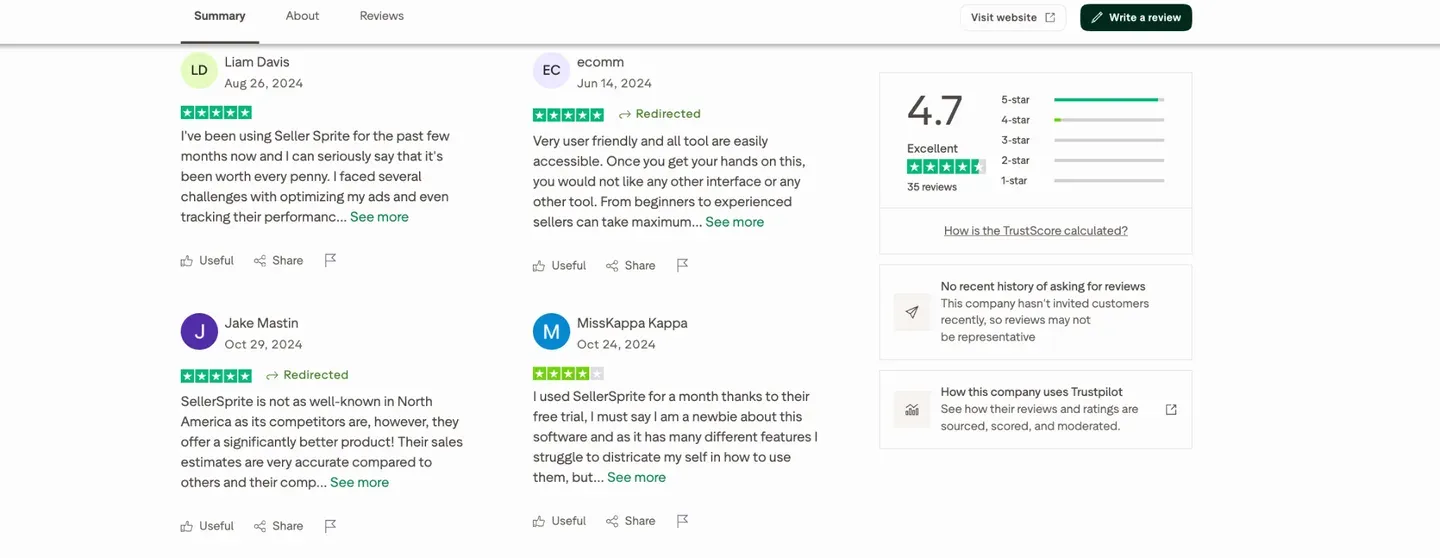
SellerSprite has no broad review base to lean on. Trustpilot is the only platform with a usable sample, and it is a small one:
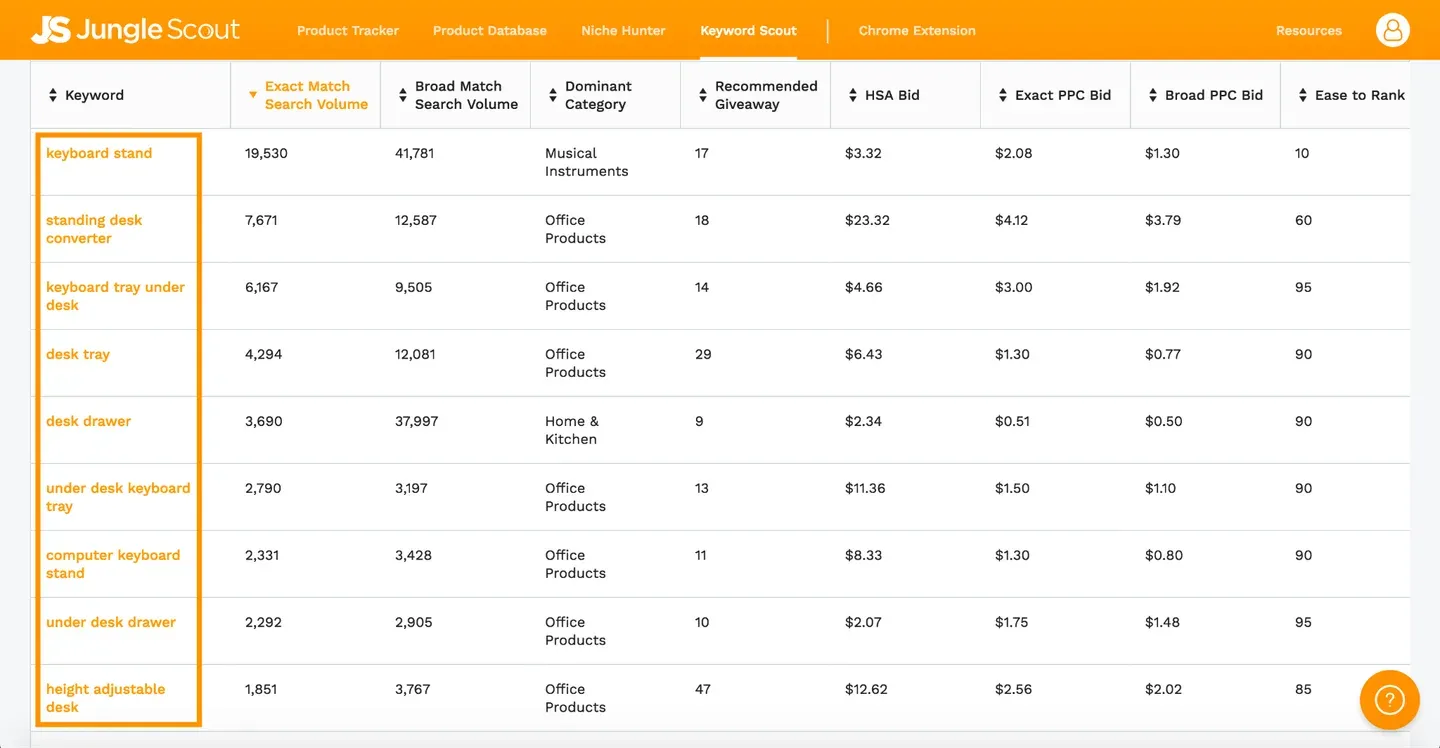
Jungle Scout does its keyword work in Keyword Scout: search volume with PPC bid estimates, reverse ASIN and daily rank tracking. The dataset is smaller than Helium 10 or MerchantWords, but the path from keyword to finished listing is the most polished here. Profit, customer and LTV data sit outside it.
Pros
Cons
Free plan / trial: No free plan and no free trial. 7-day money-back guarantee on Catalyst plans. Starting price: From $49/month, or $29/month billed yearly ($348/year).
Choose it if: you want strong product research with solid sales analytics and a tool your team will actually enjoy using. Skip it if: you need real reconciled profit data, or you want to try before you pay.
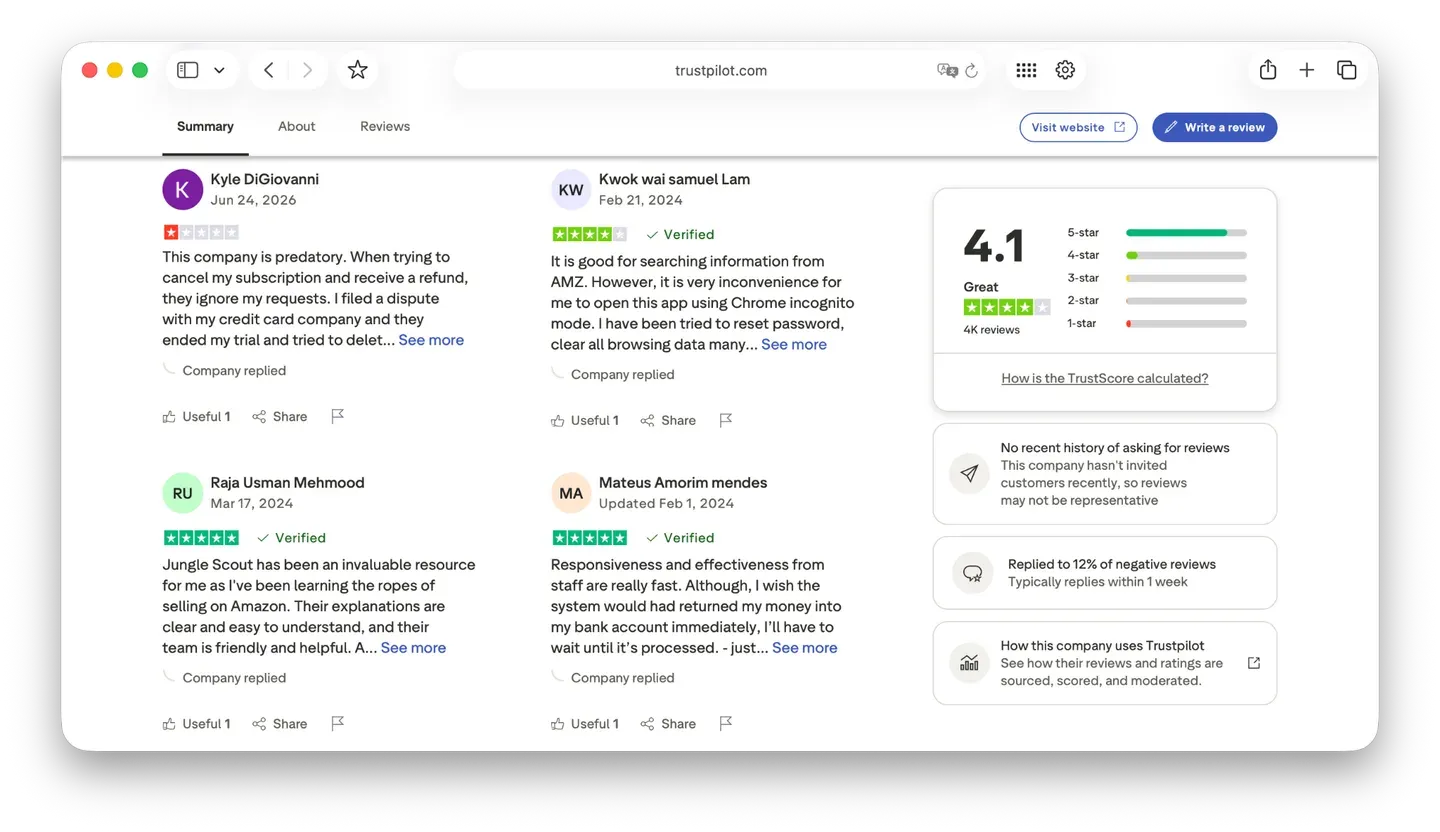
It is one of the most reviewed tools in the category, so the feedback is worth reading. Here is how sellers rate Jungle Scout on Trustpilot:
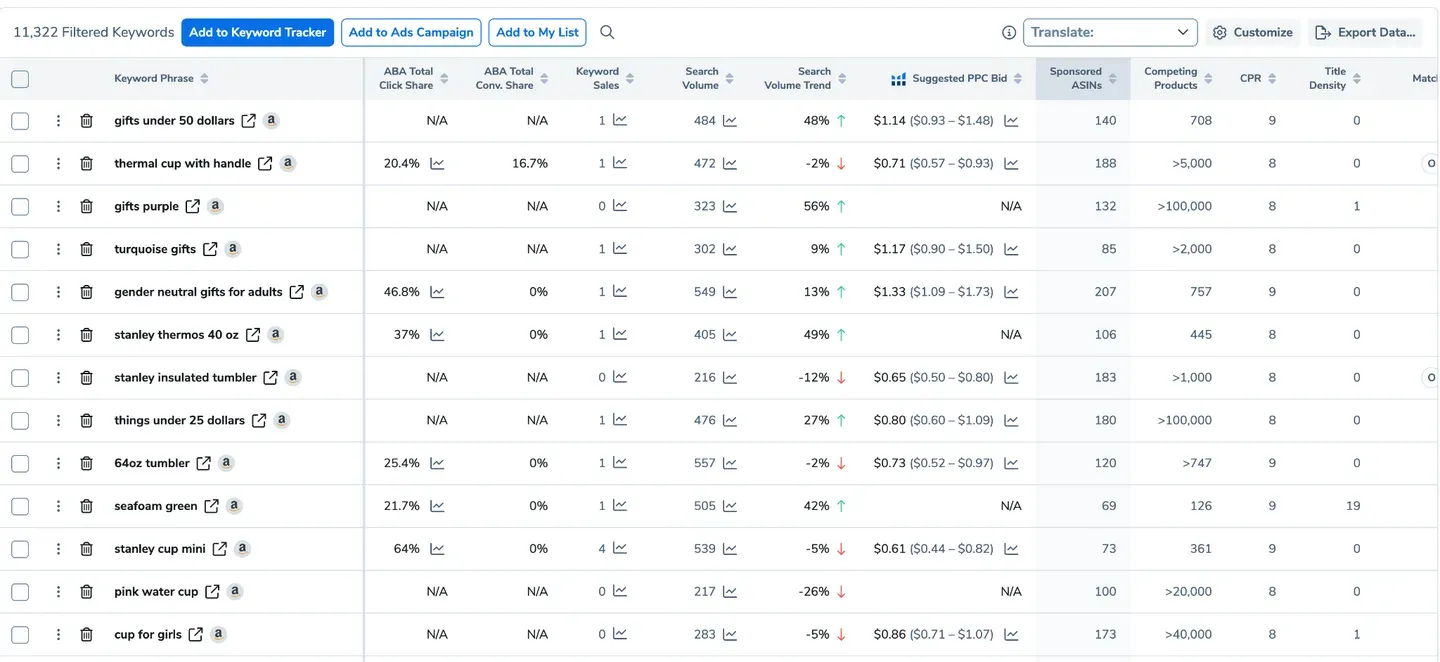
Helium 10 is the heavyweight on keywords: Magnet for discovery, Cerebro for reverse ASIN and Keyword Tracker for daily rank history, on the largest dataset in this comparison. The free plan gives a few lookups a month so you can judge the data first. The catch is price: with Starter withdrawn, the entry point is now Platinum.
Pros
Cons
Free plan / trial: Free plan available with capped uses. Starting price: From $129/month, or $99/month billed yearly ($1,188/year).
Choose it if: you want research, listing and light profit tools under one roof and the budget to match. Skip it if: you want a cheap entry point, or the deepest profit and customer data.
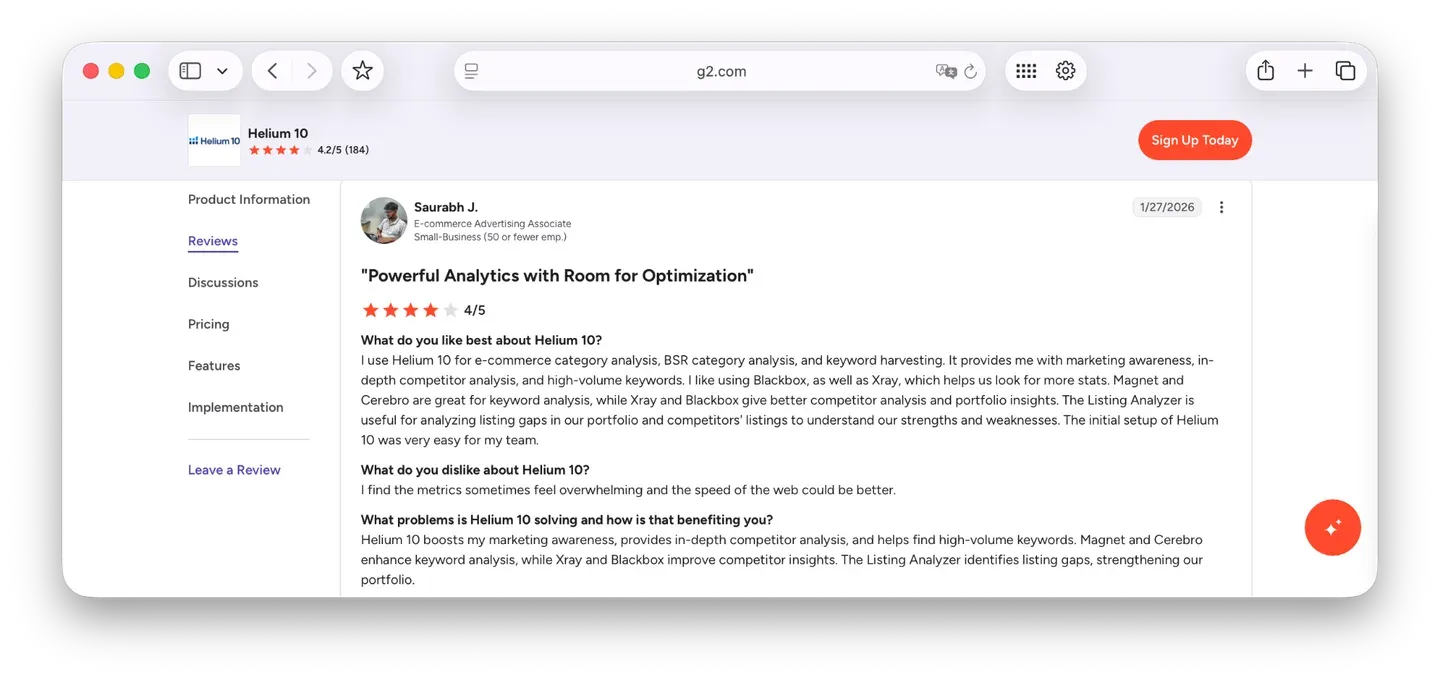
Ratings split hard by platform here, so read both before deciding. Here is how sellers rate Helium 10 on G2:
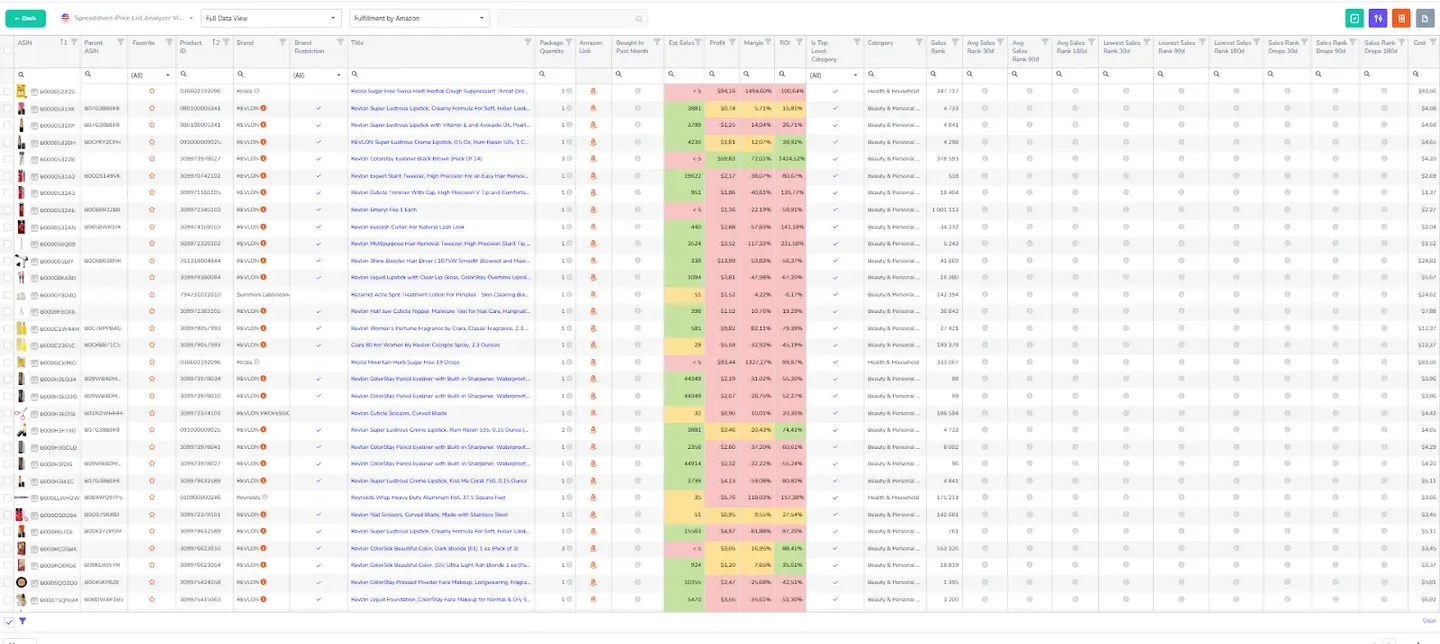
Analyzer.Tools has no keyword research, rank tracking or reverse ASIN, so it scores nothing on the feature this page compares. It is here for the job right next to it: turning a distributor catalog of thousands of lines into a shortlist fast, off live data, with no cap on how many products you scan.
Pros
Cons
Free plan / trial: No free plan and no free trial, but a 2-day pass costs $15 and a 5-day pass costs $25. Starting price: From $49/month, or $441/year.
Choose it if: you are a wholesale or online-arbitrage seller screening large supplier lists. Skip it if: you need keyword research or rank tracking at all.
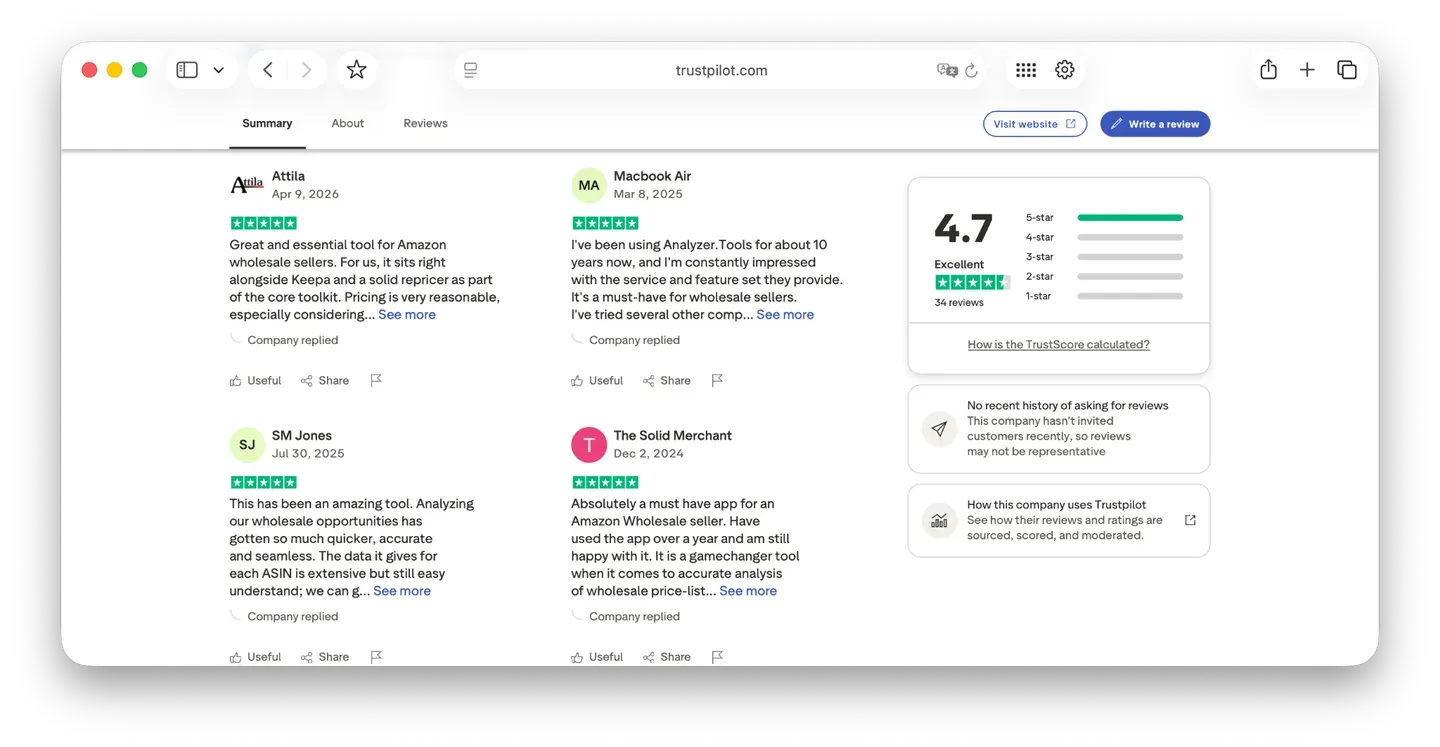
Users who source in bulk rate it highly. Here is how sellers rate Analyzer.Tools on Trustpilot:
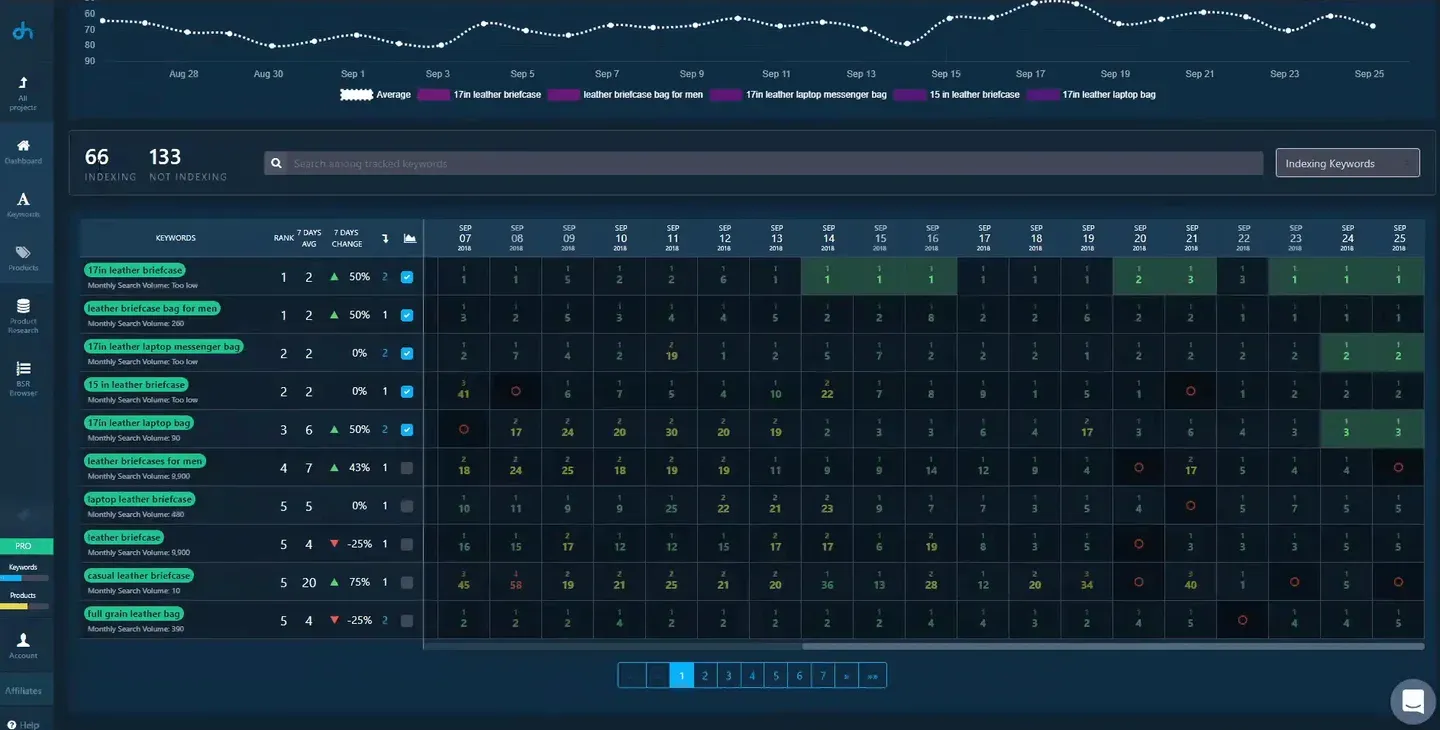
DataHawk handles keywords at portfolio scale: research and daily rank tracking across large ASIN sets, landing in a data warehouse you can query and white-label into client reports. That reporting layer is what agencies pay for, not the keyword data, which is broad rather than deep. Pricing is quote-only and annual, with no trial.
Pros
Cons
Free plan / trial: No free plan and no free trial. Demo and paid proof of concept available. Starting price: Custom pricing, annual plans only.
Choose it if: you are an agency managing 10 or more brands, or an enterprise above $10M GMV. Skip it if: you are one seller who wants to start this week.
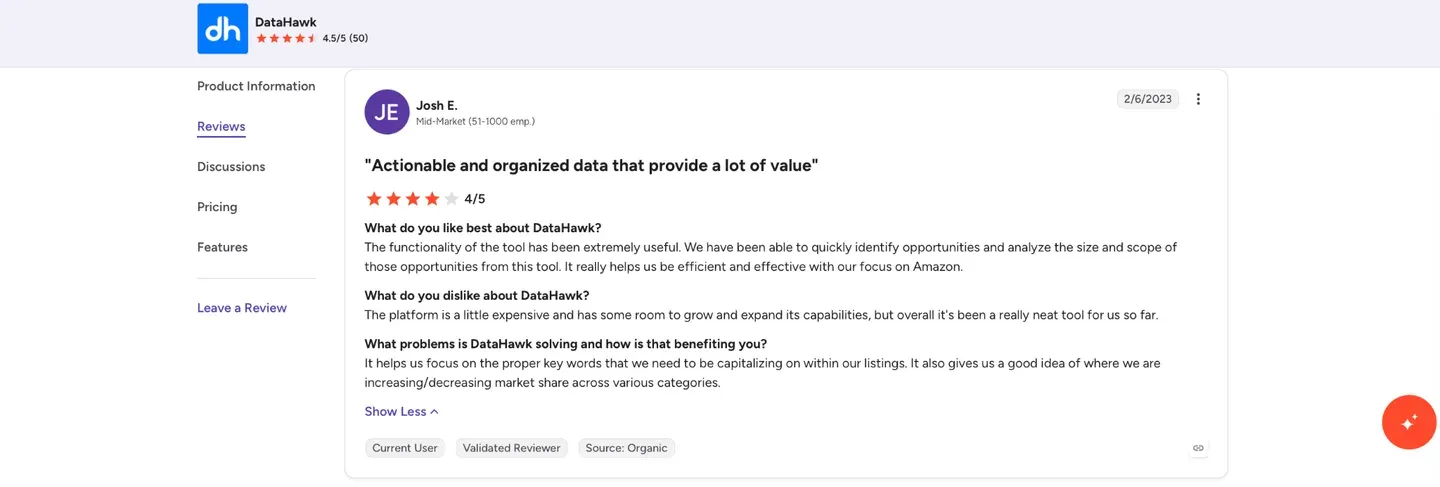
Enterprise buyers read reviews before signing, so this one matters. Here is how teams rate DataHawk on G2:
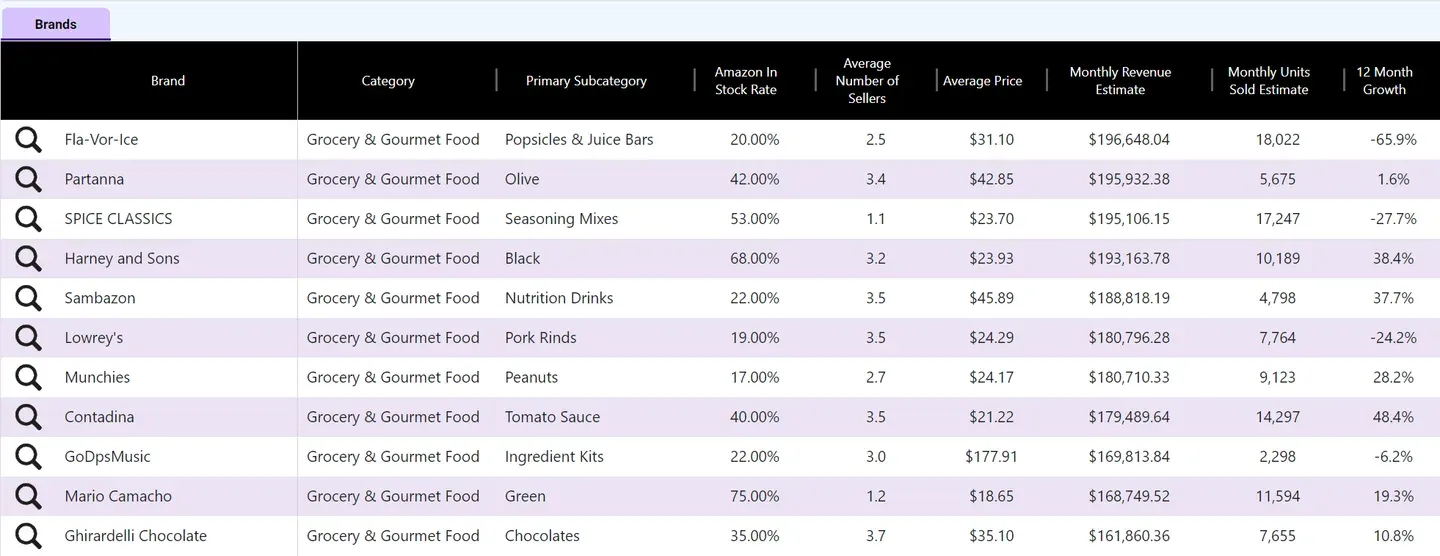
SmartScout does keyword research from above, showing which brands, categories and sellers own a keyword’s results rather than what one ASIN ranks for. That market-level view is unique here, but it does not follow a keyword over time and has no reverse ASIN. There is also a free Chrome extension with 100 uses a month.
Pros
Cons
Free plan / trial: Free Chrome extension. No free trial, only a 7-day money-back guarantee. Starting price: $49/month, or $29/month billed yearly.
Choose it if: you are doing wholesale, arbitrage or agency market discovery. Skip it if: your main job is tracking your own keyword positions.
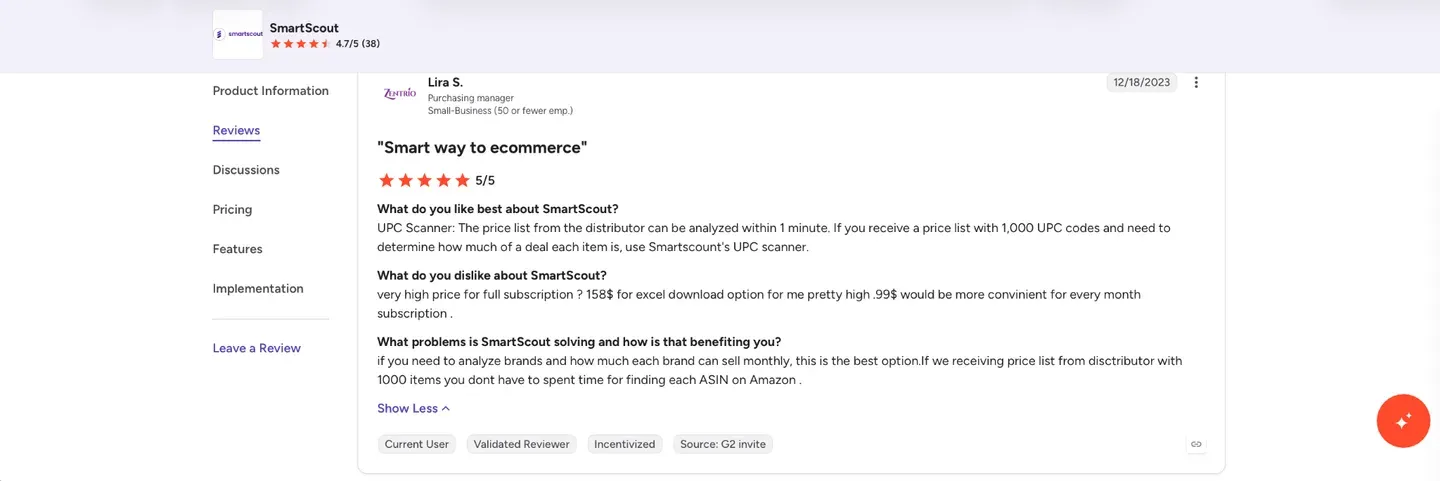
Its two review profiles disagree by almost a full star, which is worth a look. Here is how sellers rate SmartScout on G2:
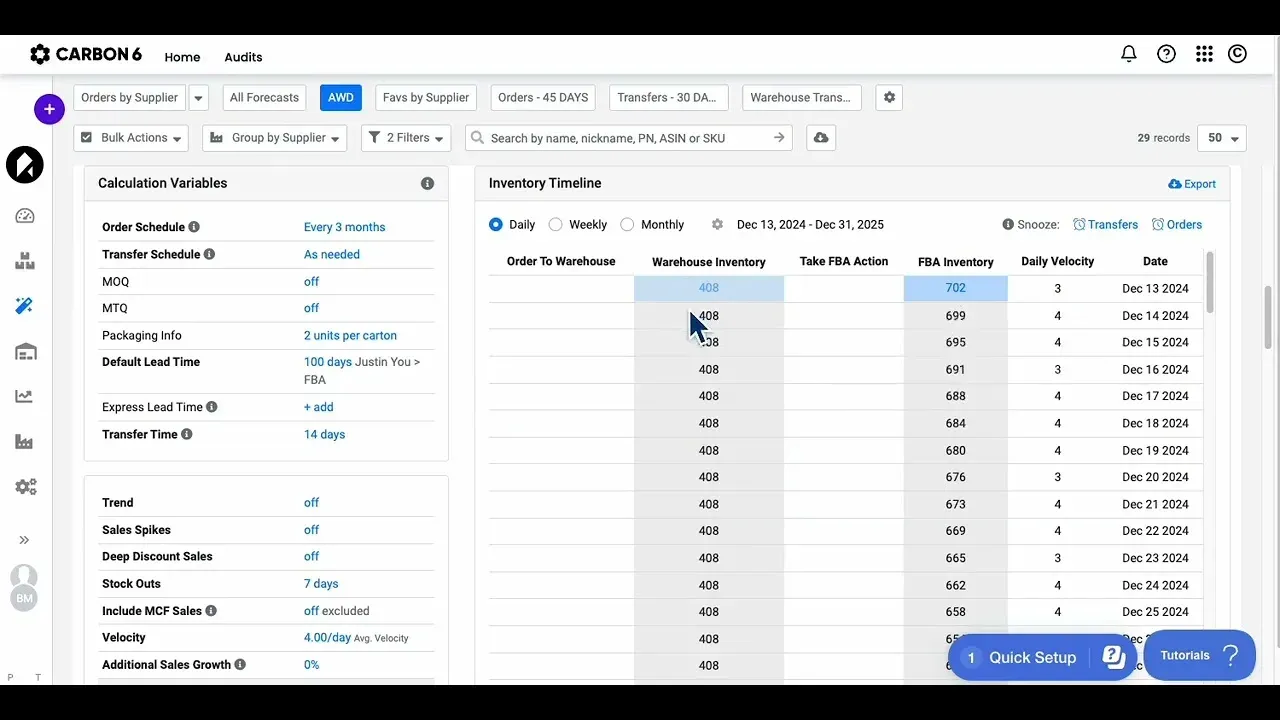
Carbon6 is a bundle rather than a single product: about a dozen acquired tools under one roof covering PPC, analytics and reimbursements. Keyword research is one module inside it and depth varies, so judge the specific tool you would use. If keywords are the job you came for, better options sit above it.
Pros
Cons
Free plan / trial: No suite-level trial. Some sub-brands have free tiers, and ManageByStats plans start from $15/month. Starting price: Custom pricing at suite level.
Choose it if: you want one subscription across ads, analytics and recovery. Skip it if: you only need keyword research and want a published price.
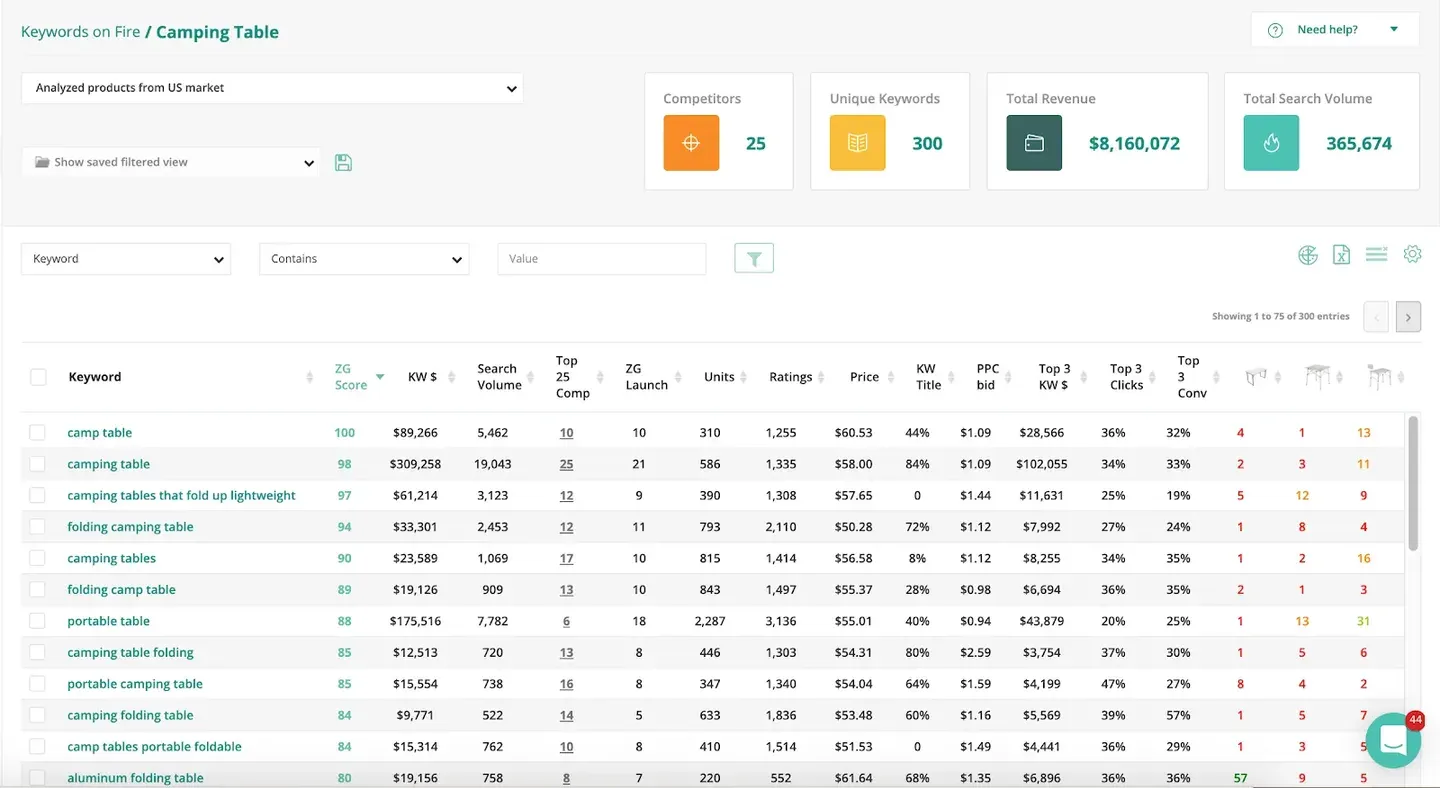
ZonGuru does its keyword work in Keywords on Fire: discovery with volume and relevance scoring, built to feed straight into its listing optimizer. That listing-first workflow is its strength, but there is no rank tracking and no reverse ASIN, and financial tracking is limited. The Chrome extension and Keywords on Fire are also sold separately for less.
Pros
Cons
Free plan / trial: No free plan. 7-day free trial, credit card required. Starting price: From $49/month on monthly billing, or $29/month billed yearly. Chrome Extension only from $15/month.
Choose it if: you are a private-label seller doing research and listing optimization. Skip it if: you need position tracking or profit depth.
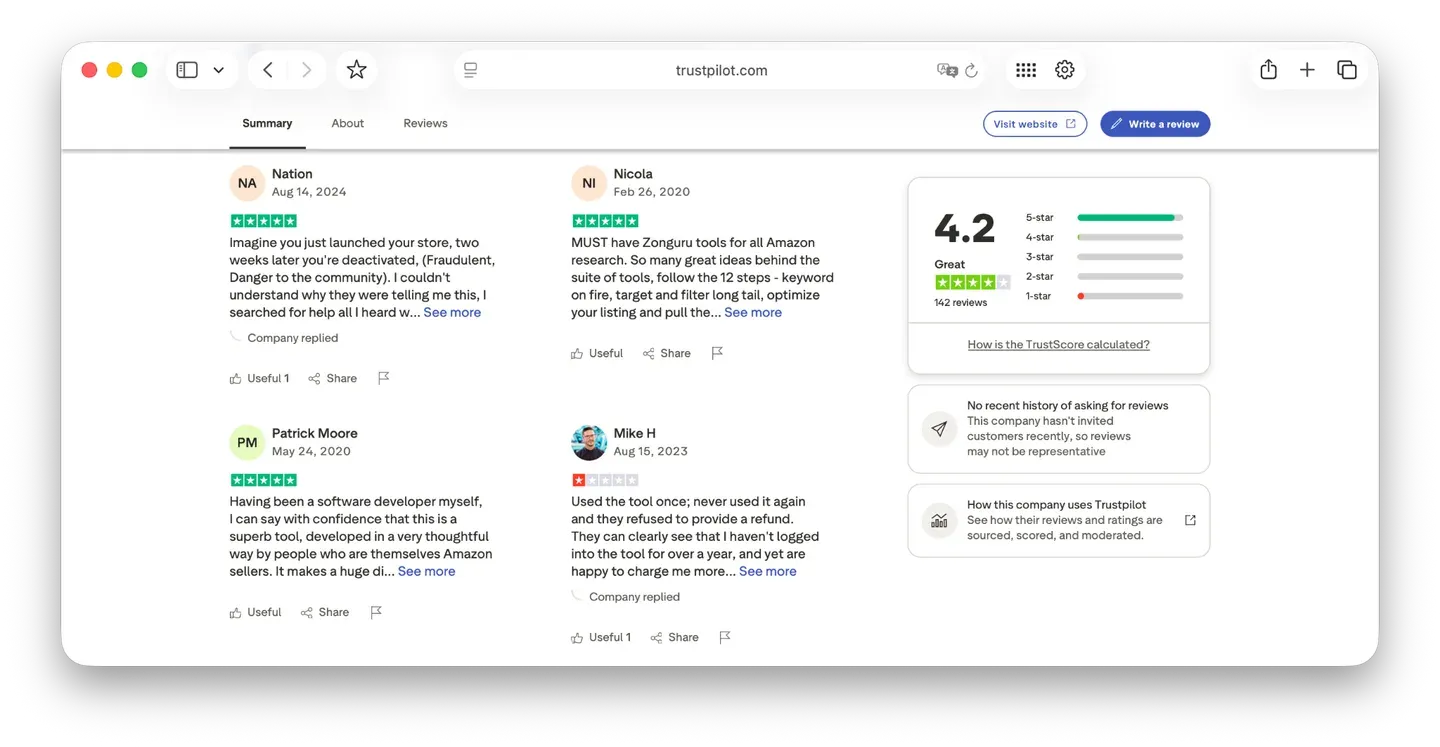
The rating is solid, though the reviews are not recent. Here is how sellers rate ZonGuru on Trustpilot:
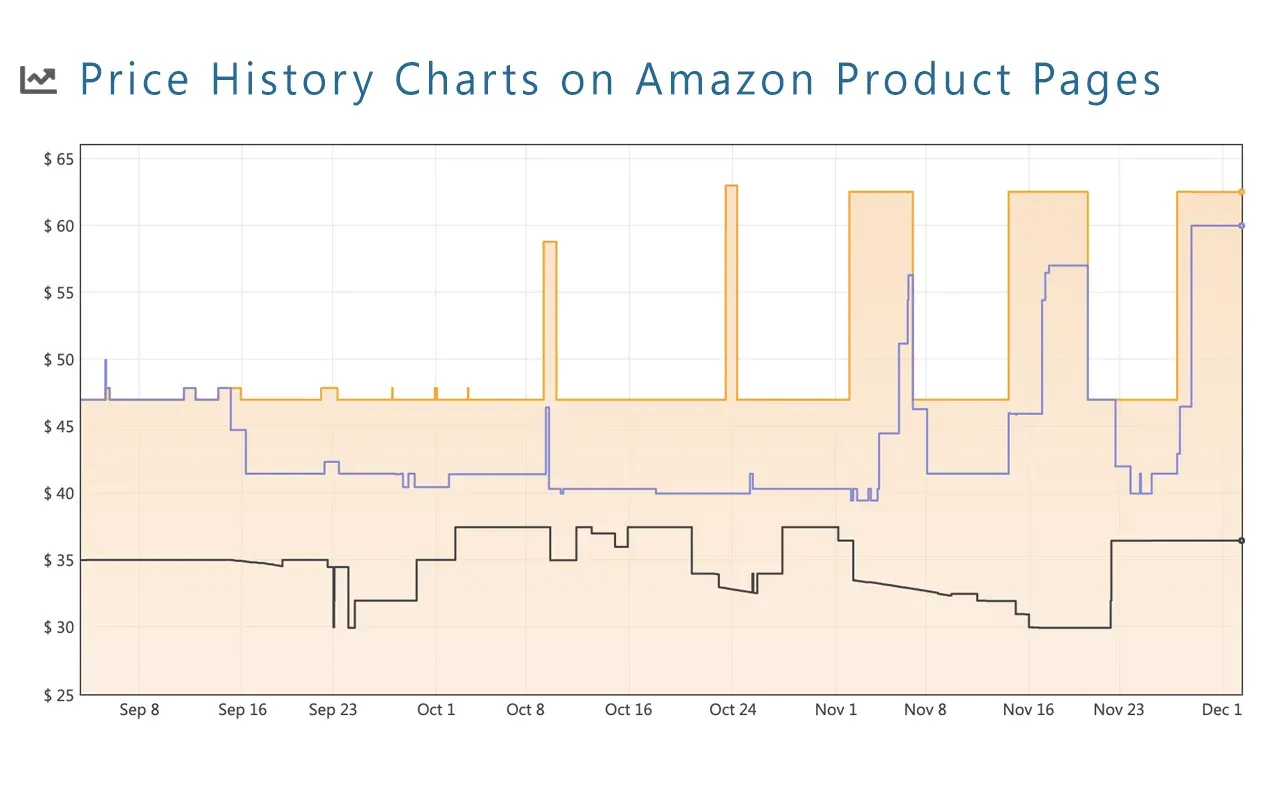
Keepa does no keyword work at all, but sourcing sellers keep it open beside whatever keyword tool they use. It does price and sales-rank history on the deepest historical dataset here, refreshed hourly, with a free tier for price charts and drop alerts.
Pros
Cons
Free plan / trial: Free tier, no account needed for basic tracking. Starting price: EUR 29/month, or EUR 290/year.
Choose it if: you are in arbitrage, wholesale or brand reselling and you analyze price and demand history. Skip it if: you need keyword data of any kind.
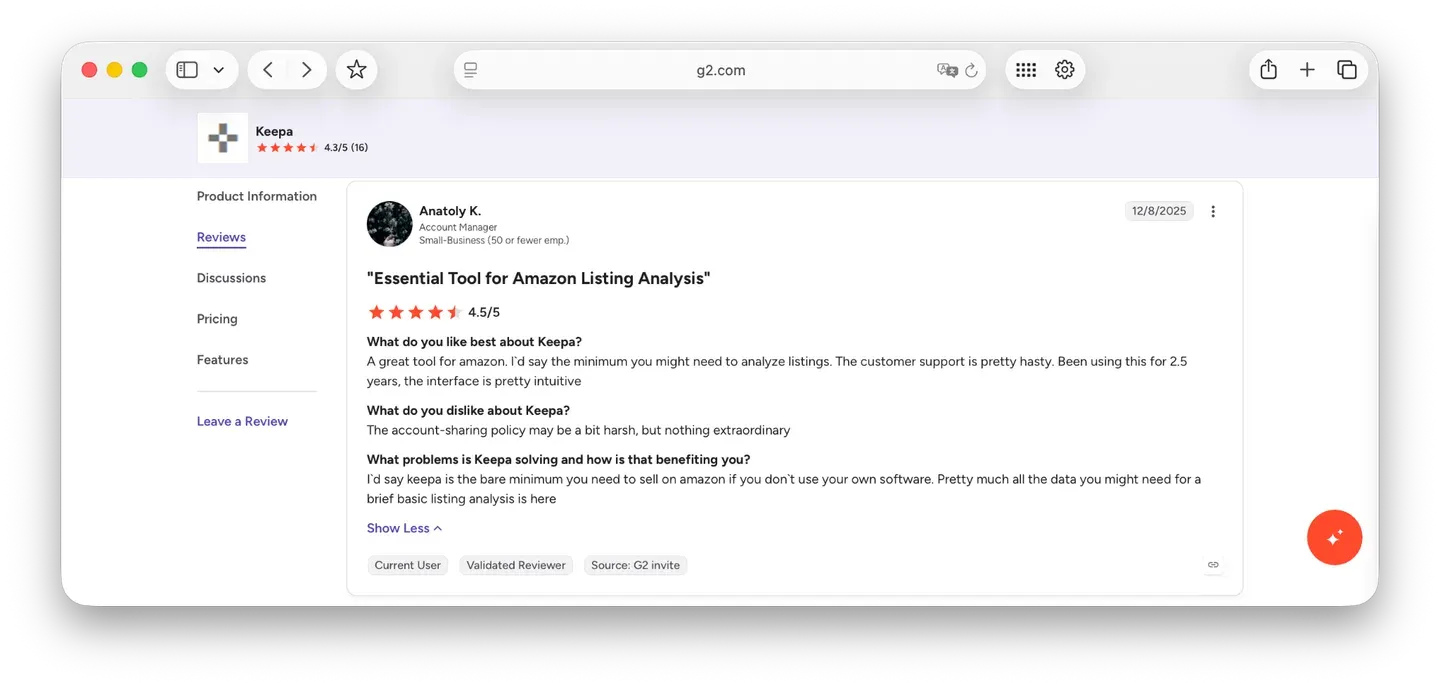
Its G2 profile is small but positive. Here is how users rate Keepa on G2:
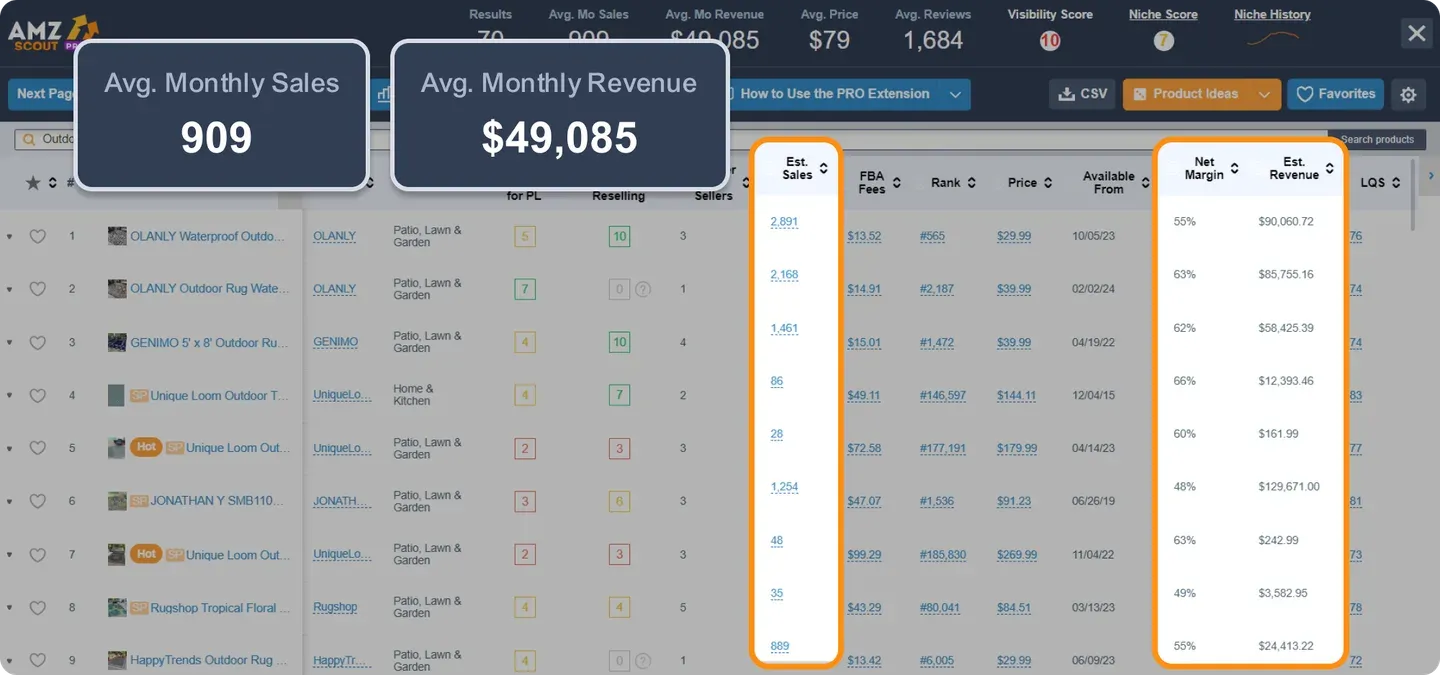
AMZScout covers keywords at the stage before you commit: search with volume and demand history, next to niche discovery, competitor analysis and an FBA calculator. It is validation-grade data rather than listing-grade, with no rank tracking and no reverse ASIN, and a free tier with no time limit.
Pros
Cons
Free plan / trial: Free tier with capped searches, no card. 10-day money-back guarantee. Starting price: $60/month, or $399.99/year (about $33/month).
Choose it if: you are researching niches and validating demand before you buy stock. Skip it if: you already have a catalog and need ongoing tracking.
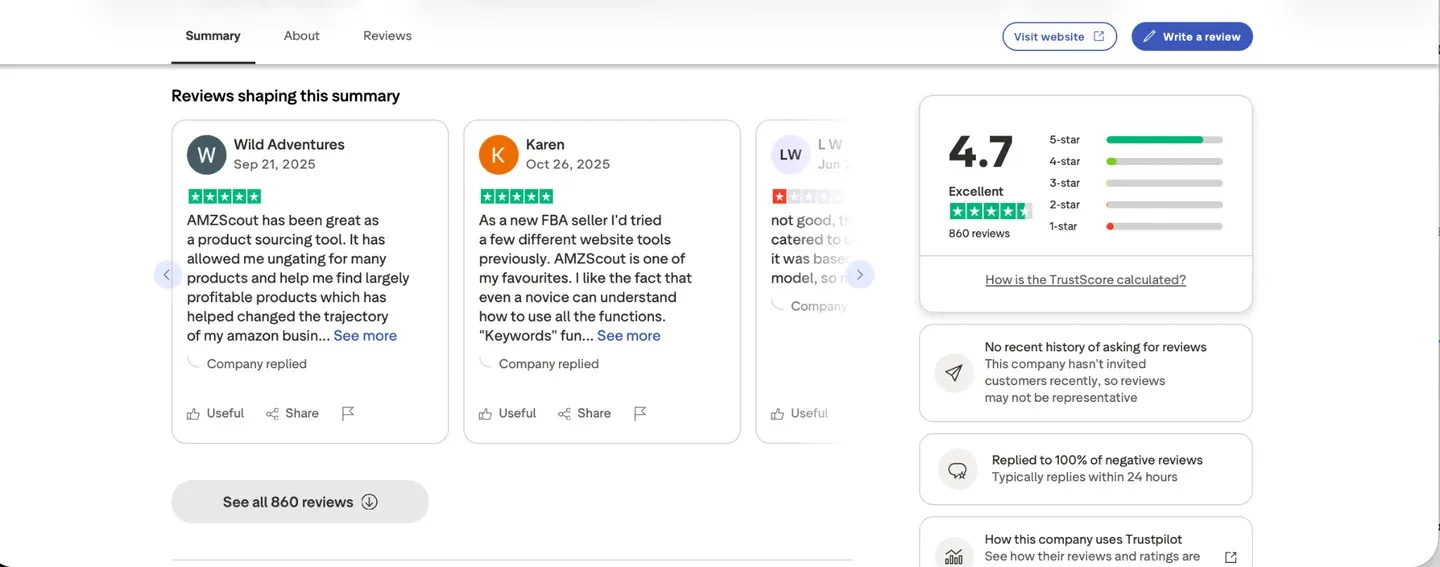
It has the largest review base of any research tool on this list. Here is how sellers rate AMZScout on Trustpilot:
Amalyze is the strongest keyword option here for European marketplaces: research and daily rank tracking on deep EU data, for both seller and vendor accounts. The keyword research itself sits in a free Chrome extension that works on every Amazon marketplace, so the research side costs nothing; the paid product on amalyze.com today is Amazon Ads management rather than a self-serve research subscription.
Pros
Cons
Free plan / trial: Free Chrome extension and FBA calculator, no time limit. Starting price: Free. The $299 to $399/month plans on amalyze.com (or 3 to 3.5% of ad spend, whichever is higher) are Amazon Ads management, not the research tool.
Choose it if: you are a private label, manufacturer or vendor selling mainly in the EU and you want free keyword and index checks right on the Amazon page. Skip it if: you sell only in the US, or you need a full research platform with a published self-serve price and active development.
Its German user base leaves reviews on OMR rather than the usual platforms. Here is how users rate Amalyze on OMR Reviews:
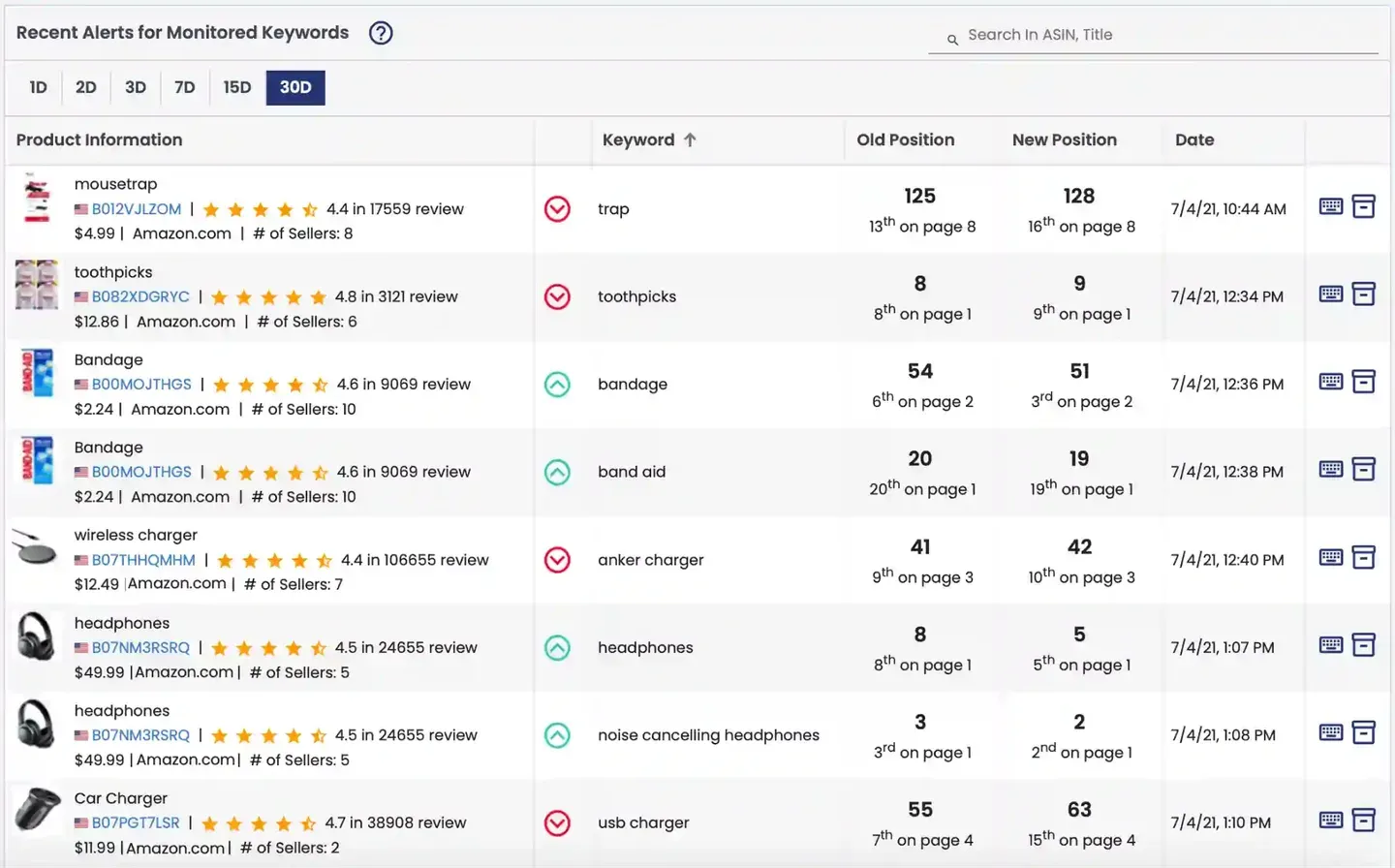
AMZ Tracker is a rank tracker first: daily keyword positions for your ASINs with review alerts, plus basic keyword research. Check the current state of the product before you subscribe, because no independent review has been posted on any platform since 2021 and the pricing page can be slow or unreachable.
Pros
Cons
Free plan / trial: No free plan. 7-day trial, confirmed on the vendor site. Starting price: From $50/month, from third-party listings only, since AMZ Tracker publishes no prices.
Choose it if: rank tracking and review alerts are the two jobs you need done, and you have confirmed the product is still supported. Skip it if: you want an actively developed tool, or research and tracking in one place at that price.
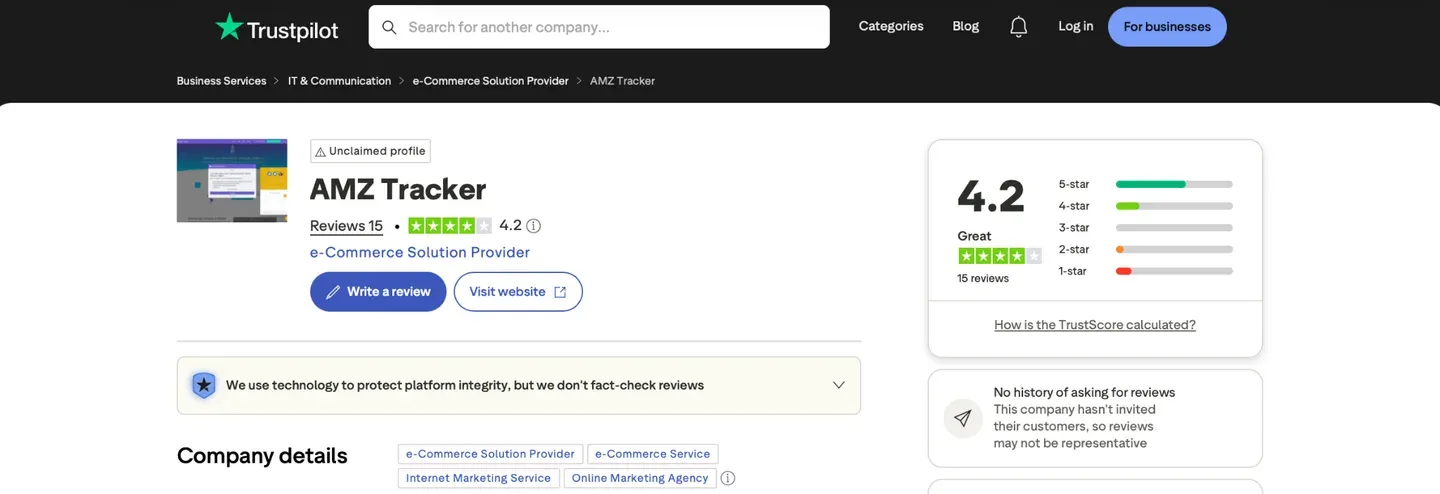
The most recent independent reviews are several years old, which tells its own story. Here is how sellers rate AMZ Tracker on Trustpilot:
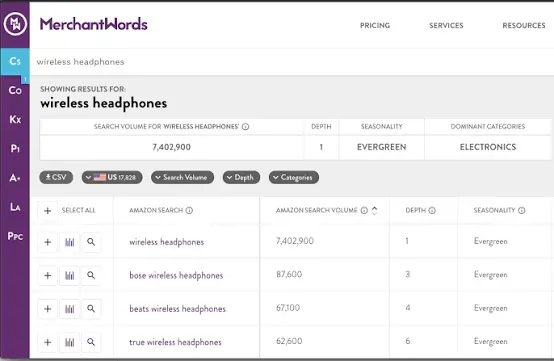
MerchantWords is a keyword dataset rather than a platform: a very large Amazon search-volume database with demand signals across 20+ marketplaces, plus an API and an MCP server for AI tools. On raw coverage it is the cheapest serious option here, and it does only that one thing.
Pros
Cons
Free plan / trial: None; the vendor states plainly it offers no trial. Cancel anytime. Starting price: $35/month (Silver), or $350/year.
Choose it if: you want breadth of search-volume and trend data to feed your own process. Skip it if: you want tracking, dashboards or anything past research, or you need to test before paying.
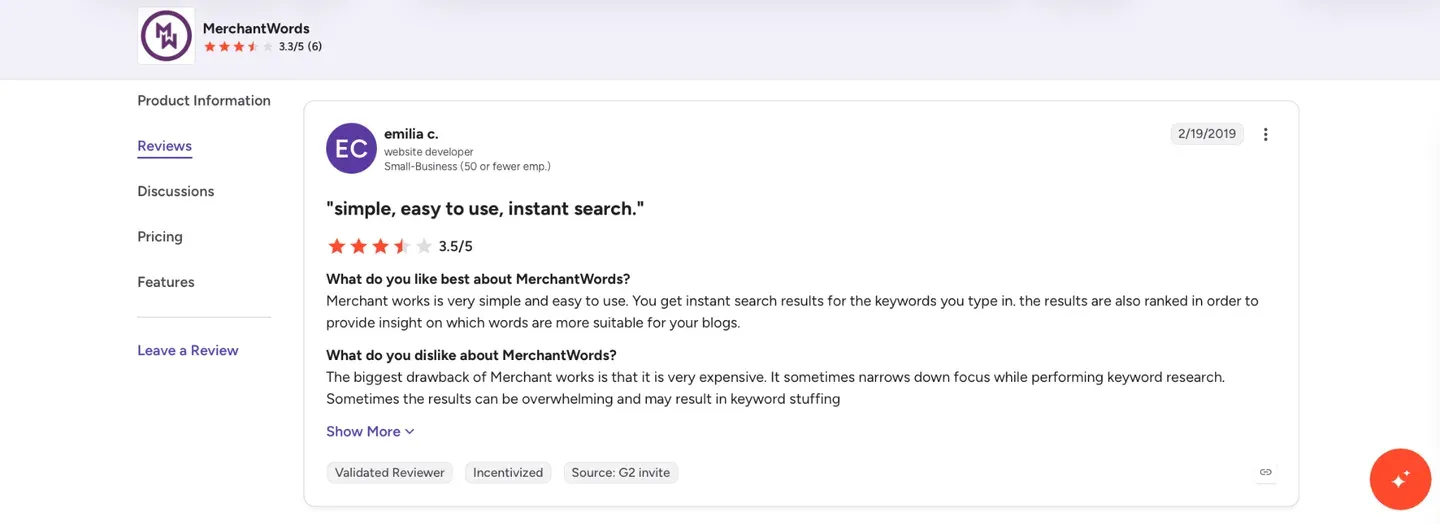
MerchantWords has only a small number of independent reviews, so read them as a sample rather than a verdict. Here is how sellers rate MerchantWords on G2:
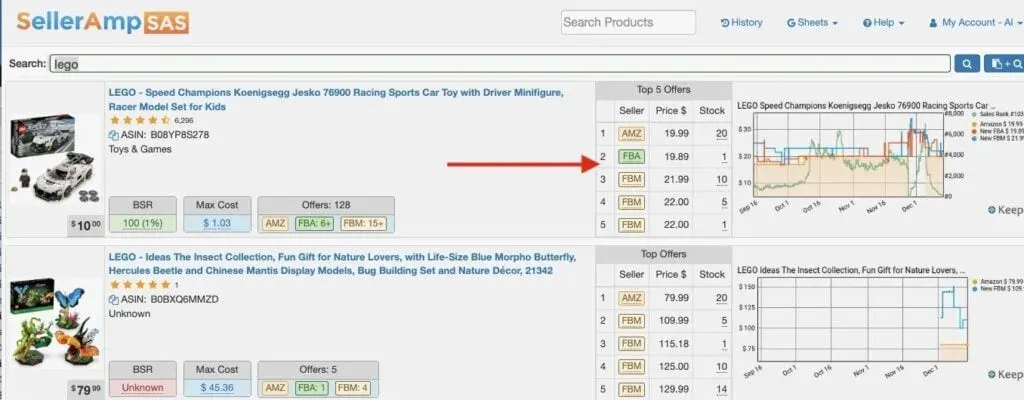
SellerAmp has no keyword tools at all. It is built for one moment: you are on a product page and need to know in seconds whether the deal works, so it analyzes deals in real time, checks IP risk and shows price and sales history. At under $20 a month it is the cheapest paid tool here.
Pros
Cons
Free plan / trial: No free plan. 14-day trial on every plan. Starting price: $20/month, with two months free on annual billing.
Choose it if: you are a retail or online arbitrage or wholesale seller vetting deals. Skip it if: you need keyword research or ongoing analytics.
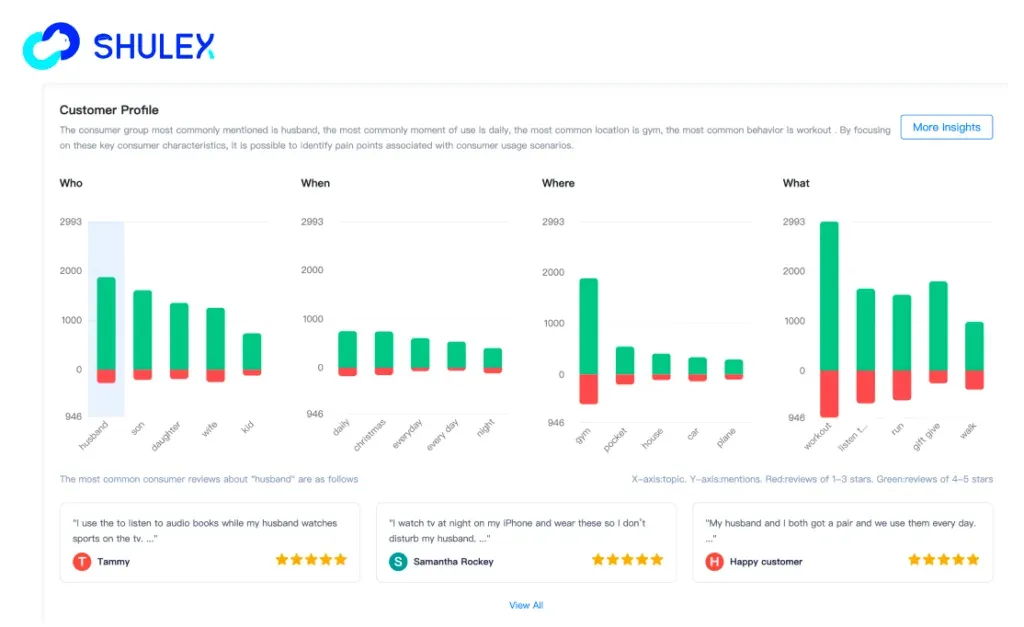
VOC AI mines Amazon reviews with AI to tell you what buyers say about your product and your competitors’ products. It measures no search volume and tracks no ranks, so treat it as raw material for listing copy once your keyword list exists rather than a way to build one. Competitor review analysis is the single feature column it fills.
Pros
Cons
Free plan / trial: Free tier with three deep review analyses. Starting price: $99/month for Personal review analytics, API and MCP from $38/month.
Choose it if: you are a private-label brand using reviews to drive product and messaging. Skip it if: you need search volume or rank data. It is a companion to a keyword tool, not one of them.
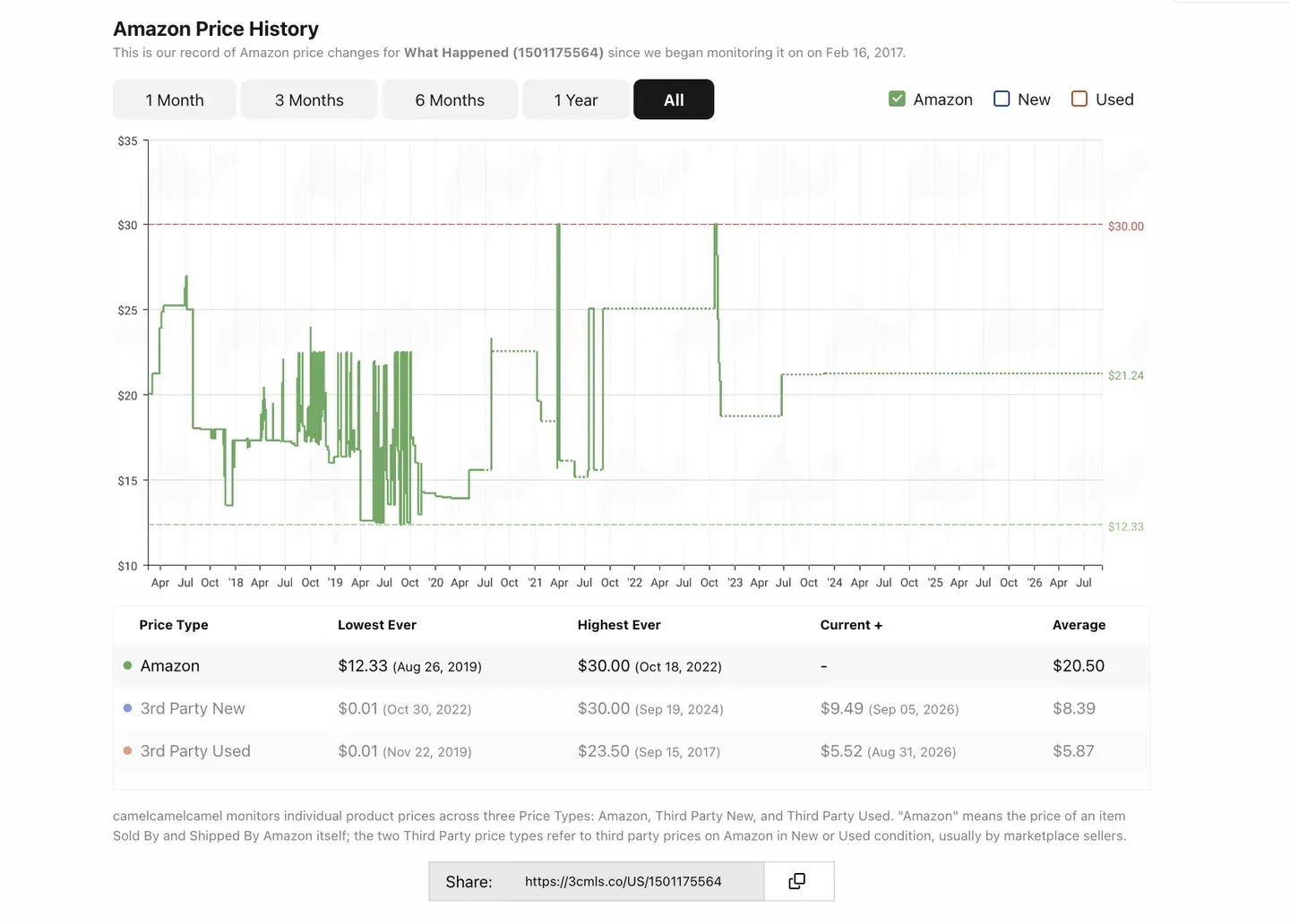
CamelCamelCamel has no keyword, rank or seller data of any kind. It is free and does one job: Amazon price history charts for an ASIN, handy for a quick competitive price check, with a Camelizer extension used by around 800,000 people. Its apps have not been updated in a while, so treat it as a stable utility rather than a growing product.
Pros
Cons
Free plan / trial: Free. No paid plan. Starting price: Free.
Choose it if: you want to monitor Amazon price history on specific ASINs at no cost. Skip it if: you expect any analytics about your own business.
For a free utility the feedback is decent. Here is how users rate CamelCamelCamel on G2:
Every tool here finds keywords faster than Seller Central. Which one depends on the five questions above, and for most sellers the shortlist is short: Data Dive for keyword and rank depth, SellerSprite for validating products before launch, Helium 10 if you want research, listing and light profit work in one tool and can absorb the entry price, MerchantWords if you only need search volume, Keepa or SellerAmp if you source rather than build a brand. Check prices and support before you commit: Helium 10 withdrew its cheapest plan, Keepa raised its fee by more than half in early 2026, and tools do disappear.
One thing costs sellers the most: keyword tools measure visibility, not profit. A keyword can rank well, convert well and still lose money once Amazon fees, FBA costs, refunds and ad spend are counted. Once your keyword stack is set, close the loop with My Real Profit or another of the best Amazon analytics tools so you can see which keywords actually make you money, not just which ones rank.
Yes, and for a first listing it may be enough. Amazon’s own autocomplete gives you real buyer phrases, Helium 10 and SellerSprite both have free tiers with capped searches, and AMZScout’s free tier has no time limit. The limits show up quickly: no rank history, no reverse ASIN, and a small number of lookups per day. Once you sell across several ASINs, a paid tool pays for itself in time saved.
No tool is accurate in absolute terms, because Amazon does not publish search volumes. Accuracy here means how well a tool ranks keywords against each other, and the tools with the biggest datasets and the deepest click data do that best: Data Dive, MerchantWords and Helium 10. The practical rule is to pick one tool and compare keywords inside it, rather than comparing a number from one tool with a number from another.
You need a tool that records your position for a keyword every day, because Amazon does not store this for you. Add your ASIN and your target keywords, then watch the trend rather than a single day. Data Dive, SellerSprite, Jungle Scout, Helium 10, DataHawk, Amalyze and AMZ Tracker all do this. Checking by hand does not work, since your own search history skews what you see.
You enter a competitor’s ASIN and the tool returns the keywords that product ranks for. It is the fastest way to build a keyword list, because a competitor who already sells well has done the testing for you. Only Data Dive, SellerSprite, Jungle Scout and Helium 10 in this comparison include it.
Indexing means Amazon has connected your listing to that keyword at all, which comes before ranking for it. Most keyword tools include an index checker: it searches the keyword together with your ASIN and reports whether your listing appears. If a keyword is not indexed, check that it appears in your title, bullets or backend search terms.
It is a convenience, not a requirement. An extension shows keyword, sales and price data while you browse Amazon, which is quicker than switching to a dashboard. SellerSprite, Helium 10, Jungle Scout, AMZScout, SmartScout, Keepa, Amalyze and SellerAmp all offer one, and SmartScout’s gives 100 free uses a month. The full dataset still lives in the web app.